FRONT CONSOLE BOX REMOVAL

-
REMOVE REAR CONSOLE BOX POCKET
-
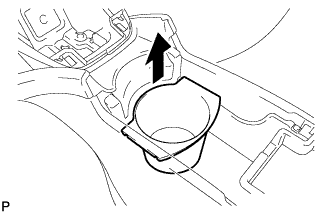
Remove the rear console box pocket.
-
-
REMOVE UPPER CONSOLE PANEL
-
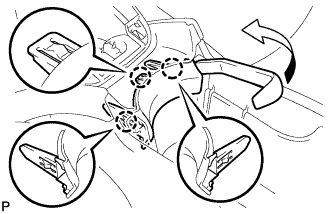
Using a moulding remover, disengage the 3 claws to remove the upper console panel as shown in the illustration.
-
-
REMOVE CONSOLE BOX CARPET
-
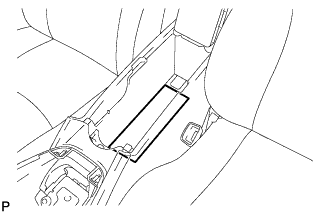
Remove the console box carpet.
-
-
REMOVE REAR CONSOLE BOX ASSEMBLY
-
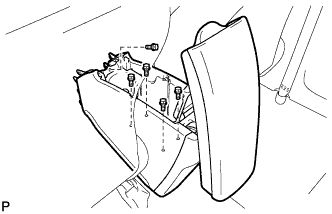
Remove the 5 bolts.
-
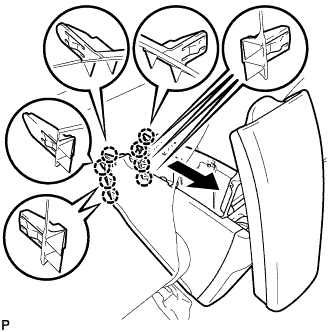
Pull the rear console box assembly in the direction indicated by the arrow to disengage the 8 claws.
-
Disconnect the connector and remove the rear console box assembly.
-