DOOR CONTROL RELAY REMOVAL

-
PRECAUTION (w/ Navigation System for HDD)
Note
-
After the power switch is turned off, the display and navigation module display (HDD navigation system) records various types of memory and settings. As a result, after turning the power switch off, make sure to wait at least 60 seconds before disconnecting the cable from the negative (-) battery terminal.
-
A hard disk drive (HDD) is built into the navigation receiver assembly to store map data etc. which will be used for the navigation system. Therefore, make sure to read all of the precautions thoroughly before handling the navigation receiver assembly.
-
-
DISCONNECT CABLE FROM NEGATIVE BATTERY TERMINAL (w/ Navigation System for HDD)
Note
When disconnecting the cable, some systems need to be initialized after the cable is reconnected Click here.
-
REMOVE INTEGRATION CONTROL AND PANEL ASSEMBLY
-
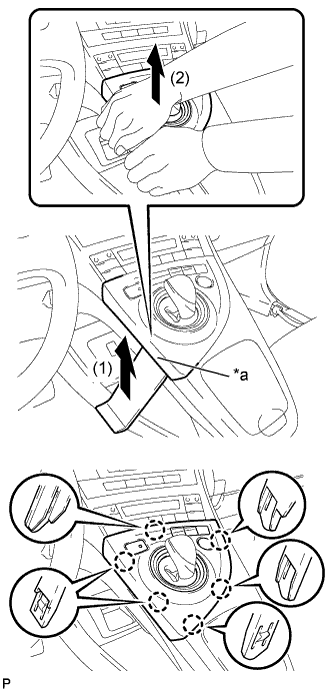
Text in Illustration *a Lift slightly Using a moulding remover, slightly lift the panel at the position shown in the illustration.
-
Pull the integration control and panel assembly in the direction indicated by the arrow to disengage the 6 claws.
-
Disconnect each connector and remove the integration control and panel assembly.
-
-
REMOVE LOWER CENTER INSTRUMENT CLUSTER FINISH PANEL SUB-ASSEMBLY
-
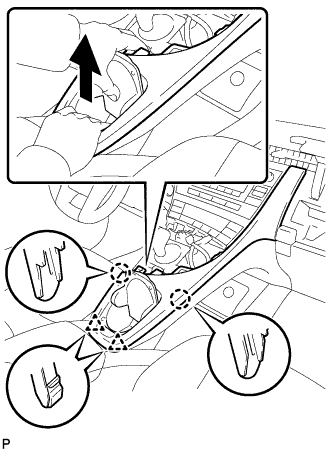
Pull the lower center instrument cluster finish panel sub-assembly in the direction indicated by the arrow to disengage the 2 claws and 2 clips.
-
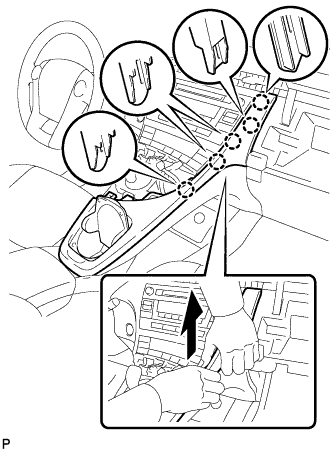
Pull the lower center instrument cluster finish panel sub-assembly in the direction indicated by the arrow to disengage the 5 claws and remove the lower center instrument cluster finish panel sub-assembly.
-
-
REMOVE INSTRUMENT CLUSTER FINISH PANEL GARNISH
-
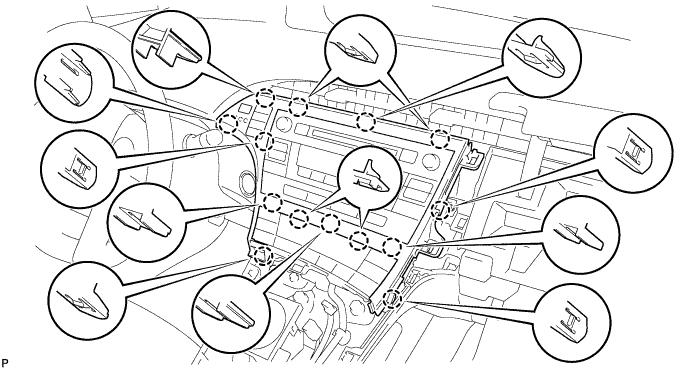
Disengage the 14 claws.
-
Disconnect the connector and remove the instrument cluster finish panel garnish.
-
-
REMOVE UPPER INSTRUMENT PANEL FINISH PANEL SUB-ASSEMBLY
-
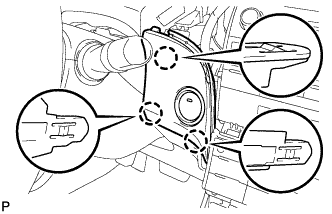
Disengage the 3 claws.
-
Disconnect the connector and remove the upper instrument panel finish panel sub-assembly.
-
-
REMOVE CENTER INSTRUMENT CLUSTER FINISH PANEL SUB-ASSEMBLY (w/o Radio Receiver)
-
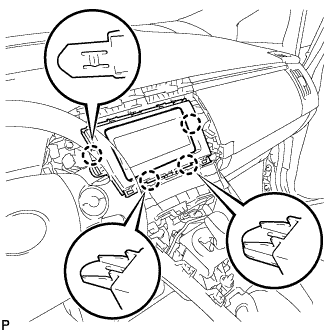
Disengage the 4 claws and remove the center instrument cluster finish panel sub-assembly.
-
-
REMOVE RADIO TUNER OPENING COVER WITH BRACKET (w/o Radio Receiver)
-
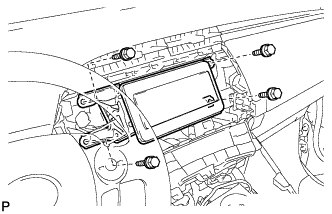
Remove the 4 bolts <B> and radio tuner opening cover with bracket.
-
-
REMOVE RADIO RECEIVER WITH BRACKET (w/ Radio Receiver)
-
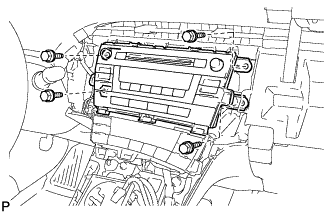
Remove the 4 bolts.
-
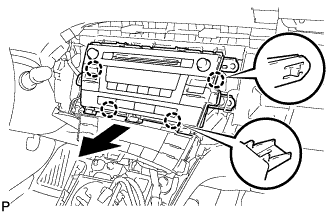
Disengage the 4 claws as shown in the illustration.
-
Disconnect each connector and remove the radio receiver with bracket.
-
-
REMOVE NAVIGATION RECEIVER WITH BRACKET (w/ Navigation System)
-
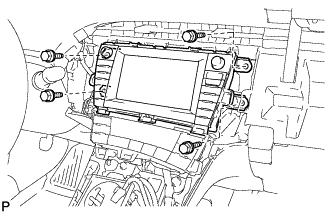
Remove the 4 bolts.
-
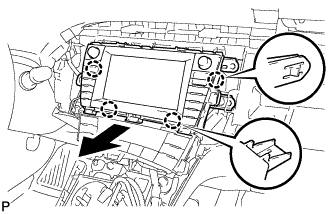
Disengage the 4 claws and remove the navigation receiver assembly with bracket as shown in the illustration.
-
Disconnect each connector.
-
-
REMOVE DOUBLE LOCK DOOR CONTROL RELAY ASSEMBLY
-
Disconnect the connector.
-
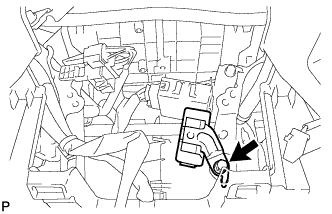
Remove the bolt and double lock door control relay assembly.
-