INVERTER CURRENT SENSOR REASSEMBLY

Tech Tips
For the assembly procedure of the inverter with converter assembly, refer to the assembly procedure of the MG control computer with bracket sub-assembly. Click here
-
INSTALL INVERTER WIRE SUB-ASSEMBLY
-
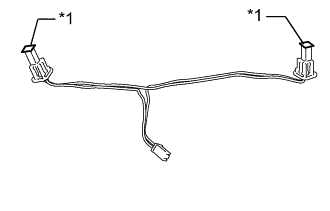
Text in Illustration *1 Protective Tape Apply protective tape to the inverter wire sub-assembly as shown in the illustration.
Note
Use non-residue type tape.
-
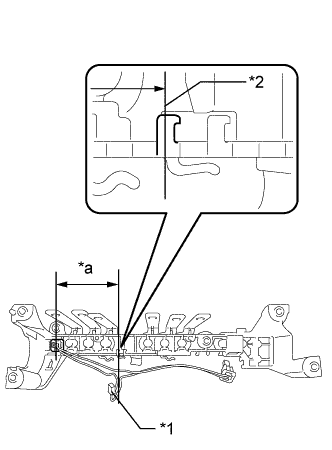
Text in Illustration *1 Connector A *2 Clamp *a Shorter Set the inverter terminal sub-assembly as shown in the illustration and confirm the installation position of the inverter wire sub-assembly.
-
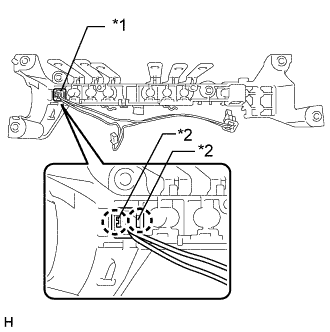
Text in Illustration *1 Inter Lock Connector B *2 Claw Engage the 2 claws to connect the interlock connector (B) to the inverter terminal sub-assembly as shown in the illustration.
Tech Tips
Push in the protruding part of the interlock connector (B) and make sure that it is securely installed.
-
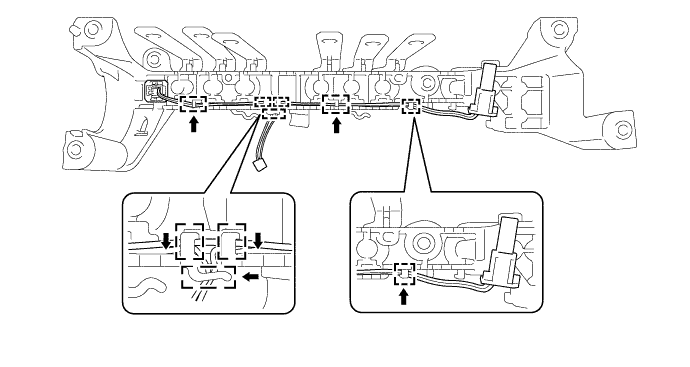
Engage the wire harness of the inverter wire sub-assembly to the 6 clamps as shown in the illustration.
Note
Make sure that the wire which connects the interlock connectors is on the top of the other wires and not twisted.
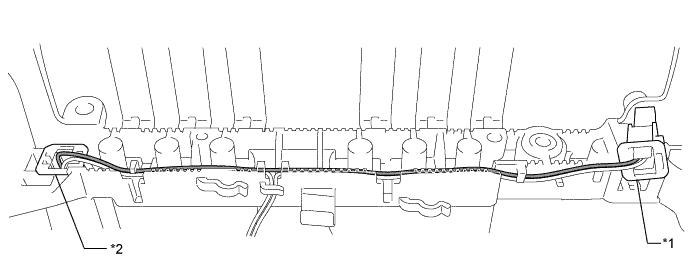
Text in Illustration *1 Inter Lock Connector A *2 Inter Lock Connector B -
Engage the 2 claws to connect the interlock connector (A) to the inverter terminal sub-assembly as shown in the illustration.
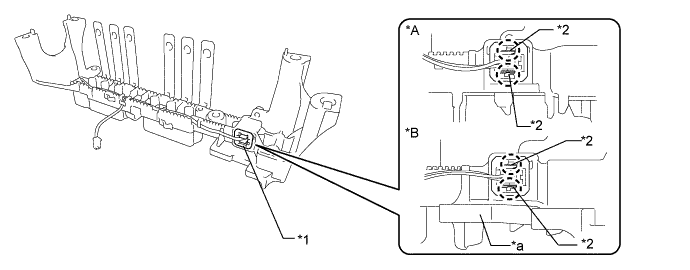
Text in Illustration *A Type 1 *B Type 2 *1 Inter Lock Connector A *2 Claw *a Terminal Tray - - Tech Tips
Push in the protruding part of the interlock connector (A) and make sure that it is securely installed.
-
Engage the wire harness of the inverter wire sub-assembly to each clamp to install it as shown in the illustration.
Note
Do not pull the wire harness excessively.
Tech Tips
The number of clamps used to engage the wire harnesses of the inverter wire sub-assembly varies depending on the part number of the inverter with converter assembly. Confirm the part number before performing work.
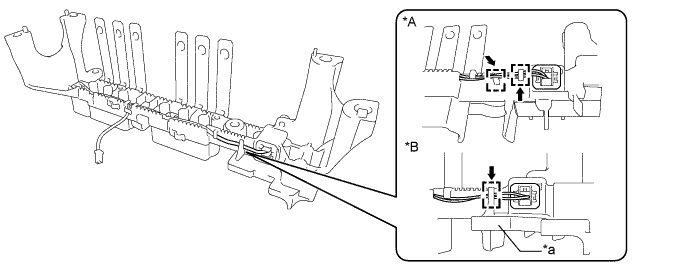
Text in Illustration *A Type 1 *B Type 2 *a Terminal Tray - - -
Check the installation condition of the inverter wire sub-assembly.
Note
Make sure that the wire harness of inverter wire sub-assembly is not twisted.
-
-
INSTALL INVERTER CURRENT SENSOR SUB-ASSEMBLY
-
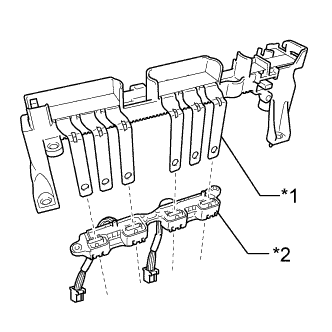
Text in Illustration *1 Bus-bar *2 inverter current sensor sub-assembly Insert the bus-bars of the inverter terminal sub-assembly into the inverter current sensor sub-assembly as shown in the illustration.
-
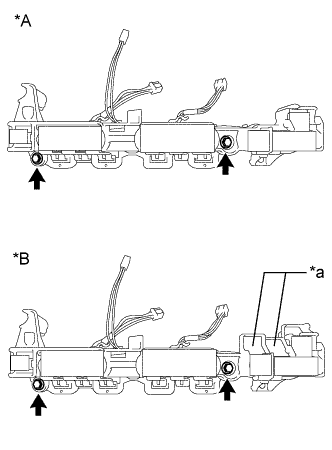
Text in Illustration *A Type 1 *B Type 2 *a Terminal Tray Install the inverter current sensor sub-assembly with the 2 bolts.
- Torque:
- 5.0 N*m { 51 kgf*cm, 44 in.*lbf }
-
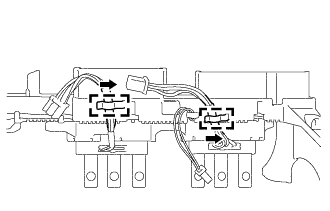
Engage the wire harness of inverter current sensor sub-assembly to the 2 clamps as shown in the illustration.
Tech Tips
-
Although the number of clamps which the wire harnesses of the inverter current sensor sub-assembly are disengaged from during removal varies depending on the part number of the inverter with converter assembly, only 2 clamps will be used to engage the wire harness during installation.
-
The position of the connectors on the MG control computer with bracket sub-assembly side depend on the part number of the inverter with converter assembly.
-
-
Remove the protective tape.
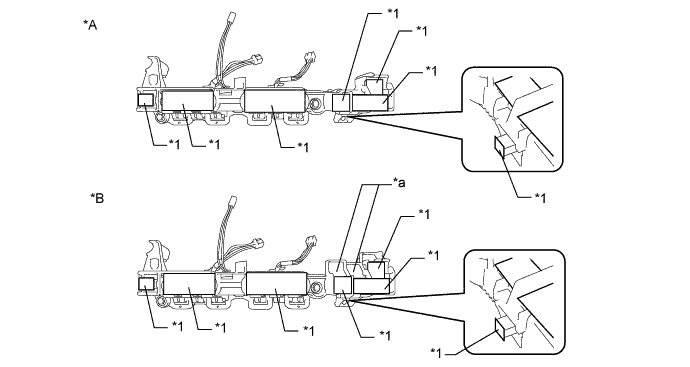
Text in Illustration *A Type 1 *B Type 2 *1 Protective Tape - - *a Terminal Tray - -
-