NAVIGATION SYSTEM (for DVD) Vehicle Position Mark is not Updated
INSPECTION PROCEDURE
PROCEDURE
-
CHECK MAP DISC
-
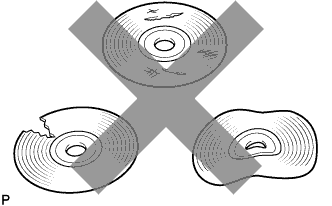
Check that the map disc is not deformed or cracked.
OK No deformations or cracks on the map disc
NG 
REPLACE MAP DISC
OK 
-
-
CHECK NAVIGATION DISPLAY
-
Check if touch scrolling can be performed on the map display.
OK Touch scrolling can be performed.
NG
PROCEED TO NEXT SUSPECTED AREA SHOWN IN PROBLEM SYMPTOMS TABLE Click here
OK
-
-
CHECK VEHICLE SENSOR (OPERATION CHECK)
-
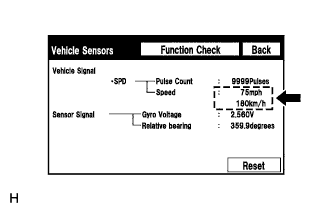
Enter the "Vehicle Sensors" screen. Refer to Check GPS & Vehicle Sensors in Operation Check Click here.
-
While driving the vehicle, compare the "Speed" indicator to the reading on the speedometer. Check if these readings are almost equal.
OK The readings are almost equal.
NG
CHECK DTC OUTPUT Click here
OK 
PROCEED TO NEXT SUSPECTED AREA SHOWN IN PROBLEM SYMPTOMS TABLE Click here
-