CLEARANCE WARNING ECU INSTALLATION

-
INSTALL CLEARANCE WARNING ECU ASSEMBLY
-
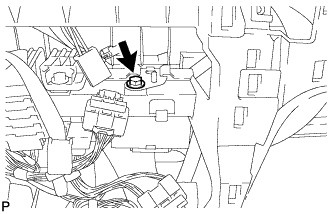
Install the ECU with the bolt.
-
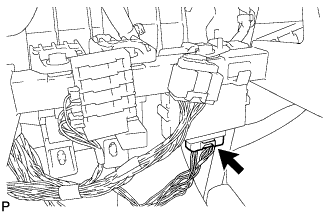
Connect the connector.
-
-
INSTALL NAVIGATION RECEIVER ASSEMBLY WITH BRACKET (w/ Navigation System for HDD)
-
Connect the connectors.
-
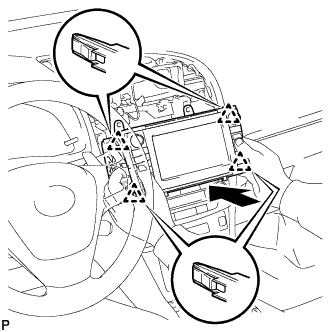
Insert the display to attach the 4 clips on its backside.
Note
When inserting the navigation receiver, do not press the knobs on the navigation receiver.
-
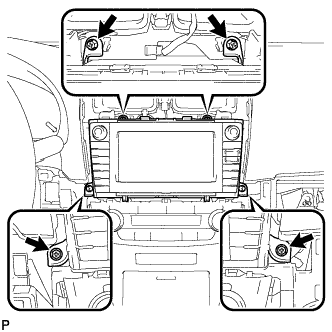
Install the navigation receiver with the 4 screws.
- Torque:
- 4.0 N*m { 40 kgf*cm, 35 in.*lbf }
-
-
INSTALL NAVIGATION RECEIVER ASSEMBLY WITH BRACKET (w/ Navigation System for DVD)
-
Connect the connectors.
-
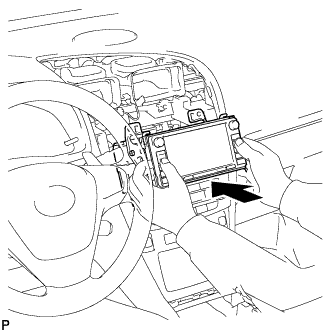
Insert the navigation receiver.
Note
When inserting the navigation receiver, do not press the knobs on the navigation receiver.
-
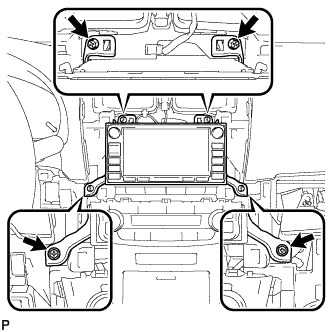
Install the navigation receiver with the 4 screws.
- Torque:
- 4.0 N*m { 40 kgf*cm, 35 in.*lbf }
-
-
INSTALL RADIO RECEIVER ASSEMBLY WITH BRACKET (w/ Audio)
-
Connect the connectors.
-
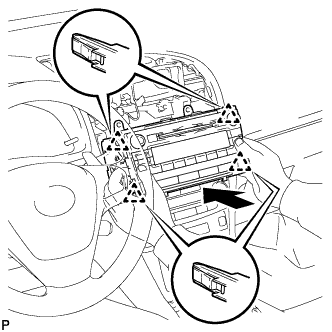
Insert the radio receiver to attach the 4 clips on its backside.
Note
When inserting the radio receiver, do not press the knobs on it.
-
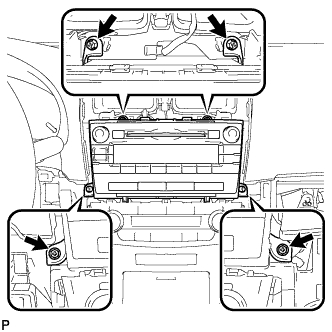
Install the radio receiver with the 4 screws.
- Torque:
- 4.0 N*m { 40 kgf*cm, 35 in.*lbf }
-
-
INSTALL STEREO OPENING COVER WITH BRACKET (w/o Audio)
-
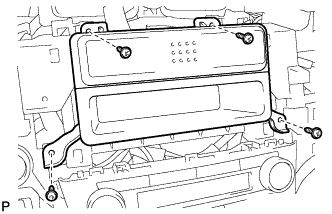
Install the opening cover with bracket with the 4 screws.
-
-
INSTALL CENTER INSTRUMENT PANEL REGISTER ASSEMBLY WITH FINISH PANEL (for Audio, HDD Navigation System)
-
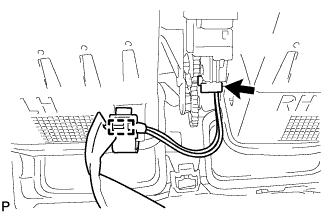
Connect the connector and clamp.
-
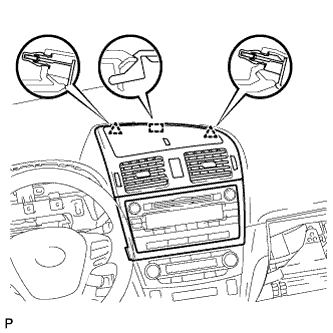
Attach the 2 clips and hook.
-
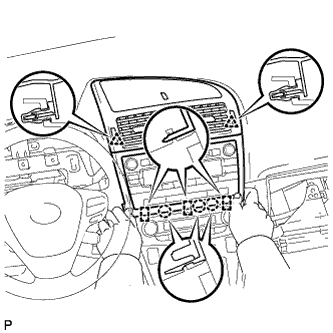
Attach the 2 clips.
-
Attach the 3 claws and 3 hooks to install the panel register.
-
-
INSTALL CENTER INSTRUMENT PANEL REGISTER ASSEMBLY WITH FINISH PANEL (for Audio-less, DVD Navigation System)
-
Connect the connector and clamp.
-
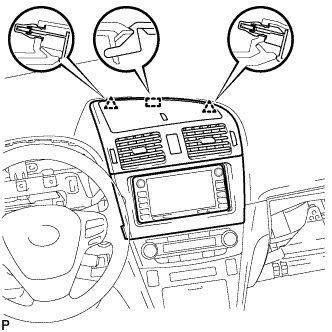
Attach the 2 clips and hook.
-
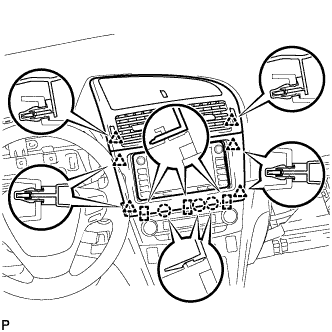
Attach the 6 clips.
-
Attach the 3 claws and 3 hooks to install the panel register.
-
-
INSTALL AIR CONDITIONING CONTROL ASSEMBLY
-
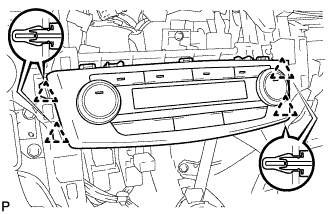
Connect the connector.
-
Attach the 4 clips to install the air conditioning control.
-
-
INSTALL LOWER INSTRUMENT CLUSTER FINISH PANEL
-
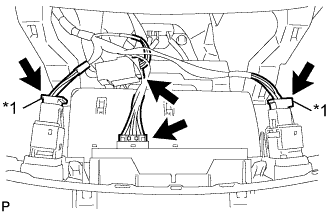
Text in Illustration *1 w/ Seat Heater System Connect the connectors.
-
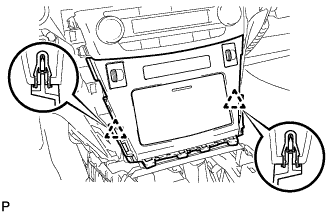
Attach the 2 clips to install the finish panel.
-
-
INSTALL REAR UPPER CONSOLE PANEL SUB-ASSEMBLY (for Automatic Transaxle and CVT)
-
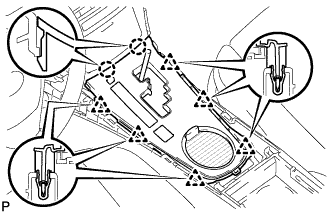
Connect the connector.
-
Attach the 2 claws and 6 clips to install the console panel.
-
-
INSTALL REAR UPPER CONSOLE PANEL SUB-ASSEMBLY (for Manual Transaxle)
-
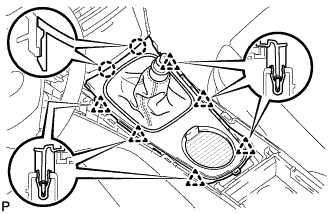
Attach the 2 claws and 6 clips to install the console panel.
-
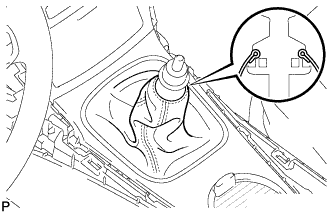
Attach the cover to the shaft.
-
-
INSTALL SHIFT LEVER KNOB SUB-ASSEMBLY (for Automatic Transaxle and CVT)
-
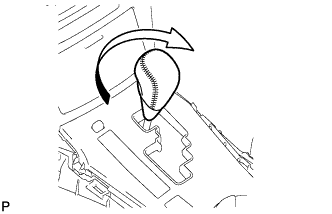
Install the shift lever knob and twist it in the direction indicated by the arrow.
-
-
INSTALL SHIFT LEVER KNOB SUB-ASSEMBLY (for Manual Transaxle)
-
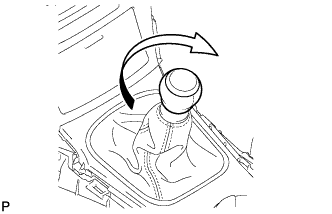
Install the shift lever knob and twist it in the direction indicated by the arrow.
-