NAVIGATION SYSTEM (for HDD) Touch Panel Switch does not Function
INSPECTION PROCEDURE
PROCEDURE
-
CHECK TOUCH PANEL
-
Check for foreign matter on the display.
OK The display is clean.
NG 
CLEAN DISPLAY AND RECHECK TOUCH PANEL
OK 
-
-
CHECK TOUCH SWITCH
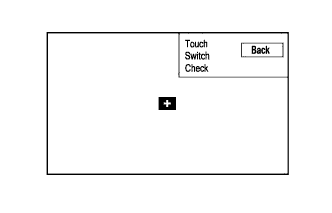
-
Enter the "Function Check/Setting" mode and select "Touch Switch" Click here.
-
Touch the display in the area where the switch malfunction occurs.
OK A "+" mark appears at the touched position.
NG
PROCEED TO NEXT SUSPECTED AREA SHOWN IN PROBLEM SYMPTOMS TABLE Click here
OK 
REPLACE NAVIGATION RECEIVER ASSEMBLY Click here
-