AUXILIARY BATTERY REMOVAL
-
PRECAUTION
Note
After turning the power switch off, waiting time may be required before disconnecting the cable from the negative (-) auxiliary battery terminal. Therefore, make sure to read the disconnecting the cable from the negative (-) auxiliary battery terminal notice before proceeding with work Click here.
-
REMOVE REAR NO. 3 FLOOR BOARD
-
Remove the rear No. 3 floor board.
-
-
REMOVE DECK FLOOR BOX RH
-
Fold back the rear No. 2 floor board.
-
Remove the deck floor box RH Click here.
-
-
REMOVE REAR NO. 3 FLOOR BOARD UPPER PLATE
-
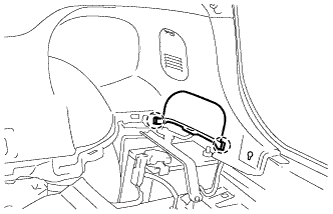
Disengage the 2 claws and remove the rear No. 3 floor board upper plate.
-
-
DISCONNECT CABLE FROM NEGATIVE AUXILIARY BATTERY TERMINAL
Note
When disconnecting the cable, some systems need to be initialized after the cable is reconnected Click here.
-
REMOVE AUXILIARY BATTERY
-
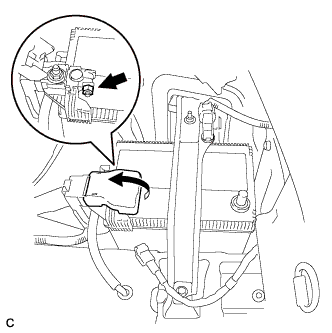
Open the auxiliary battery terminal cap.
-
Loosen the nut, and disconnect the positive (+) auxiliary battery terminal.
-
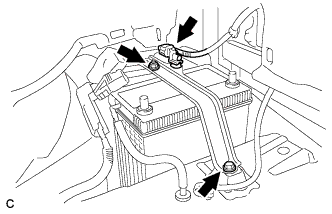
Remove the nut and bolt.
-
Remove the auxiliary battery thermometer sensor connector.
-
Remove the battery clamp.
-
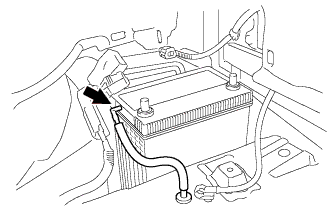
Disconnect the battery ventilation hose.
-
Remove the auxiliary battery.
-