BRAKE PEDAL (for LHD) INSTALLATION
-
INSTALL BRAKE PEDAL SUPPORT ASSEMBLY
-
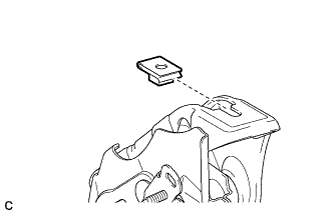
Install the nut to the brake pedal support assembly.
-
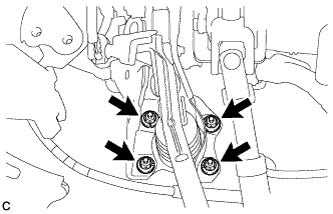
Install the brake pedal support assembly with the 4 nuts.
- Torque:
- 13 N*m { 130 kgf*cm, 9 ft.*lbf }
-
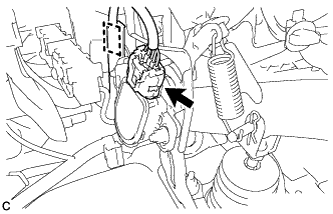
Engage the clamp and connect the connector to the brake pedal stroke sensor assembly.
-
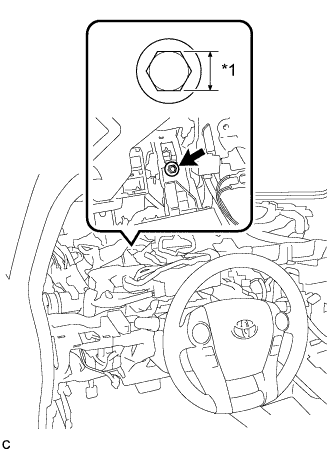
Text in Illustration *1 Bolt Size Install the brake pedal support assembly to the instrument panel reinforcement with the bolt.
Bolt Type Bolt Size Bolt A 14 mm (0.551 in.) Bolt B 12 mm (0.472 in.) - Torque:
- for Bolt A
- 14 N*m { 140 kgf*cm, 10 ft.*lbf }
- for Bolt B
- 24 N*m { 241 kgf*cm, 17 ft.*lbf }
Tech Tips
Two types of bolts each with a different torque specification can be used.
-
-
INSTALL INSTRUMENT PANEL JUNCTION BLOCK ASSEMBLY
-
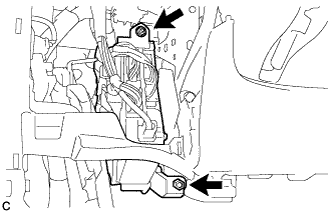
Install the instrument panel junction block assembly with the bolt and nut.
- Torque:
- 14 N*m { 138 kgf*cm, 10 ft.*lbf }
-
-
INSTALL PUSH ROD PIN
-
Apply lithium soap base glycol grease to the push rod pin and installation hole of the brake pedal support assembly.
-
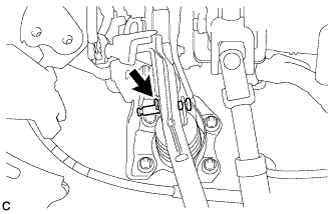
Install the push rod pin and a new clip to connect the push rod clevis to the brake pedal support assembly.
-
-
INSTALL BRAKE PEDAL RETURN SPRING
-
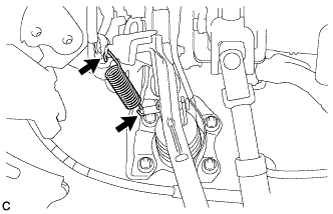
Install the brake pedal return spring to the brake pedal support assembly and push rod pin.
-
-
INSTALL STOP LIGHT SWITCH MOUNTING ADJUSTER
-
INSTALL STOP LIGHT SWITCH ASSEMBLY
-
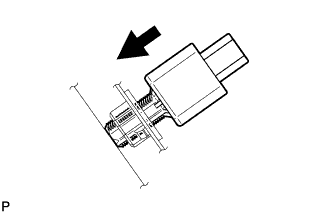
Insert the stop light switch assembly until the threaded sleeve hits the pedal.
Note
When inserting the stop light switch assembly, support the pedal from behind so that the pedal is not pushed in.
-
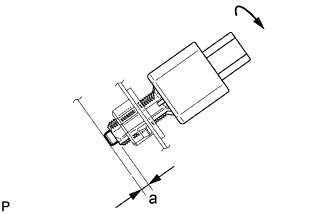
Make a quarter turn clockwise to install the stop light switch assembly.
- Torque:
- 1.5 N*m { 15 kgf*cm, 13 in.*lbf, or less }
Note
When inserting the stop light switch assembly, support the pedal from behind so that the pedal is not pushed in.
-
Connect the connector.
-
Check the protrusion of the plunger.
Protrusion of Plunger Area Measurement a 0.5 to 2.6 mm (0.0197 to 0.102 in.) If the protrusion is not as specified, recheck switch installation and inspect brake pedal adjustment if necessary Click here for LHD or Click here for RHD).
Note
Do not depress or support the brake pedal.
-
-
INSTALL UPPER INSTRUMENT PANEL ASSEMBLY
-
INSPECT AND ADJUST BRAKE PEDAL
-
INSTALL NO. 1 INSTRUMENT PANEL UNDER COVER SUB-ASSEMBLY
-
Connect each connector.
-
Engage the guide and claw.
-
Install the No. 1 instrument panel under cover sub-assembly with the 2 screws <D>.
-
-
PERFORM INITIALIZATION AND CALIBRATION OF LINEAR SOLENOID VALVE