CRANKSHAFT POSITION SENSOR REMOVAL

-
DISCONNECT CABLE FROM NEGATIVE BATTERY TERMINAL
CAUTION:
Wait at least 90 seconds after disconnecting the cable from the negative (-) battery terminal to prevent airbag and seat belt pretensioner activation.
-
REMOVE DRIVE BELT
-
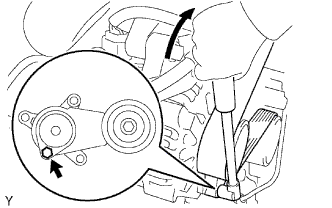
Use the hexagon-shaped part indicated by the arrow in the illustration to move the tensioner pulley downward and decrease the tension in the drive belt. Then remove the drive belt.
Note
When removing the drive belt, do not use the idle pulley's bolt.
Tech Tips
After removing the drive belt, move the tensioner upward to the maximum amount.
-
-
REMOVE COOLER COMPRESSOR ASSEMBLY
-
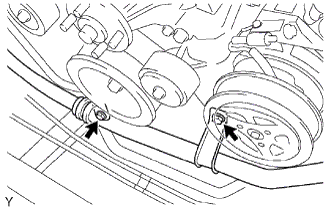
Remove the 2 bolts and disconnect the suction hose from the engine.
-
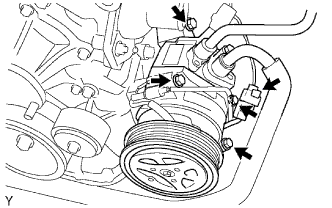
Disconnect the cooler compressor connector.
-
Remove the 4 bolts and disconnect the compressor from the engine.
-
Support the cooler compressor securely.
-
-
REMOVE NO. 1 COMPRESSOR MOUNTING BRACKET
-
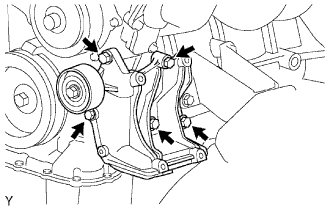
Remove the 5 bolts and compressor mounting bracket.
-
-
REMOVE CRANKSHAFT POSITION SENSOR
-
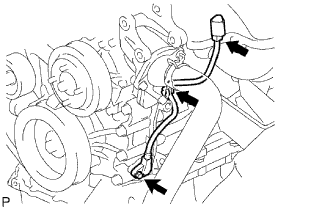
Disconnect the sensor connector.
-
Disconnect the connector from the connector bracket.
-
Detach the harness clamp.
-
Remove the bolt and sensor.
-