FRONT AIRBAG SENSOR REMOVAL

Tech Tips
-
Use the same procedure for the RH side and LH side.
-
The procedure listed below is for the LH side.
-
PRECAUTION
CAUTION:
Be sure to read Precaution thoroughly before servicing Click here.
Note
w/ Navigation System for HDD:
After the power switch is turned off, the display and navigation module display (HDD navigation system) records various types of memory and settings. As a result, after turning the power switch off, make sure to wait for the time specified in the following table before disconnecting the cable from the negative (-) battery terminal.
Waiting Time before Disconnecting Cable from Negative (-) Battery Terminal Specification Waiting Time w/o Telematics Transceiver 60 sec. w/ Telematics Transceiver 120 sec. -
REMOVE REAR DECK FLOOR BOX
-
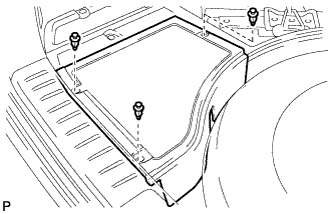
Remove the 3 clips and the rear deck floor box.
-
-
DISCONNECT CABLE FROM NEGATIVE BATTERY TERMINAL
CAUTION:
Wait at least 90 seconds after disconnecting the cable from the negative (-) battery terminal to disable the SRS system.
Note
When disconnecting the cable, some systems need to be initialized after the cable is reconnected Click here.
-
REMOVE ENGINE ROOM SIDE COVER
-
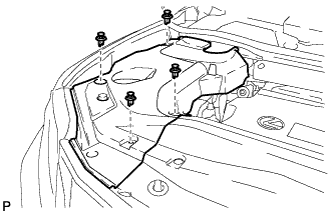
Remove the 4 clips and engine room side cover.
-
-
REMOVE ENGINE ROOM SIDE COVER LH
-
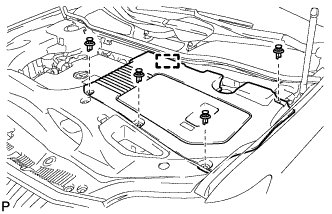
Remove the 4 clips.
-
Disengage the guide and remove the engine room side cover LH.
-
-
REMOVE COOL AIR INTAKE DUCT SEAL
-
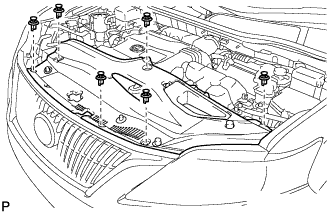
Remove the 6 clips and cool air intake duct seal.
-
-
REMOVE HOOD CENTER CUSHION
-
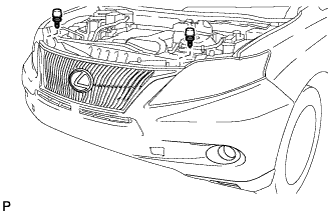
Remove the 2 hood center cushions.
-
-
REMOVE FRONT BUMPER ASSEMBLY
-
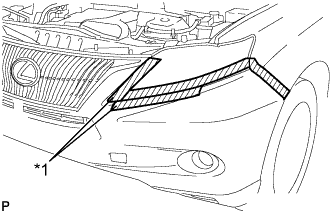
Text in Illustration *1 Protective Tape Put protective tape around the front bumper assembly.
Tech Tips
Use the same procedure for the RH side and LH side.
-
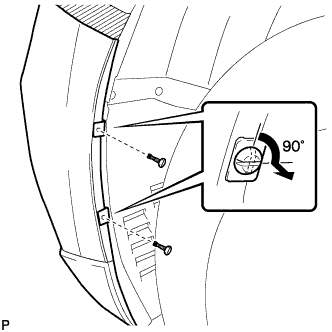
Using a screwdriver, turn the pins 90 degrees and remove the 2 pin hold clips.
Tech Tips
Use the same procedure for the RH side and LH side.
-
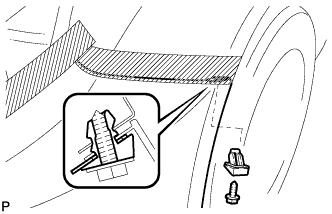
Remove the screw and front bumper seal bracket.
Tech Tips
Use the same procedure for the RH side and LH side.
-
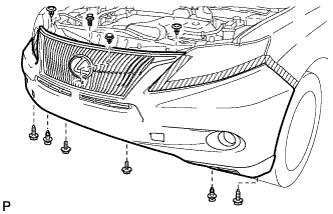
Remove the 2 bolts and 2 screws.
-
Using a clip remover, remove the 6 clips.
-
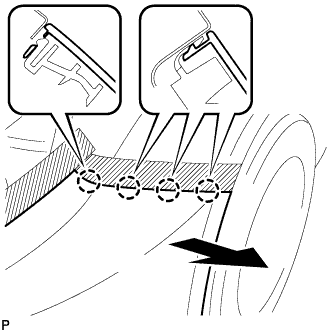
Disengage the 4 claws and remove the front bumper assembly.
Tech Tips
Use the same procedure for the RH side and LH side.
-
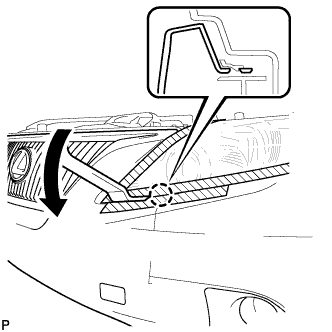
Using a moulding remover, disengage the claw.
Tech Tips
Use the same procedure for the RH side and LH side.
-
Disconnect the fog light connector.
-
Disconnect the No. 1 ultrasonic sensor connector. (w/ LEXUS Parking Assist-sensor System)
-
Disconnect the headlight cleaner hose.
Note
Prepare a drain pan or a piece of cloth in case washer fluid leaks.
-
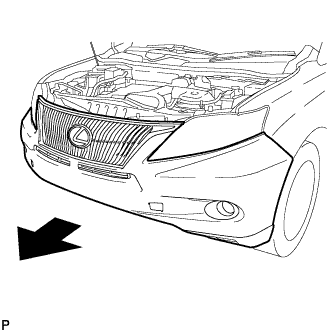
Remove the front bumper assembly as shown in the illustration.
-
-
REMOVE HEADLIGHT ASSEMBLY
for HID Headlight: Click here
for LED Headlight: Click here
-
REMOVE FRONT AIRBAG SENSOR
-
Check that the power switch is off.
-
Check that the cable is disconnected from the negative (-) battery terminal.
CAUTION:
Wait at least 90 seconds after disconnecting the cable from the negative (-) battery terminal to disable the SRS system.
-
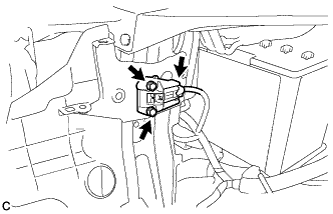
Disconnect the connector from the front airbag sensor.
Note
When disconnecting any airbag connector, take care not to damage the airbag wire harness.
-
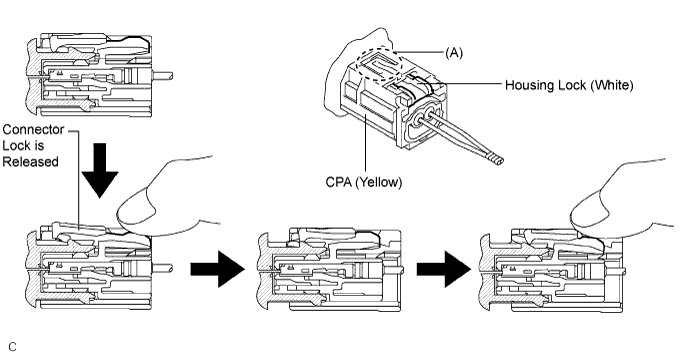
Push down the white housing lock and slide the yellow CPA. (At this time, the connector cannot be disconnected yet.)
-
Push down the white housing lock again and disconnect the connector.
Note
Do not push down the part (A) shown in the illustration when disconnecting.
-
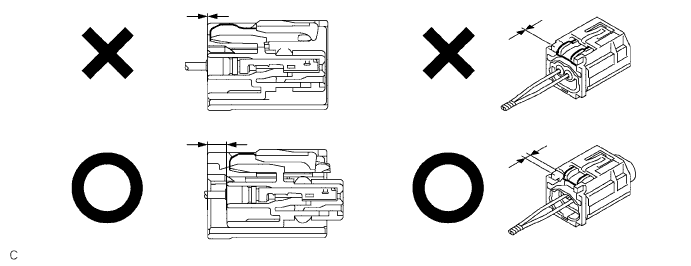
After disconnecting the connector, check that the position of the white housing lock is correct as shown in the illustration.
-
-
Remove the 2 bolts.
Note
Loosen the bolt while holding the front airbag sensor because the front airbag sensor pin (stopper) is easily damaged.
-
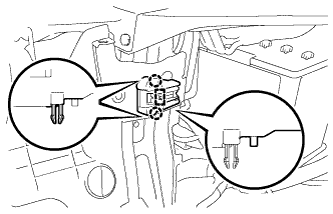
Disengage the 2 claws and pin (stopper) to remove the front airbag sensor.
-