ENTRY AND START SYSTEM (for Start Function) ON-VEHICLE INSPECTION

-
CHECK POWER SOURCE MODE CHANGE FUNCTION
-
Check the function of the power switch.
-
Check that power source mode changes in accordance with the conditions of the shift position and brake pedal.
Brake Pedal Shift Lever Power Source Mode Pattern Depressed P When the power switch is pushed once.
-
off → on (READY)
Not depressed P Each time the power switch is pushed.
-
off → on (ACC) → on (IG) → off
Except P Each time the power switch is pushed.
-
off → on (ACC) → on (IG) → on (ACC)
- P When the power switch is pushed in the on (READY) condition.
-
on (READY) → off
- Except P When the power switch is pushed in the on (READY) condition.
-
on (READY) → on (ACC)
-
-
-
Check that the power source mode changes without pressing the power switch.
-
With power source mode on (ACC) and the shift lever in P, wait for at least 1 hour. Check that the power source mode changes from on (ACC) to off automatically.
-
-
-
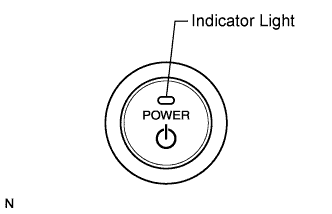
CHECK INDICATOR CONDITION
-
Check the indicator light on the power switch.
-
Check that the power switch indicator turns on and changes color according to the table below.
Power Source Mode/Condition Indicator Light Condition Brake Pedal Released Brake Pedal Depressed, Shift Lever in P off off Turns on (Green) on (ACC, IG) Turns on (Amber) Turns on (Green) on (READY) off off Steering lock not unlocked Flashes (Green) for 30 sec. Flashes (Green) for 30 sec. System malfunction Flashes (Amber) for 15 sec. Flashes (Amber) for 15 sec.
-
-