NAVIGATION SYSTEM (for DVD) Current Position Display does not Appear
INSPECTION PROCEDURE
PROCEDURE
-
CHECK NAVIGATION MODULE BOARD
-
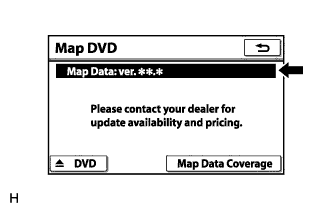
Display the "Map DVD" screen.
-
Check if a disc is inserted into the MAP disc slot.
-
Check if the map data version is displayed in the "Map Data" section.
OK The map data version is displayed.
-
NG 
INSERT MAP DISC IN MAP SIDE SLOT
OK 
-
-
CHECK MAP DISC
-
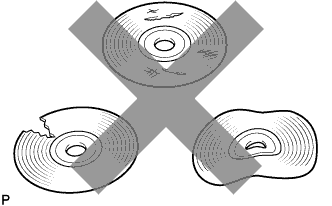
Check that the map disc is not deformed or cracked.
OK No deformations or cracks on the map disc
NG
REPLACE MAP DISC
OK
-
-
CHECK CABIN
-
Check that condensation is not likely to occur in the cabin, and that the temperature is not high or extremely low in the cabin.
Tech Tips
-
A humid cabin and a rapid change in temperature may lead to condensation. Condensation in the cabin may cause a short circuit.
-
The navigation system may not operate normally when the temperature is -20°C (-4°F) or lower, or 65°C (149°F) or higher.
OK Condensation is not likely being produced and the temperature is not high or extremely low. -
NG
CABIN TO APPROPRIATE TEMPERATURE
OK 
PROCEED TO NEXT SUSPECTED AREA SHOWN IN PROBLEM SYMPTOMS TABLE Click here
-