AUTOMATIC LIGHT CONTROL SENSOR REMOVAL

-
REMOVE FRONT ROOF TOP GARNISH
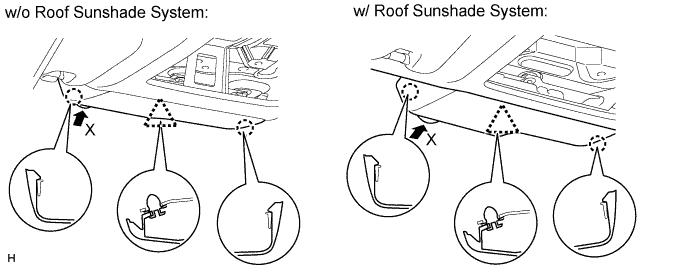
-
Detach the clip and 2 claws and remove the front roof top garnish.
Note
When removing the rain sensor cover, do not apply force to the lane recognition camera sensor assembly areas labeled "X".
-
-
REMOVE NO. 1 RAIN SENSOR COVER
-
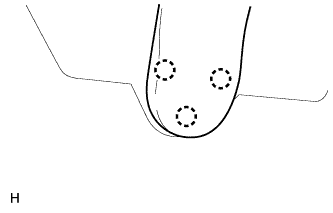
Detach the 3 claws and remove the rain sensor cover.
-
-
REMOVE NO. 2 RAIN SENSOR COVER
-
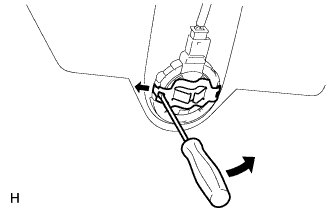
Using a screwdriver, detach the 2 claws and remove the No. 2 rain sensor cover.
-
-
REMOVE RAIN SENSOR
-
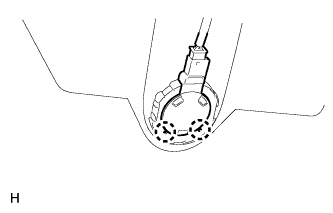
Detach the 2 claws and remove the rain sensor.
Note
Do not touch the silicon mixture directly with a finger.
-
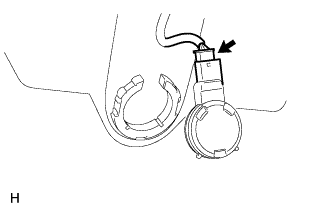
Disconnect the connector.
Note
Do not touch the silicon mixture directly with a finger.
-