NAVIGATION SYSTEM (for HDD) Cannot Call in a Certain Place
INSPECTION PROCEDURE
PROCEDURE
-
CHECK SURROUNDING CONDITIONS
-
Check if the cellular phone can make calls in the place where the problem occurred.
OK The cellular phone can make calls.
NG 
END (CELLULAR PHONES CAN ONLY FUNCTION IN CELLULAR SERVICE AREAS)
OK 
-
-
CHECK RECEPTION
-
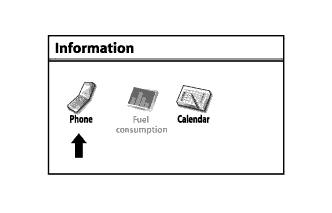
Enter the "Information" screen by pressing the "INFO" switch.
-
Select "Phone".
-
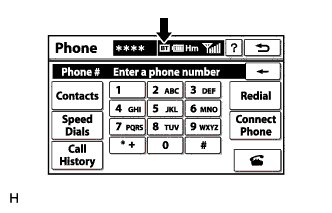
Check the "Bluetooth" connection indicator ("BT" indicator).
Result Result Proceed to "BT" indicator color is yellow A "BT" indicator color is blue B No connection indicator is displayed C
B
REPLACE NAVIGATION RECEIVER ASSEMBLY Click here
C
SELECT A REGISTERED CELLULAR PHONE OR REGISTER A "BLUETOOTH" COMPATIBLE PHONE
A 
MOVE THE CELLULAR PHONE TO A LOCATION WHERE THE "BT" MARK TURNS BLUE
-