REAR NO. 1 SEAT ASSEMBLY (for 60/40 Split Seat Type 60 Side) REMOVAL

Tech Tips
-
Use the same procedures for LHD and RHD vehicles.
-
The procedures listed below are for LHD vehicles.
-
DISCONNECT CABLE FROM NEGATIVE BATTERY TERMINAL
CAUTION:
Wait at least 90 seconds after disconnecting the cable from the negative (-) battery terminal to disable the SRS system.
Note
When disconnecting the cable, some systems need to be initialized after the cable is reconnected Click here.
-
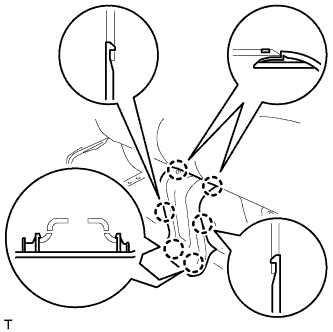
REMOVE REAR NO. 3 SEAT CUSHION HINGE COVER
-
Using a screwdriver, detach the 6 claws and remove the cover.
Tech Tips
Tape the screwdriver tip before use.
-
-
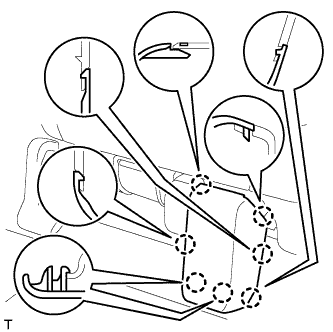
REMOVE REAR NO. 5 SEAT CUSHION HINGE COVER
-
Using a screwdriver, detach the 7 claws and remove the cover.
Tech Tips
Tape the screwdriver tip before use.
-
-
REMOVE REAR NO. 2 SEAT CUSHION HINGE COVER
-
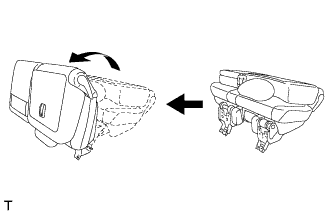
Operate the reclining adjuster release handle to move the seat into the position shown in the illustration.
-
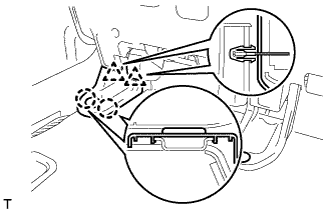
Using a screwdriver, detach the 2 claws and 2 clips, and remove the cover.
Tech Tips
Tape the screwdriver tip before use.
-
-
REMOVE REAR NO. 4 SEAT CUSHION HINGE COVER
-
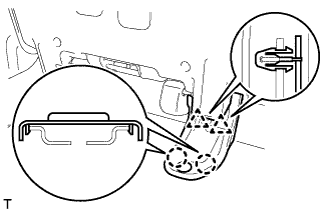
Using a screwdriver, detach the 2 claws and 2 clips, and remove the cover.
Tech Tips
Tape the screwdriver tip before use.
-
-
REMOVE REAR NO. 1 SEAT ASSEMBLY LH
-
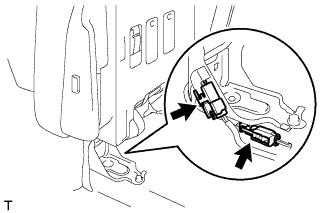
Disconnect the connector.
-
w/ Seat Heater System:
Disconnect the connector.
-
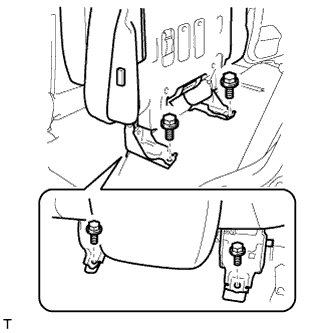
Remove the 4 bolts and seat assembly.
Note
Be careful not to damage the vehicle body.
-
-
REMOVE REAR NO. 1 SEAT ASSEMBLY RH
-
REMOVE REAR NO. 1 SEAT PROTECTOR
-
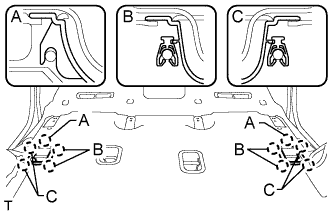
Detach the 10 claws and remove the 2 seat protectors.
-
-
REMOVE REAR NO. 2 SEAT PROTECTOR
-
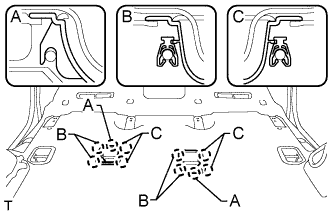
Detach the 10 claws and remove the 2 seat protectors.
-
-
REMOVE REAR STEP COVER
Tech Tips
Use the same procedure to remove the step cover on the other side.
-
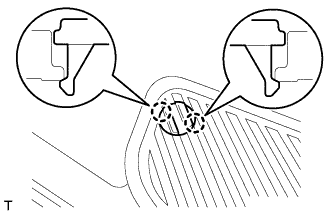
w/o Illumination Type Front Door Scuff Plate:
Detach the 2 claws and remove the step cover.
-
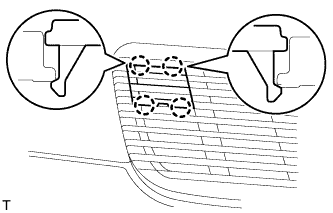
w/ Illumination Type Front Door Scuff Plate:
Detach the 4 claws and remove the step cover.
-
-
REMOVE REAR DOOR SCUFF PLATE LH
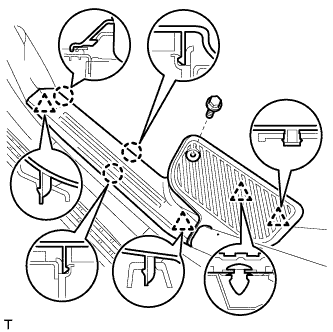
-
w/o Illumination Type Front Door Scuff Plate:
Remove the rear door scuff plate.
-
Remove the screw.
-
Detach the 3 claws and 4 clips, and remove the scuff plate.
-
-
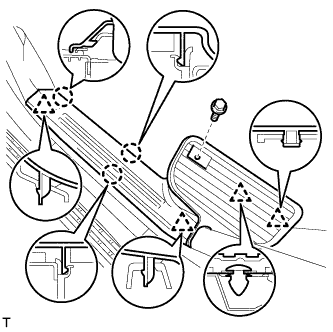
w/ Illumination Type Front Door Scuff Plate:
Remove the rear door scuff plate.
-
Remove the screw.
-
Detach the 3 claws and 4 clips, and remove the scuff plate.
-
-
-
REMOVE REAR DOOR SCUFF PLATE RH
Tech Tips
Use the same procedures described for the LH side.
-
REMOVE REAR NO. 2 SEAT ASSEMBLY
-
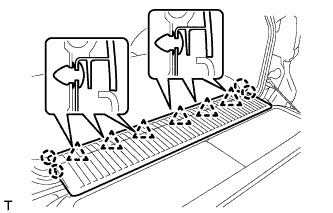
REMOVE REAR FLOOR MAT REAR SUPPORT PLATE
-
Detach the 6 clips and 4 claws, and remove the support plate.
-
-
REMOVE FRONT QUARTER TRIM PANEL ASSEMBLY LH
Tech Tips
When removing the front quarter trim panel, operate the reclining adjuster release handle and move the No. 1 rear seat to the position shown in the illustration.
-
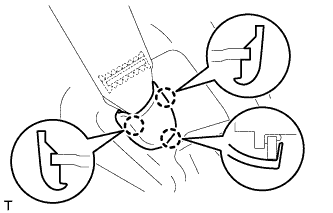
Detach the 3 claws and remove the cover.
-
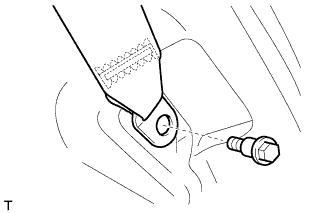
Remove the bolt and rear No. 1 seat belt anchor.
-
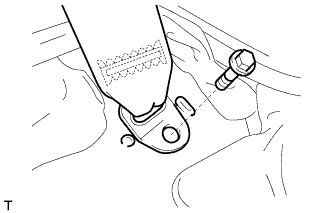
Remove the bolt and rear No. 2 seat belt anchor.
-
Remove the clip.
-
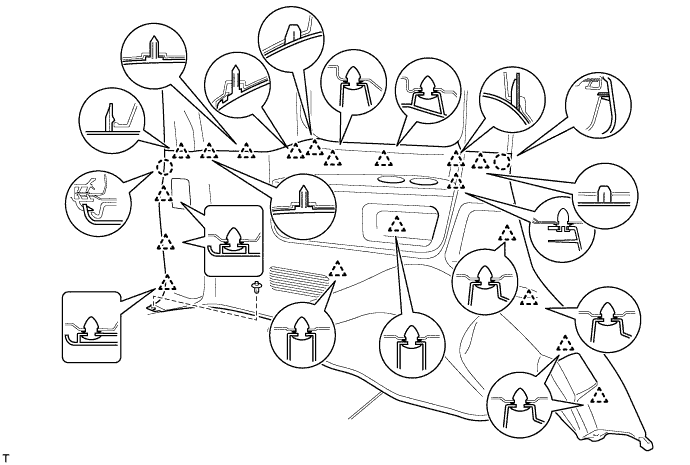
Detach the 19 clips and 2 claws.
-
Disconnect the thermistor connector and then remove the quarter trim panel.
-
-
REMOVE FRONT QUARTER TRIM PANEL ASSEMBLY RH
Tech Tips
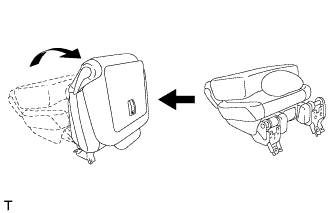
When removing the front quarter trim panel, operate the reclining adjuster release handle and move the No. 1 rear seat to the position shown in the illustration.
-
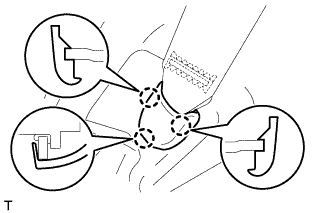
Detach the 3 claws and remove the cover.
-
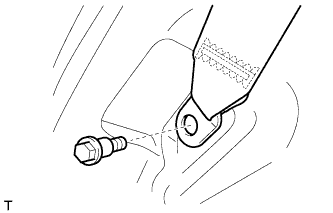
Remove the bolt and rear No. 1 seat belt anchor.
-
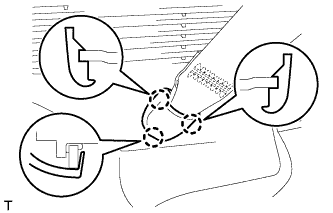
Detach the 3 claws and remove the cover.
-
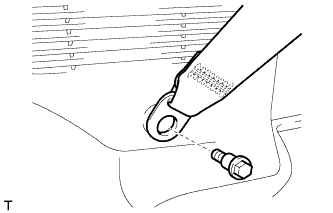
Remove the bolt and rear No. 2 seat belt anchor.
-
Remove the clip.
-
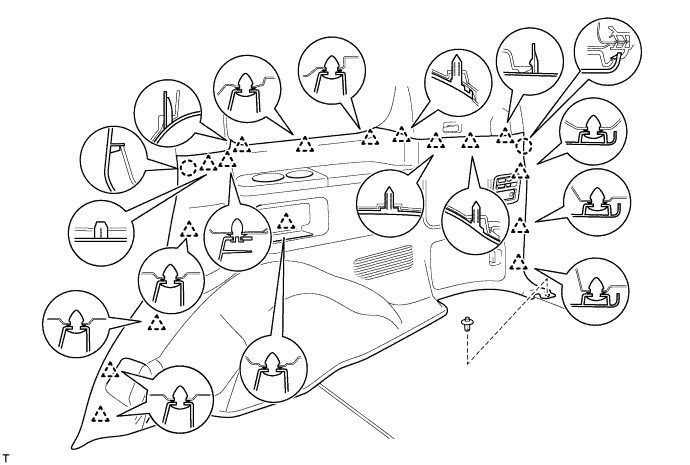
Detach the 17 clips and 2 claws.
-
Disconnect the thermistor connector and then remove the quarter trim panel.
-
-
REMOVE AIR DUCT PLUG
-
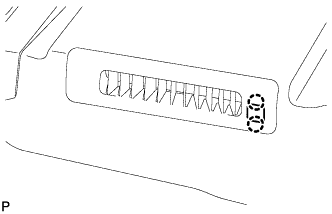
Detach the 2 claws and remove the plug.
Tech Tips
Use the same procedures for both sides.
-
-
REMOVE REAR AIR DUCT GUIDE
Tech Tips
Use the same procedures for both sides.
-
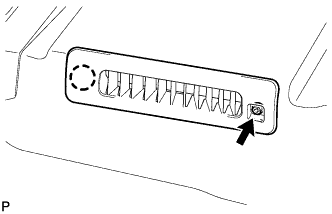
Remove the screw.
-
Detach the claw and remove the guide.
-
-
REMOVE FRONT FLOOR CARPET ASSEMBLY
-
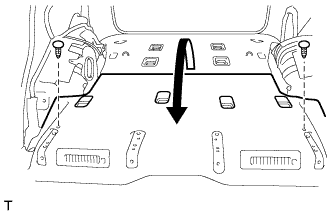
Remove the 2 clips.
-
Fold back the floor carpet.
Tech Tips
Fold back the carpet until it is possible to remove the rear No. 6 air duct.
-
-
REMOVE REAR NO. 6 AIR DUCT
-
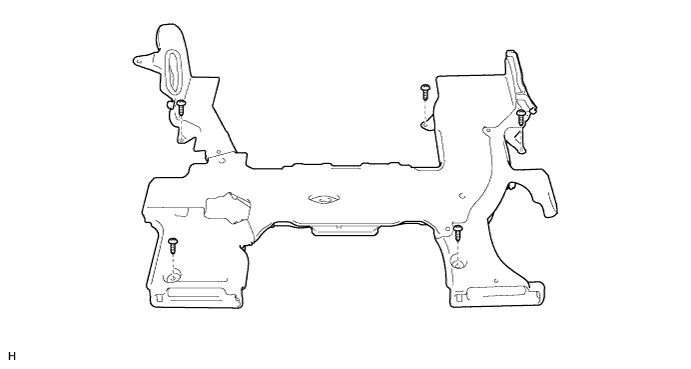
Disconnect the 2 connectors.
-
Remove the 5 screws and duct.
-
-
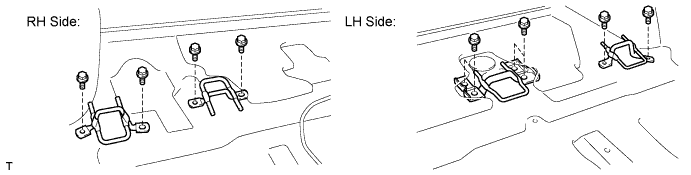
REMOVE REAR SEAT CUSHION LOCK STRIKER SUB-ASSEMBLY
-
Remove the 10 bolts and 4 lock strikers.
-