REAR SPEED SENSOR INSTALLATION

-
INSTALL REAR SPEED SENSOR LH
-
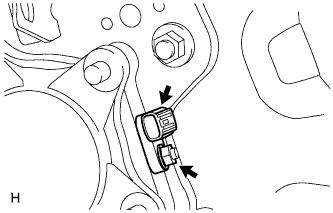
Install the speed sensor with the nut.
- Torque:
- 8.3 N*m { 85 kgf*cm, 73 in.*lbf }
Note
-
Make sure there are no pieces of iron or other foreign matter attached to the sensor tip.
-
While inserting the speed sensor into the knuckle hole, do not strike or damage the sensor tip.
-
After installing the speed sensor, make sure there is no clearance or foreign matter between the sensor stay part and the knuckle.
-
Make sure there is no foreign matter attached to the speed sensor rotor.
-
-
INSTALL REAR SPEED SENSOR RH
-
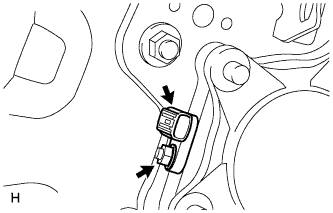
Install the speed sensor with the nut.
- Torque:
- 8.3 N*m { 85 kgf*cm, 73 in.*lbf }
Note
-
Make sure there are no pieces of iron or other foreign matter attached to the sensor tip.
-
While inserting the speed sensor into the knuckle hole, do not strike or damage the sensor tip.
-
After installing the speed sensor, make sure there is no clearance or foreign matter between the sensor stay part and the knuckle.
-
Make sure there is no foreign matter attached to the speed sensor rotor.
-
-
INSTALL SKID CONTROL SENSOR WIRE
-
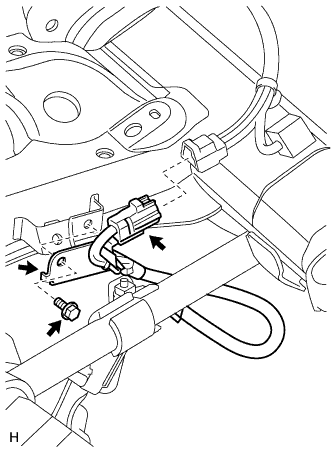
Install the sensor clamp with the bolt.
- Torque:
- 13 N*m { 127 kgf*cm, 9 ft.*lbf }
Note
Make sure the clamp rotation stopper touches the installation position.
-
Connect the connector.
Note
-
Securely insert the connector.
-
When connecting the connector, do not twist the wire harness.
-
-
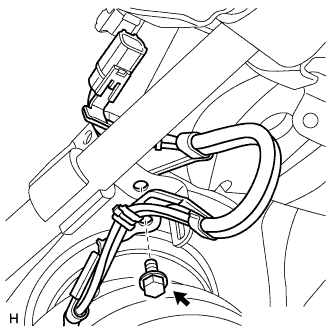
Install the sensor clamp with the bolt.
- Torque:
- 13 N*m { 127 kgf*cm, 9 ft.*lbf }
Note
Make sure the clamp rotation stopper touches the installation position.
-
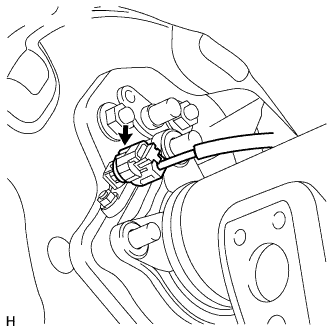
Connect the speed sensor RH connector.
Note
-
Securely connect the connector.
-
When connecting the connector, do not twist the wire harness.
-
-
Attach the 3 clamps.
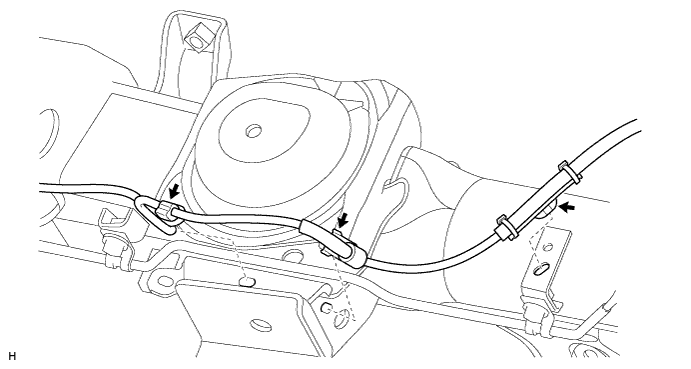
Note
-
When attaching the clamps, do not twist the wire harness.
-
When attaching the clamps, securely insert them as shown in the illustration.
-
-
Attach the 5 clamps.
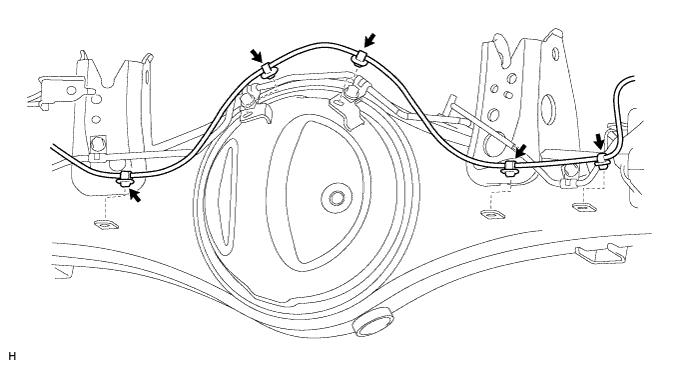
Note
-
When attaching the clamps, do not twist the wire harness.
-
When attaching the clamps, securely insert them as shown in the illustration.
-
-
Attach the 2 clamps and install the sensor clamp with the bolt.
- Torque:
- 13 N*m { 127 kgf*cm, 9 ft.*lbf }
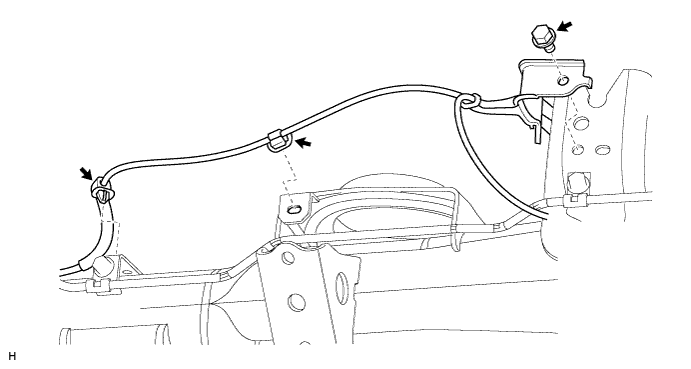
-
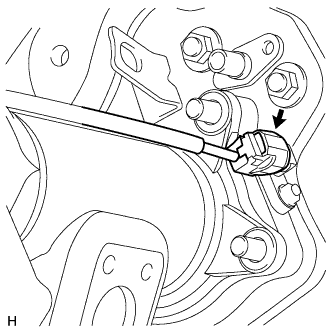
Connect the speed sensor LH connector.
Note
-
Securely connect the connector.
-
When connecting the connector, do not twist the wire harness.
-
-
-
INSTALL REAR WHEEL
- Torque:
- 131 N*m { 1336 kgf*cm, 97 ft.*lbf }
-
CONNECT CABLE TO NEGATIVE BATTERY TERMINAL
Note
When disconnecting the cable, some systems need to be initialized after the cable is reconnected Click here.
-
CHECK SPEED SENSOR SIGNAL