STOP LIGHT SWITCH INSTALLATION

-
INSTALL STOP LIGHT SWITCH MOUNTING ADJUSTER
-
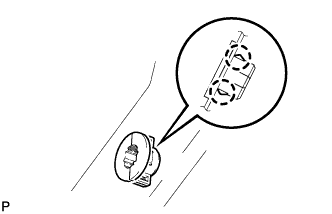
Engage the 2 claws to install the stop light switch mounting adjuster.
-
-
INSTALL STOP LIGHT SWITCH ASSEMBLY
-
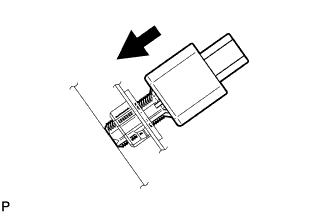
Insert the stop light switch assembly until the rod hits the pedal.
Note
When inserting the stop light switch assembly, support the pedal from behind so that the pedal is not depressed.
-
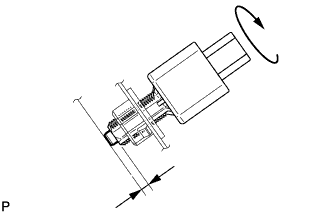
Make a quarter turn clockwise to install the stop light switch assembly.
- Torque:
- 1.5 N*m { 15 kgf*cm, 13 in.*lbf, or less }
Note
When inserting the stop light switch assembly, support the pedal from behind so that the pedal is not depressed.
-
Connect the connector.
-
Check the protrusion of the rod.
Protrusion of the rod 0.5 to 2.6 mm (0.0197 to 0.102 in.) If the protrusion is not as specified, adjust it.
Note
Do not depress the brake pedal.
-
-
INSTALL NO. 1 INSTRUMENT PANEL UNDER COVER SUB-ASSEMBLY (for RHD)
-
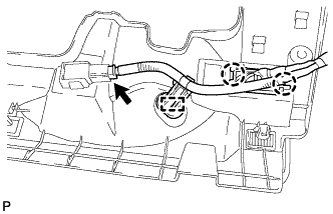
Engage the 2 claws and DLC3.
-
Engage the clamp.
-
Connect the connector.
-
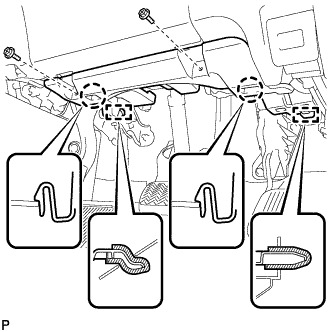
Engage the 2 claws and 2 guides.
Note
Make sure that the claws are fully engaged.
-
Install the No. 1 instrument panel under cover sub-assembly with the 2 screws <B>.
-
-
INSTALL NO. 1 INSTRUMENT PANEL UNDER COVER SUB-ASSEMBLY (for LHD)
-
Engage the clamp.
-
Connect each connector.
-
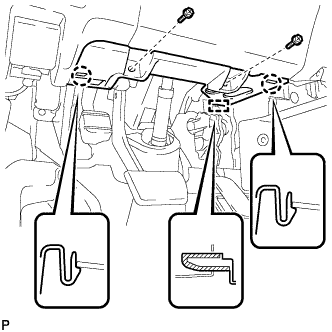
Engage the 2 claws and guide.
Note
Make sure that the claws are fully engaged.
-
Install the No. 1 instrument panel under cover sub-assembly with the 2 screws <B>.
-