Click here
-
ACTUATOR CHECK
-
Start the engine and warm it up.
-
Perform the indicator check (Click here).
-
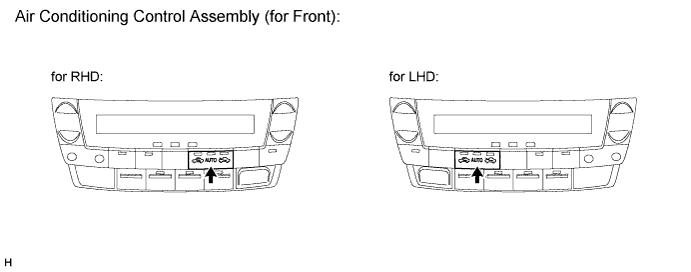
Press the "R/F" switch to perform the actuator check.
Tip:Be sure to perform the actuator check after starting the engine.
-
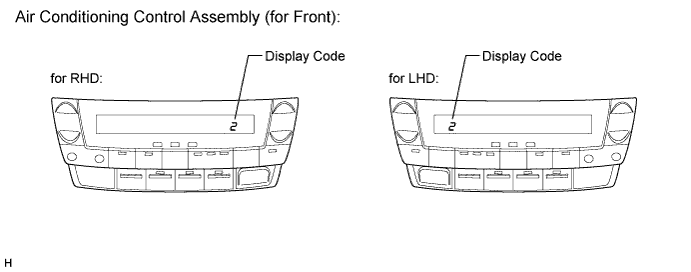
As the actuator check is repeated from steps 1 to 10 at 1 second intervals, check the temperature and air flow visually and by hand.
Tip:
-
The display blinks at 1 second intervals in the step operation.
-
Press the "OFF" switch to finish panel diagnosis.
-
Press the "AUTO" switch to enter sensor check mode.
Step No. Display Code Condition Blower Level Air Mix Damper Airflow Vent Air Inlet Damper Compressor Rear Air Mix Damper Rear Airflow Vent Rear Blower Level 1 0 0 0% open FACE FRESH off 0% open Rr FACE 0 2 1 1 0% open FACE FRESH off 0% open Rr FACE 1 3 2 17 0% open FACE RECIRCULATION/FRESH on 0% open Rr FACE 17 4 3 17 0% open FACE RECIRCULATION on 0% open Rr FACE 17 5 4 17 50% open B/L RECIRCULATION on 50% open Rr B/L 17 6 5 17 50% open B/L RECIRCULATION on 50% open Rr B/L 17 7 6 17 50% open FOOT FRESH on 50% open Rr FOOT 17 8 7 17 100% open FOOT-0 FRESH on 100% open Rr FOOT 17 9 8 17 100% open F/D FRESH on 100% open Rr FOOT 17 10 9 31 100% open DEF FRESH on 100% open Rr FOOT 31 -
-
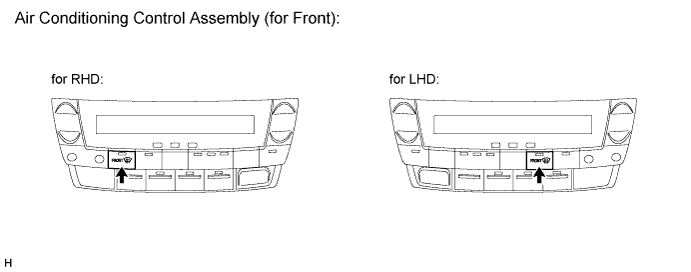
If the steps are difficult to read because they change automatically, press the "DEF" switch to display the steps one at a time so that they can be read easily. The items are displayed step by step each time the "DEF" switch is pressed.
Tip:
-
Press the "OFF" switch to finish panel diagnosis.
-
Press the "R/F" switch to enter sensor check mode.
-
-