INTRUSION SENSOR REMOVAL

-
REMOVE MAP LIGHT ASSEMBLY
-
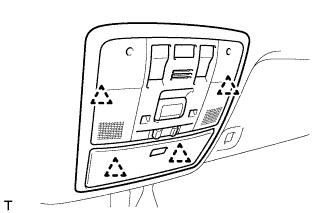
Detach the 4 clips.
-
Disconnect the connector and remove the map light.
-
-
REMOVE THEFT WARNING RADAR SENSOR
-
Disconnect the connector.
-
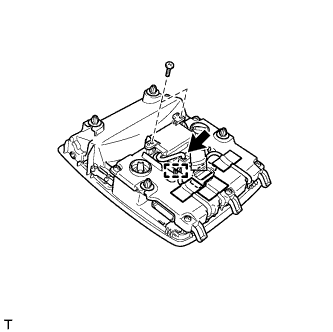
Remove all the tape and the 2 screws.
-
Detach the clamp and disconnect the central part of the theft warning radar sensor.
-
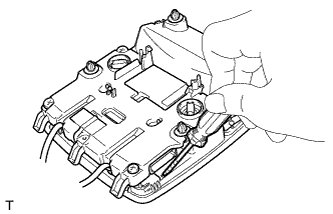
Using a thin-bladed screwdriver, push the bezel down lightly.
Tech Tips
-
Perform the same procedure on the other side.
-
Tape the screwdriver tip before use.
-
-
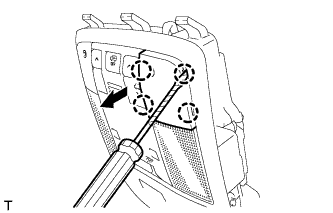
Insert the thin-bladed screwdriver into the cutout portion of the bezel and remove the bezel from the map light.
Tech Tips
-
Perform the same procedure on the other side.
-
Tape the screwdriver tip before use.
-
-
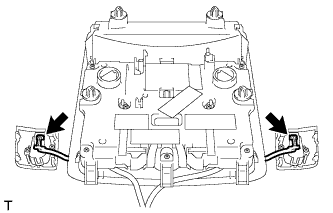
Disconnect the 2 connectors.
-
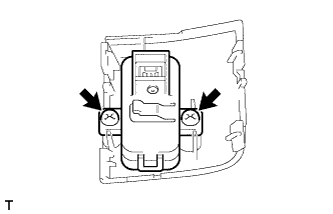
Remove the 2 screws and theft warning radar sensor.
Tech Tips
Perform the same procedure on the other side.
-