UNLOCK WARNING SWITCH INSTALLATION

Tech Tips
-
Use the same procedure for RHD and LHD vehicles.
-
The procedure listed below is for LHD vehicles.
-
INSTALL UNLOCK WARNING SWITCH ASSEMBLY
-
If reusing the unlock warning switch assembly:
-
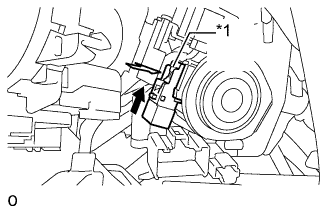
Text in Illustration *1 Pin Cap 
Slide Install the unlock warning switch.
-
Install the pin cap.
-
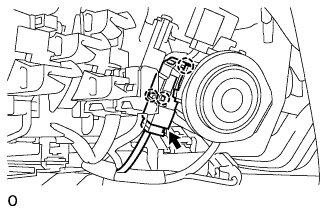
Connect the unlock warning switch connector.
-
Attach the 3 claws to install the cover.
-
-
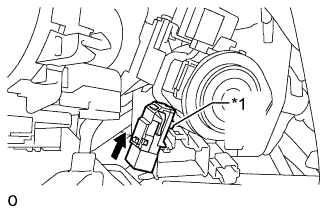
If replacing the unlock warning switch assembly:
Text in Illustration *1 Pin Slide
-
While pushing the pin, slide the switch to install the warning switch.
-
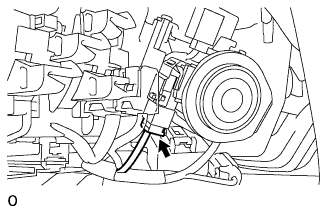
Connect the unlock warning switch connector.
-
-
-
INSTALL WINDSHIELD WIPER SWITCH ASSEMBLY
-
Attach the claw to install the windshield wiper switch assembly.
-
w/ Rain Sensor:
Connect the connector.
-
w/o Rain Sensor:
Connect the 2 connectors.
-
-
INSTALL UPPER STEERING COLUMN COVER
-
Attach the 4 clips to install the upper steering column cover to the instrument cluster finish panel.
-
-
INSTALL LOWER STEERING COLUMN COVER
-
Attach the 2 claws to install the lower steering cover.
-
for Power Tilt and Power Telescopic:
Install the screw.
-
Turn the steering wheel to the right and left as necessary to install the 2 screws.
-