NAVIGATION SYSTEM (for DVD) Map Disc cannot be Inserted
INSPECTION PROCEDURE
PROCEDURE
-
CHECK DISPLAY AND NAVIGATION MODULE DISPLAY
-
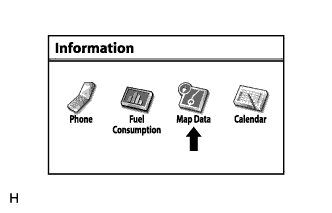
Press the "INFO TEL" switch and then select "Map Data".
-
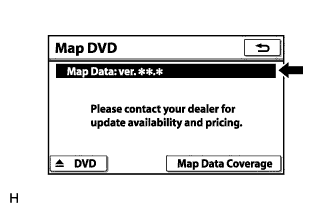
Check if a disc is inserted into the map disc slot.
-
Check if the map data version is displayed in the "Map Data" section.
OK The map data version is displayed.
-
NG 
EJECT DISC
OK 
-
-
CHECK MAP DISC
-
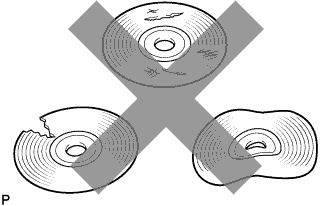
Check that the map disc is not deformed or cracked.
OK No deformations or cracks on the map disc
NG
REPLACE MAP DISC
OK 
PROCEED TO NEXT SUSPECTED AREA SHOWN IN PROBLEM SYMPTOMS TABLE Click here
-