AIR SUSPENSION SYSTEM ON-VEHICLE INSPECTION

-
INSPECT HEIGHT CONTROL INDICATOR
-
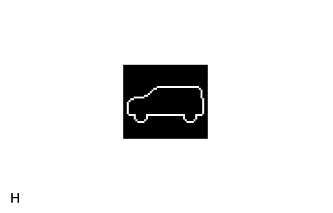
Turn the ignition switch to ON and check the height control indicator on the combination meter.
OK After the height control indicator (shown in the illustration) is displayed for approximately 2 seconds, the actual vehicle height is indicated by the height control mode indicator.
-
-
INSPECT VEHICLE HEIGHT SELECTION
Tech Tips
Perform this inspection with the vehicle unloaded.
-
Start the engine.
-
Using the height control switch, check the vehicle height adjustment amount and vehicle height adjustment time for each vehicle height mode.
Tech Tips
The select mode light of the height control indicator blinks during vehicle height adjustment and remains on after the vehicle height adjustment is completed.
Standard Mode Transition Operation Details Vehicle Height Adjustment Time N mode to HI mode From when "up" on height control switch pressed and control begins to when vehicle height is adjusted to HI mode Approximately 20 seconds HI mode to N mode From when "down" on height control switch pressed and control begins to when vehicle height is adjusted to N mode Approximately 20 seconds N mode to LO mode From when "down" on height control switch pressed and control begins to when vehicle height is adjusted to LO mode Approximately 20 seconds LO mode to N mode From when "up" on height control switch pressed and control begins to when vehicle height is adjusted to N mode Approximately 20 seconds
-
-
INSPECT AUTO-LEVELING FUNCTION
-
Unload the vehicle.
-
Start the engine.
-
Select N mode.
-
Check that the N mode light blinks and then remains on.
Tech Tips
The selected mode light on the height control indicator blinks while the vehicle height is changing and remains on when the target height is obtained.
-
Turn the ignition switch off and wait for 60 seconds or more.
Tech Tips
The auto-leveling function is only able to lower the vehicle for 60 seconds after the ignition switch is turned off.
-
Load the vehicle with 4 people (2 in the front seats and 2 in the rear seats).
Tech Tips
Each person should weigh approximately 55 kg (121.3 lbs).
-
Start the engine and inspect the vehicle height adjustment time.
Standard time Approximately 20 seconds -
With the engine running, wait for 60 seconds to discharge compressed air from the pneumatic cylinder assembly.
-
Turn the ignition switch off and wait for 60 seconds or more.
Tech Tips
The auto-leveling function is only able to lower the vehicle for 60 seconds after the ignition switch is turned off.
-
Unload the vehicle.
-
Start the engine and inspect the vehicle height adjustment time.
Standard time Approximately 20 seconds
-