NAVIGATION SYSTEM (for Navigation Receiver Type) Screen Flicker or Color Distortion
INSPECTION PROCEDURE
Note
After replacing the navigation ECU sub-assembly of vehicles subscribed to pay-type satellite radio broadcasts, registration of the XM radio ID is necessary.
PROCEDURE
-
CHECK DISPLAY SETTING
-
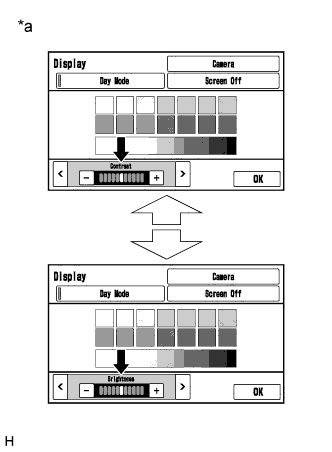
Display the "Display" screen.
-
Reset display settings (contrast, brightness) and check that the screen appears normal.
OK The display returns to normal. Text in Illustration *a Example
NG 
CHECK COLOR BAR (OPERATION CHECK) Click here
OK 
END
-
-
CHECK COLOR BAR (OPERATION CHECK)
-
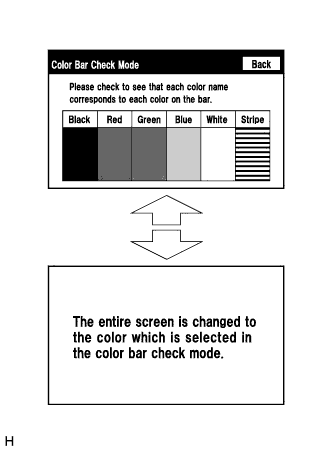
Enter the "Color Bar Check Mode" screen. Refer to Check Color Bar in Operation Check Click here.
-
Check that the color bars match the displayed names.
OK Color bars match the displayed names.
NG 
REPLACE NAVIGATION ECU SUB-ASSEMBLY Click here
OK
PROCEED TO NEXT SUSPECTED AREA SHOWN IN PROBLEM SYMPTOMS TABLE Click here
-