VOLTAGE INVERTER REMOVAL

-
REMOVE REAR NO. 2 SEAT ASSEMBLY (except Face to Face Seat Type)
Remove the rear No. 2 seat assembly Click here.
-
REMOVE REAR NO. 2 SEAT ASSEMBLY (for Face to Face Seat Type)
Remove the rear No. 2 seat assembly Click here.
-
REMOVE REAR STEP COVER
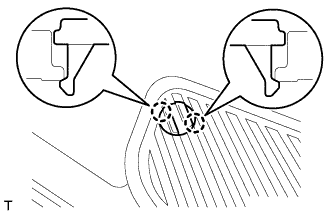
Tech Tips
Use the same procedure to remove the step cover on the other side.
-
Detach the 2 claws and remove the step cover.
-
-
REMOVE REAR DOOR SCUFF PLATE LH
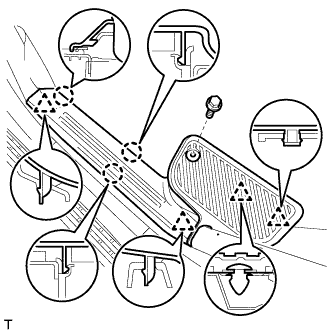
-
Remove the screw.
-
Detach the 3 claws and 4 clips, and remove the scuff plate.
-
-
REMOVE REAR FLOOR MAT REAR SUPPORT PLATE
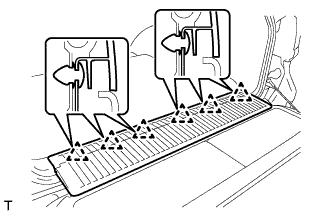
-
Detach the 6 clips and remove the support plate.
-
-
REMOVE REAR SEAT COVER CAP (except Face to Face Seat Type)
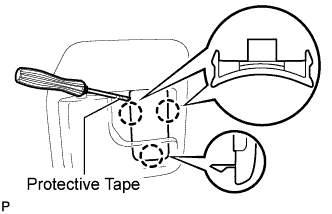
Tech Tips
Use the same procedure to remove the rear seat cover cap on the other side.
-
Using a screwdriver, detach the 3 claws and remove the rear seat cover cap.
Tech Tips
Tape the screwdriver tip before use.
-
-
REMOVE FRONT QUARTER TRIM PANEL ASSEMBLY LH
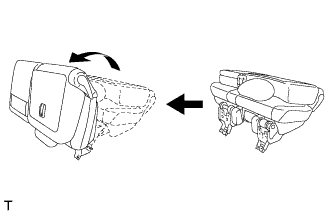
Tech Tips
When removing the front quarter trim panel, operate the reclining adjuster release handle and move the No. 1 rear seat to the position shown in the illustration.
-
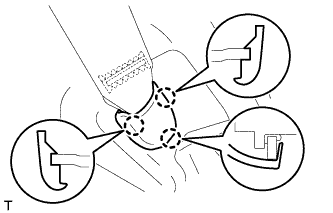
Detach the 3 claws and remove the cover.
-
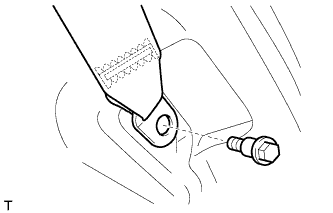
Remove the bolt and rear No. 1 seat belt anchor.
-
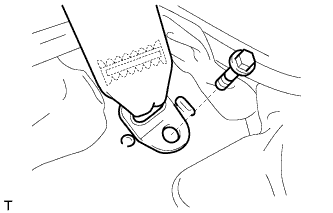
w/ Rear No. 2 Seat, except Face to Face Seat Type:
Remove the bolt and rear No. 2 seat belt anchor.
-
w/ Rear No. 2 Seat, except Face to Face Seat Type:
-
Remove the clip and bolt.
-
Detach the 18 clips and 2 claws.
-
w/o Rear Air Conditioning System:
Disconnect the rear seat lock control lever cable and then remove the quarter trim panel.
-
w/ Rear Air Conditioning System:
Disconnect the thermistor connector and rear seat lock control lever cable, and then remove the quarter trim panel.
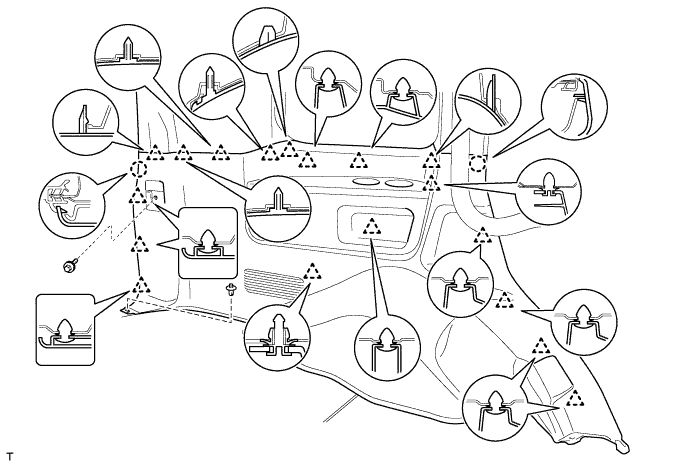
-
-
w/o Rear No. 2 Seat or w/ Rear No. 2 Seat, for Face to Face Seat Type:
-
Remove the clip.
-
Detach the 18 clips and 2 claws, and remove the quarter trim panel.
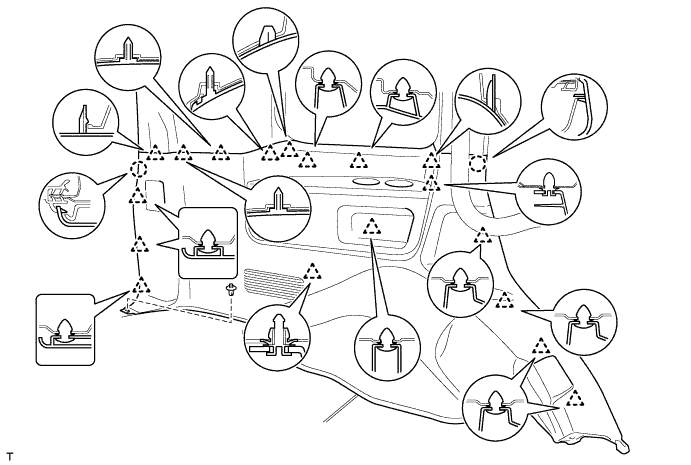
-
-
-
REMOVE VOLTAGE INVERTER
-
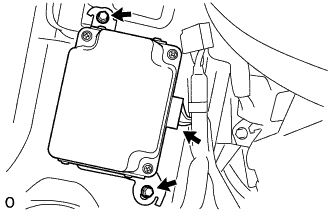
Disconnect the connector.
-
Remove the 2 bolts and voltage inverter.
-