REMOTE TOUCH (for Multi-Media Module Receiver Type) REMOVAL

-
REMOVE LOWER CENTER INSTRUMENT PANEL FINISH PANEL
-
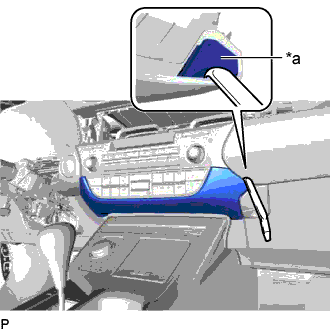
Text in Illustration *a Lower Center Instrument Panel Finish Panel Hole Insert a moulding remover as shown in the illustration.
-
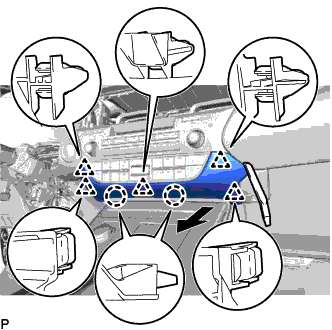
Disengage the 2 claws and 5 clips and remove the lower center instrument panel finish panel as shown in the illustration.
-
-
REMOVE CONSOLE PANEL SUB-ASSEMBLY
-
Move the shift lever to N.
-
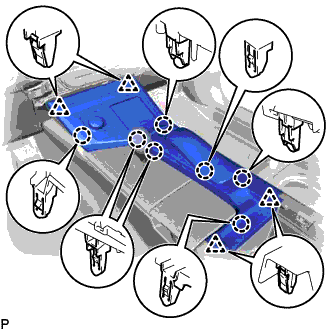
Disengage the 7 claws and 4 clips.
-
Disengage the clamp.
-
Disconnect each connector and remove the console panel sub-assembly.
-
-
REMOVE REMOTE TOUCH
-
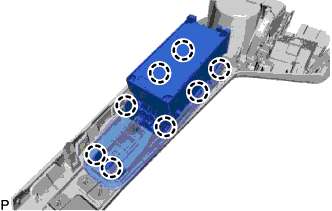
Disengage the 8 claws and remove the remote touch.
-