PARKING ASSIST MONITOR SYSTEM(w/ Parallel Parking Assist Function) DIAGNOSIS SYSTEM
-
PARKING ASSIST MONITOR DIAGNOSTIC MODE
-
In diagnostic mode for the parking assist monitor system, signals received by the multi-media module receiver assembly can be checked and the parking assist monitor system can be calibrated, adjusted and checked using the multi-display assembly.
Note
Depending on the parts that are replaced or operations that are performed during vehicle inspection or maintenance, calibration of other systems as well as the parking assist monitor system may be needed Click here.
Tech Tips
-
The displayed items may differ depending on vehicle specifications.
-
Illustrations may differ from the actual vehicle screen depending on the device settings and options. Therefore, some detailed areas may not be shown exactly the same as on the actual vehicle screen.
-
-
-
DIAGNOSTIC MODE TRANSITION (DURING PARKING ASSIST MONITOR SYSTEM INITIALIZATION)
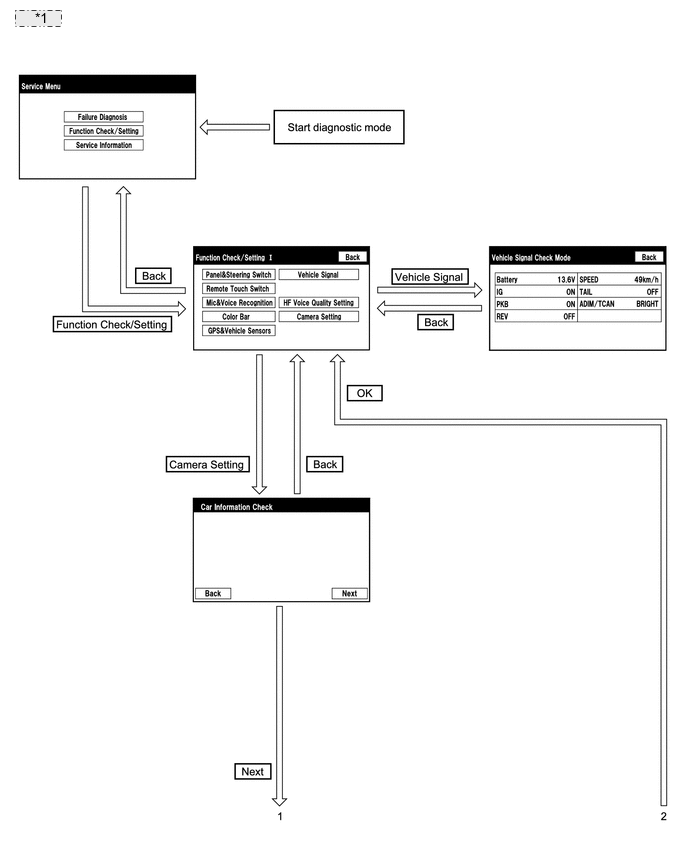
*1 Example: 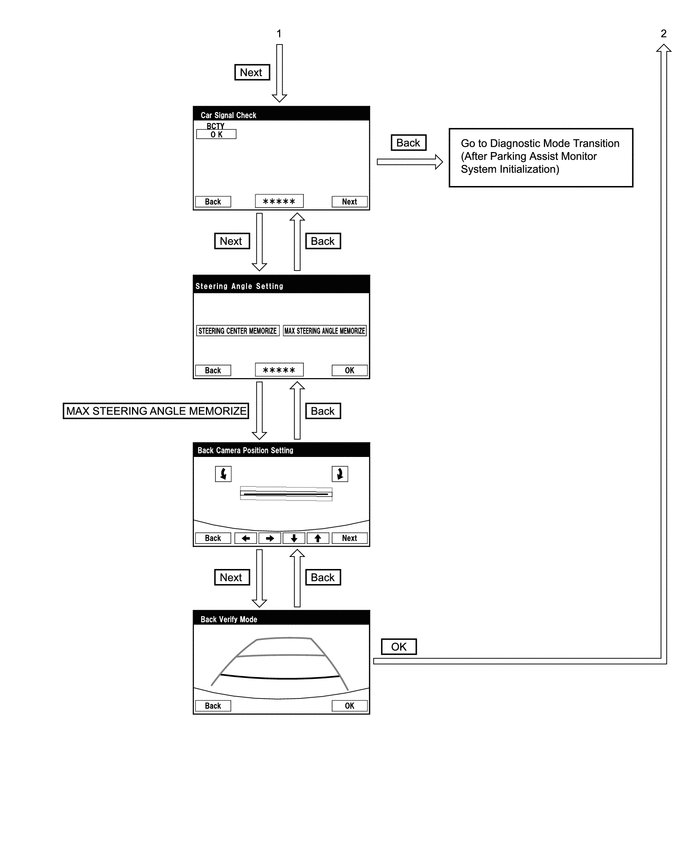
-
DIAGNOSTIC MODE TRANSITION (AFTER PARKING ASSIST MONITOR SYSTEM INITIALIZATION)
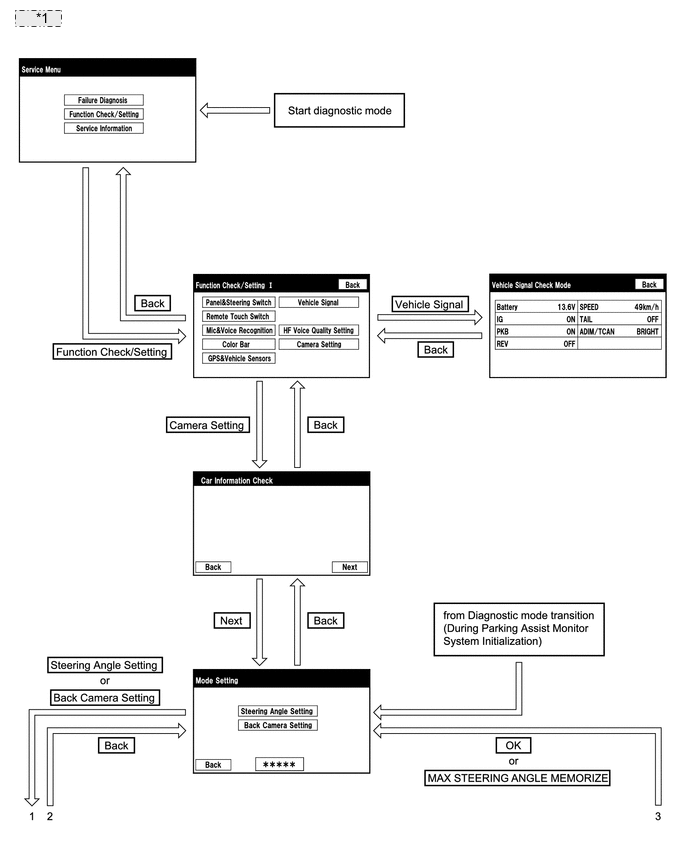
*1 Example: 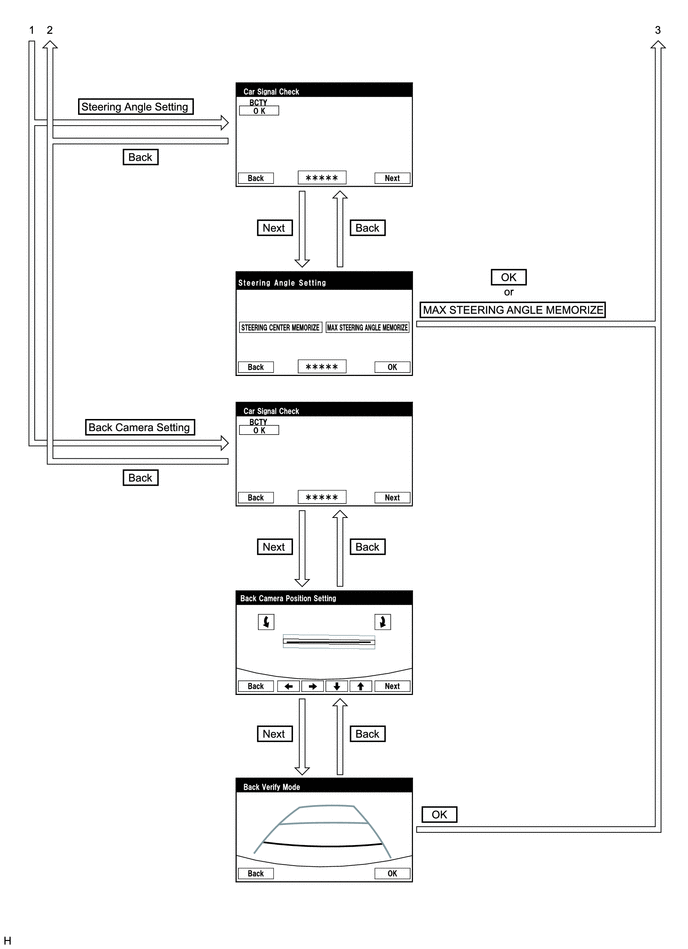
-
VEHICLE SIGNAL CHECK
-
Start diagnostic mode (See page for vehicle with Navigation System or Click here for vehicle without Navigation System).
-
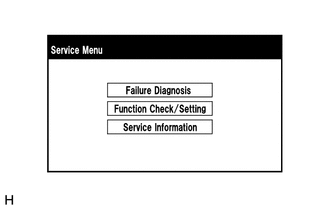
Select "Function Check/Setting" on the "Service Menu" screen to display the "Function Check/Setting I" screen.
-
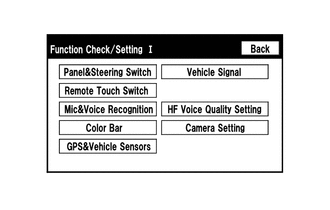
Select "Vehicle Signal" on the "Function Check/Setting I" screen.
-
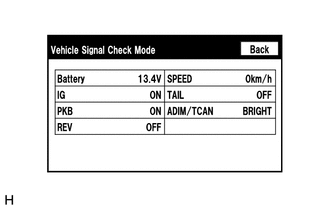
Vehicle Signal Check Mode
-
When the "Vehicle Signal Check Mode" screen is displayed, check the item displayed for "REV".
Tech Tips
-
Only conditions having inputs are displayed.
-
This screen displays vehicle signals input to the multi-media module receiver assembly.
-
-
-
Finish diagnostic mode (See page for vehicle with Navigation System or Click here for vehicle without Navigation System).
-
-
CAR SIGNAL CHECK (parking assist monitor system input signals)
-
Start diagnostic mode (See page for vehicle with Navigation System or Click here for vehicle without Navigation System).
-
Select "Function Check/Setting" on the "Service Menu" screen to display the "Function Check/Setting I" screen.
-
Select "Camera Setting" on the "Function Check/Setting I" screen.
-
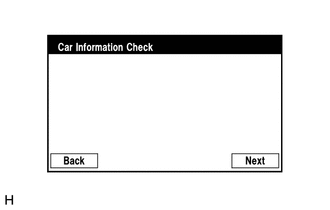
Select "Next" on the "Car Information Check" screen.
Tech Tips
After "Next" is selected, the screen transitions differ depending on whether initialization of the parking assist monitor system was performed after the multi-media module receiver assembly was replaced.
Parking Assist Monitor System Initialization Screen Transition Not performed Car Signal Check screen Performed Mode Setting screen -
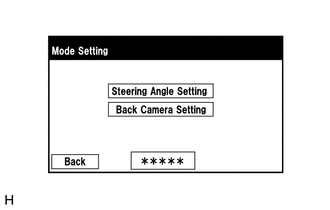
When the screen changes to the "Mode Setting" screen, select "Back Camera Setting" to display the "Car Signal Check" screen.
Tech Tips
To select a grayed out item, select and hold the item for 2 seconds or more.
-
-
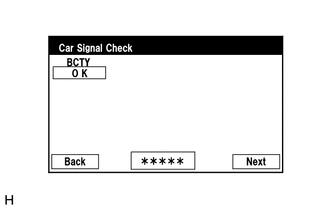
Car Signal Check
-
On the "Car Signal Check" screen, it is possible to inspect the state of signals and check the settings.
Item Inspection Detail Note BCTY Luggage compartment door courtesy switch signal input When "CHK" (red) is displayed, selecting "Next" will not change to the next screen. Tech Tips
-
When "CHK" (red) is displayed, perform inspections based on the result of the following inspections.
-
If performing the adjustment after proceeding to the next screen, confirm that all items display "OK" (blue) before selecting "Next".
-
-
BCTY inspection
Tech Tips
If "CHK" (red) is displayed for "BCTY", check for DTCs and perform troubleshooting based on the output DTCs Click here.
-
-
Finish diagnostic mode (See page for vehicle with Navigation System or Click here for vehicle without Navigation System).
-
-
CALIBRATION WHEN SERVICING VEHICLE
Note
Depending on the parts that are replaced or operations that are performed during vehicle inspection or maintenance, calibration of other systems as well as the parking assist monitor system may be needed Click here.