TELEMATICS SYSTEM REGISTRATION
PROCEDURE
-
VEHICLE CONTRACT SETTING
Tech Tips
-
When replacing the multi-media module receiver assembly, it is not necessary to cancel the G-BOOK contract. (If canceled a new G-BOOK contract needs to be created after replacement.)
-
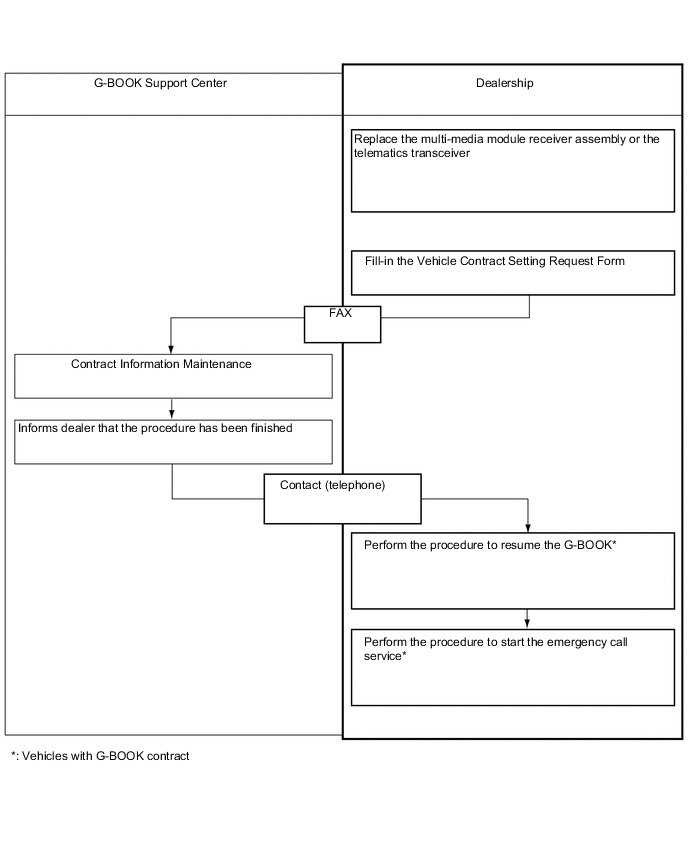
If the multi-media module receiver assembly or telematics transceiver is replaced on vehicles that do not have a contract for the G-BOOK, perform the vehicle contract setting.
-
If the multi-media module receiver assembly or telematics transceiver is replaced on vehicles that have a contract for the G-BOOK, perform the vehicle contract setting and the procedure to resume the G-BOOK and to start the emergency call service.
-
Check the ID before replacement (when diagnosis can be activated).
Tech Tips
-
If the multi-media module receiver assembly is replaced, check the G-BOOK ID.
-
If the telematics transceiver is replaced, check the DCM ID.
-
Enter diagnostic mode Click here.
-
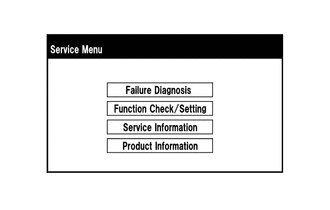
Select "Service Information" on the "Service Menu" screen.
-
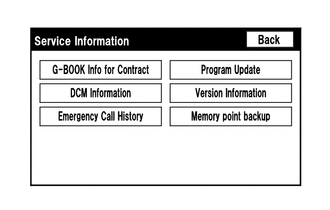
Select "G-BOOK Info for Contract" on the "Service Information" screen.
-
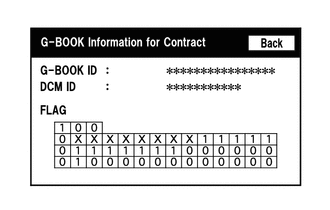
Check the G-BOOK ID or DCM ID.
Tech Tips
The DCM ID is also specified on the telematics transceiver label.
-
-
Replace the multi-media module receiver assembly or telematics transceiver.
-
Replace the multi-media module receiver assembly or telematics transceiver at a dealership.
-
-
Check the ID after replacement.
Tech Tips
-
If the multi-media module receiver assembly is replaced, check the G-BOOK ID.
-
If the telematics transceiver is replaced, check the DCM ID.
-
Enter diagnostic mode Click here.
-
Select "Service Information" on the "Service Menu" screen.
-
Select "G-BOOK Info for Contract" on the "Service Information" screen.
-
Check the G-BOOK ID or DCM ID.
Tech Tips
The DCM ID is also specified on the telematics transceiver label.
-
-
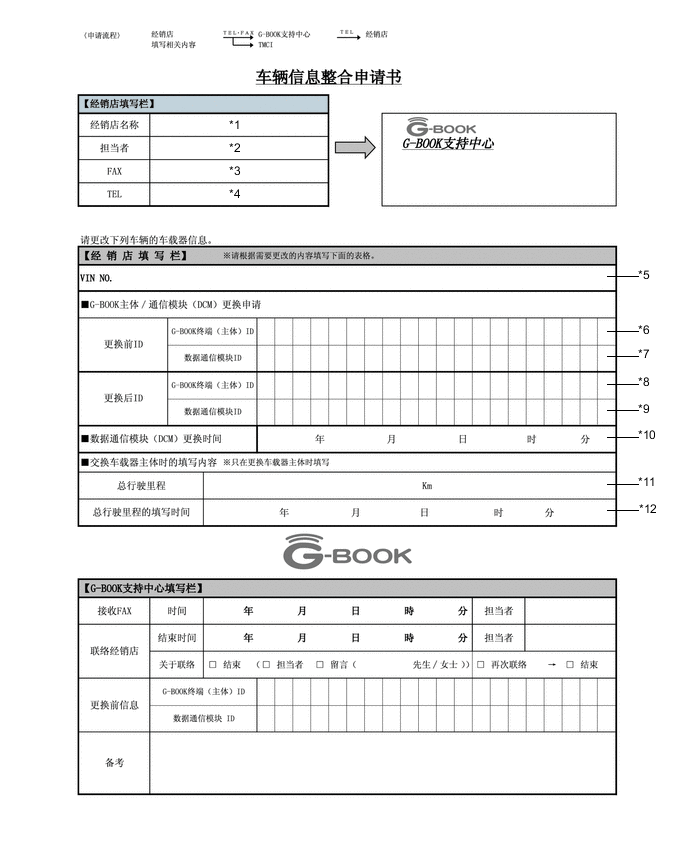
Fill-in the Vehicle Contract Setting Request Form.
-
After filling in the Vehicle Contract Setting Request Form, fax it to the G-BOOK center.
Item Information to Enter Note *1 Enter the dealership name. Applicant information *2 Enter the name of the applicant. Applicant information *3 Enter the fax number of the dealership. Dealership information *4 Enter the phone number of the dealership. Dealership information *5 Enter the VIN of the vehicle. Vehicle information *6
-
Enter the G-BOOK ID of the old unit.
-
Left-align the number.
-
If the multi-media module receiver assembly has not been replaced, it is not necessary to enter this item.
Used as change-request information from the dealership *7
-
Enter the DCM ID of the old unit.
-
Left-align the number.
-
If the telematics transceiver has not been replaced, it is not necessary to enter this item.
Used as change-request information from the dealership *8
-
Enter the G-BOOK ID of the new unit installed to the vehicle.
-
Left-align the number.
-
If the multi-media module receiver assembly has not been replaced, it is not necessary to enter this item.
Used as change-request information from the dealership *9
-
Enter the DCM ID of the new unit installed to the vehicle.
-
Left-align the number.
-
If the telematics transceiver has not been replaced, it is not necessary to enter this item.
Used as change-request information from the dealership *10
-
Enter the date when the telematics transceiver is replaced.
-
If the telematics transceiver has not been replaced, it is not necessary to enter this item.
Used as change-request information from the dealership *11 Enter the mileage on the odometer when the multi-media module receiver assembly is replaced. Used as change-request information from the dealership *12 Enter the date that the mileage was recorded. Used as change-request information from the dealership -
-
-
Perform the procedure to resume the G-BOOK.
-
Select "G-BOOK.com".
-
After the guidance screen is displayed, perform the procedure to resume the G-BOOK.
-
-
Perform the procedure to start the emergency call service.
-
After completing the procedure to resume the G-BOOK, perform the procedure to start the emergency call service.
Tech Tips
The emergency call service will be available when the procedure is completed successfully.
-
-