| DTC Code | DTC Name |
|---|---|
| B15EF | Helpnet Vehicle Installation Device ID Malfunction/Unmatched |
DESCRIPTION
This DTC will be stored when either of the following conditions is met:
-
The mayday ID is not detected in the nonvolatile memory for 5 minutes during the mayday ID confirmation that is performed every minute after the power switch is turned on (ACC).
-
The mayday ID stored in the multi-media module receiver assembly and the mayday ID stored in the telematics transceiver are different.
| DTC No. | DTC Detection Condition | Trouble Area |
|---|---|---|
| B15EF | Mayday ID is invalid | - |
PROCEDURE
- Click here
CHECK DEVICE
-
Check the part replacement history.
-
Check if the multi-media module receiver assembly or telematics transceiver has been replaced in the past.
-
-
Check the mayday ID.
-
Enter diagnostic mode (Click here).
-
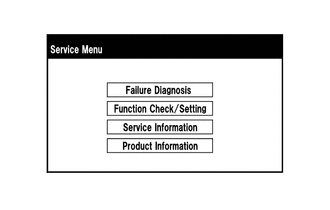
Select "Service Information" on the "Service Menu" screen.
-
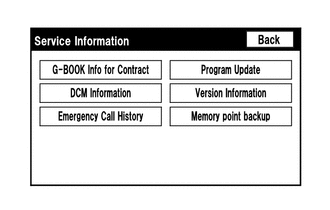
Select "DCM Information" on the "Service Information" screen.
-
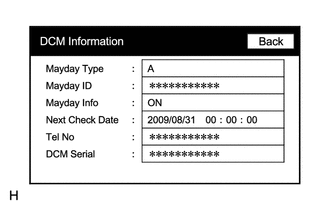
Check the mayday ID using the "DCM Information" screen.
-
-
Contact the G-BOOK support center.
-
Contact the G-BOOK support center and inform them of the following:
-
Replacement history of the multi-media module receiver assembly
-
Replacement history of the telematics transceiver
-
Mayday ID
Tip:The G-BOOK support center will perform an investigation and provide the results.
-
-
Perform the vehicle contract setting (Click here).
-
- NEXTClick here
-
- Click here
CLEAR DTC
-
Clear the DTCs (Click here).
- NEXT
END
-