AUDIO AND VISUAL SYSTEM(w/ Multi-display) Screen Flicker or Color Distortion
CAUTION / NOTICE / HINT
Note
Depending on the parts that are replaced during vehicle inspection or maintenance, performing initialization, registration or calibration may be needed. Refer to Precaution for Audio and Visual System Click here.
PROCEDURE
-
CHECK DISPLAY SETTING
-
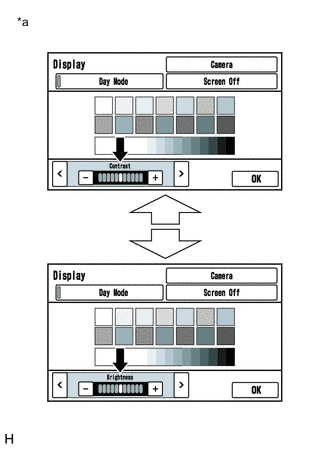
Text in Illustration *a Example Display the "Display" screen.
-
Reset display settings (contrast, brightness) and check that the screen returns to normal.
OK The display returns to normal.
OK 
END
NG 
-
-
CHECK COLOR BAR (OPERATION CHECK)
-
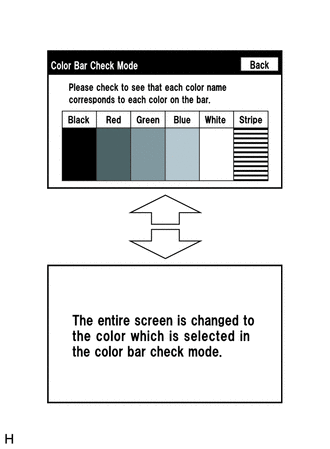
Enter the "Color Bar Check Mode" screen. Refer to Check Color Bar in Operation Check Click here.
-
Check that the color bars match the displayed names.
OK Color bars match the displayed names.
OK
PROCEED TO NEXT SUSPECTED AREA SHOWN IN PROBLEM SYMPTOMS TABLE Click here
NG
REPLACE MULTI-MEDIA MODULE RECEIVER ASSEMBLY Click here
-