ROOF HEADLINING DISASSEMBLY
Info Added 2017-10-06 
CAUTION / NOTICE / HINT
Tech Tips
-
Use the same procedure for LHD and RHD vehicles.
-
The procedure listed below is for the LHD vehicles.
PROCEDURE
-
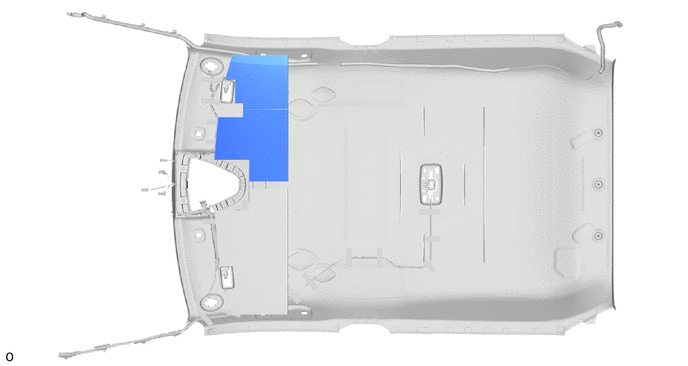
REMOVE NO. 4 ROOF SILENCER PAD (w/ Safety Connect System)
-
Remove the No. 4 roof silencer pad.
-
-
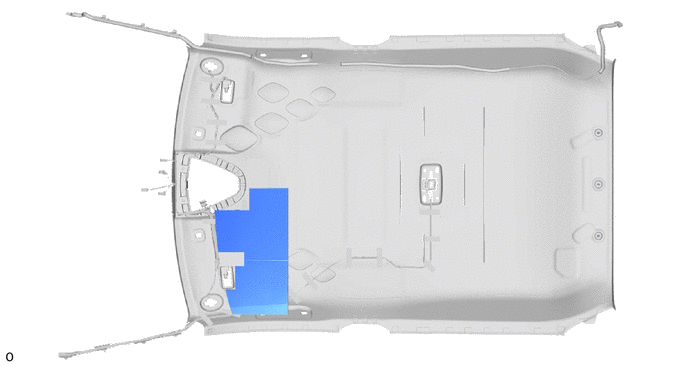
REMOVE NO. 3 ROOF SILENCER PAD (w/ Safety Connect System)
-
Remove the No. 3 roof silencer pad.
-
-
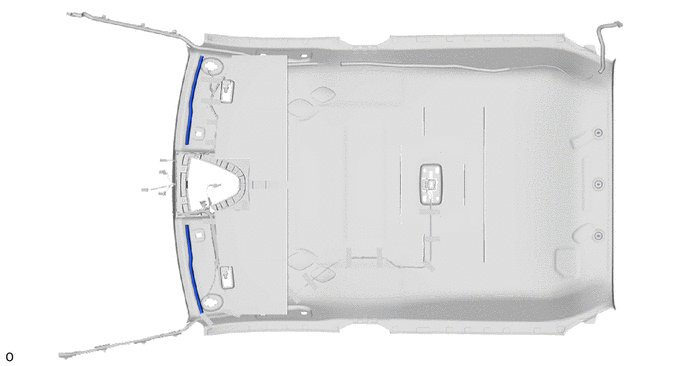
REMOVE NO. 1 ROOF SILENCER PAD (w/ Safety Connect System)
-
Peel off the double-sided tape to remove the 2 No. 1 roof silencer pads.
Tech Tips
Remove any double-sided tape remaining on the roof headlining.
-
-
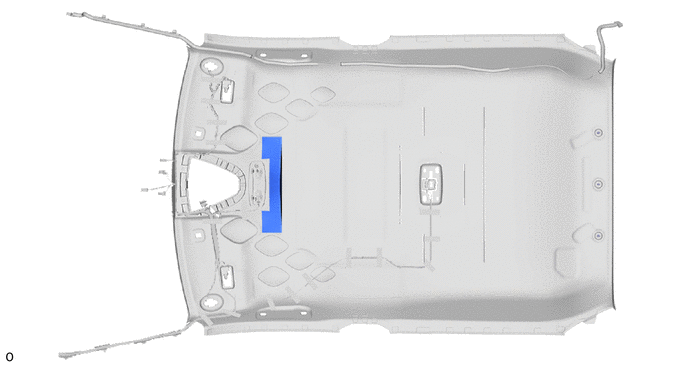
REMOVE NO. 1 ROOF SILENCER PAD (w/o Safety Connect System)
-
Remove the No. 1 roof silencer pad.
-
-
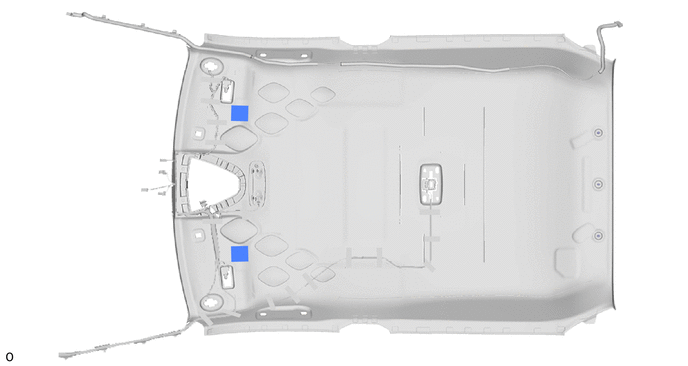
REMOVE ROOF HEADLINING FORMING PAD (w/ Map Light)
-
Remove the 2 roof headlining forming pads.
-
-
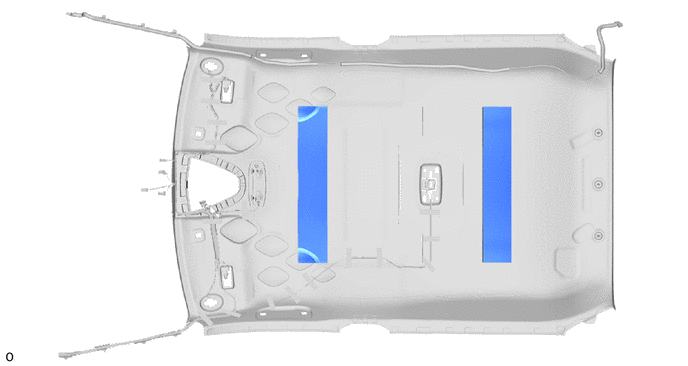
REMOVE NO. 2 ROOF SILENCER PAD (w/ Map Light)
-
Remove the 2 No. 2 roof silencer pads.
-
-
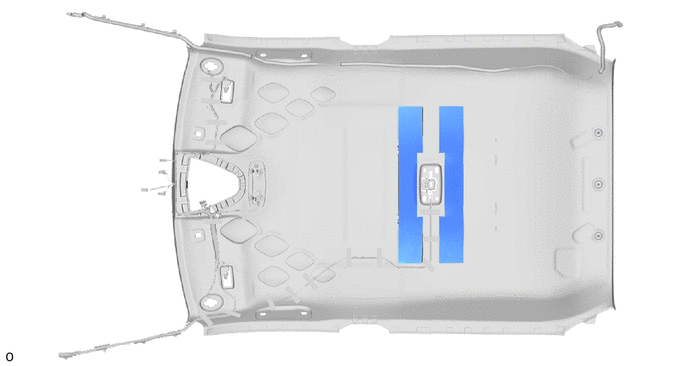
REMOVE ROOF SILENCER PAD (w/ Map Light)
-
Remove the 2 roof silencer pads.
-
-
REMOVE NO. 1 ROOF WIRE
-
for TMMT Made:
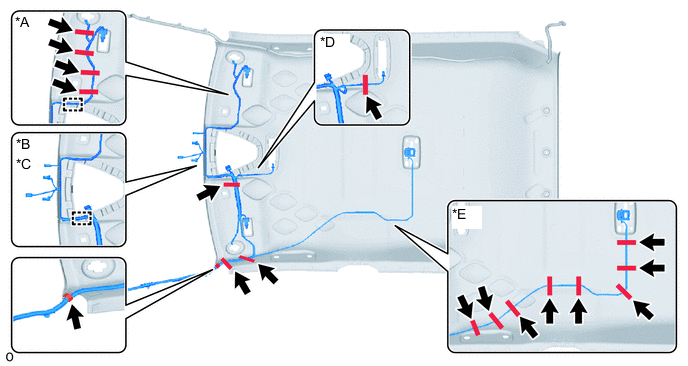
*A w/ Vanity Light *B w/ Rain Sensor *C w/ Lane Departure Alert System *D w/ Intrusion Sensor *E w/ Map Light - -
-
Disengage each guide.
-
Peel off the pieces of each adhesive tape and remove the No. 1 roof wire.
-
-
except TMMT Made:
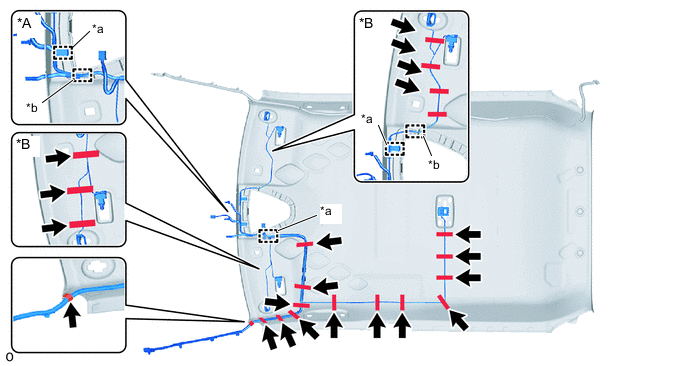
*A w/ Rain Sensor *B w/ Vanity Light *a Clamp *b Guide
-
Disengage each guide.
-
Using a clip remover, disengage each clamp.
-
Peel off the pieces of each adhesive tape and remove the No. 1 roof wire.
-
-
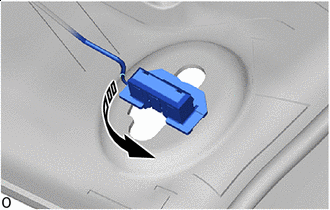

Remove in this Direction w/ Vanity Light:
-
Turn the visor connector approximately 90° counterclockwise and disconnect the visor connectors as shown in the illustration.
Tech Tips
Use the same procedures for the opposite side.
-
-
-
REMOVE NO. 2 ANTENNA CORD SUB-ASSEMBLY
-
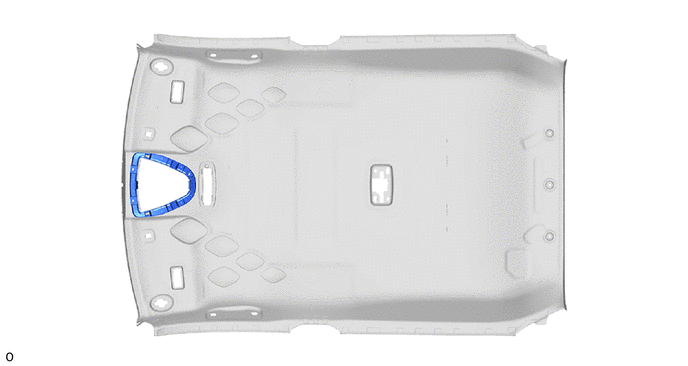
REMOVE HEADLINING LIGHT CASE (w/ Map Light)
-
Remove the headlining light case.
-
-
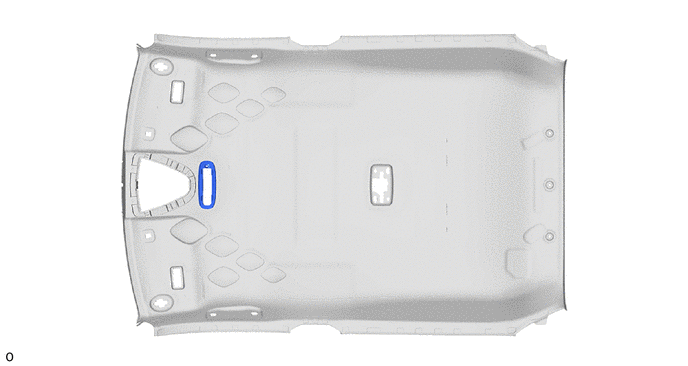
REMOVE ROOF HEADLINING SUPPORT PLATE (w/ Intrusion Sensor)
-
Remove the roof headlining support plate.
-