FRONT SEAT ASSEMBLY(for Manual Seat) PRECAUTION
Tech Tips
-
The following procedures are used to prevent wrinkles from forming when installing the seat cover. Make sure to follow the procedures correctly.
-
The shape of the seat shown in the illustration may differ from the actual seat.
-
SEAT COVER SET
-
Align the center cutout of the pad with the V-point of the cover.
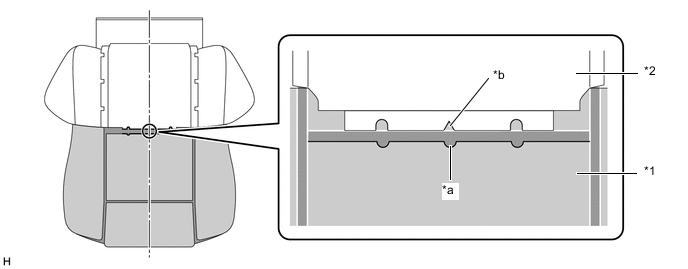
*1 Pad *2 Cover *a Center Cutout of Pad *b Cover V-point
-
-
INSTALL WEBBING (w/ Occupant Classification System)
-
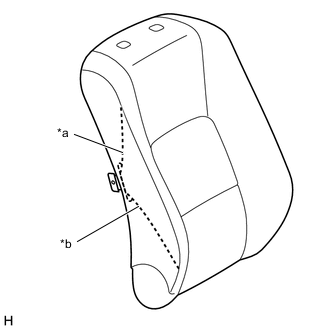
*a Cover Webbing *b Pad Hole Pass the webbing through the pad hole, and then stretch the webbing so there are no wrinkles.
Note
If there are wrinkles in the webbing, wrinkles will appear on the surface of the cover.
-
-
CHECK COVER POSITION
-
Fold the cover back as shown in the illustration and check that the cover V-points and the pad mark-off lines are approximately aligned.
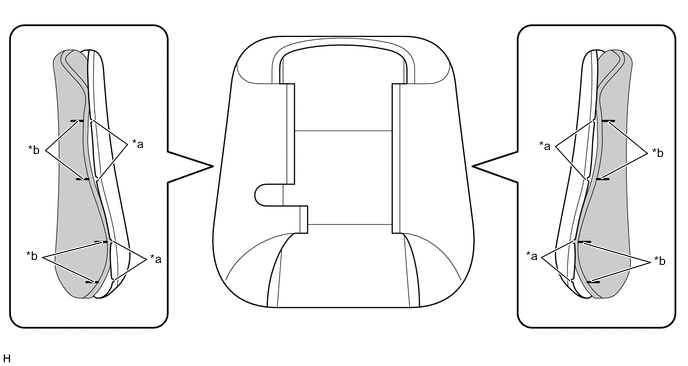
*a Cover V-point *b Pad Mark-off Line
-
-
INSTALL COVER
-
Align the cover of the seatback with the center of the seatback pad and the cover of the seat cushion with the center of the seat cushion pad. Afterward, install the covers starting from the vehicle exterior and working toward the vehicle interior.
-
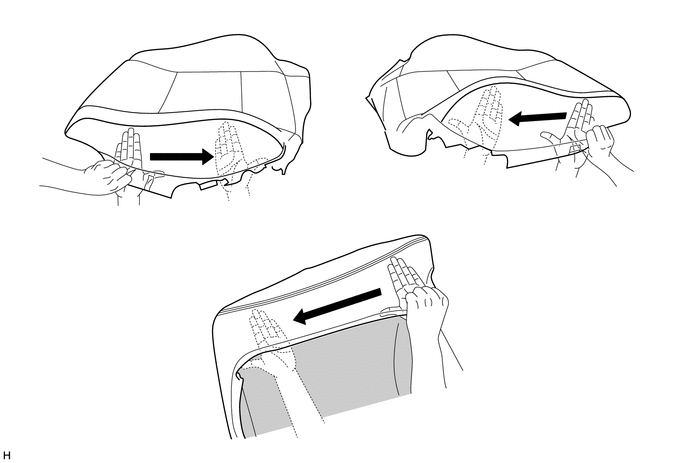
While removing wrinkles by hand as shown in the illustration, install the seatback cover by starting from the bottom and working toward the shoulders, and then install the seat cushion cover by starting from the front and working toward the rear.
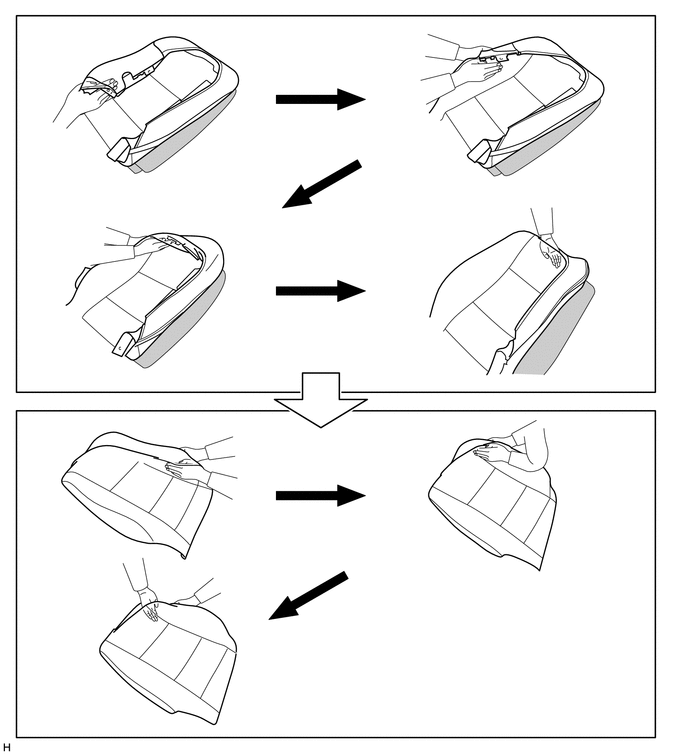
Tech Tips
-
Do not push the pad into the cover. Instead, secure the pad and install the cover to the pad.
-
For Seatback Side:
When installing the cover to the outer side, install the cover up until the installation area of the outer side headrest support.
-
Do not apply an excessive amount of force when covering the corners, as doing so may cause the cover to tear or fray.
-
-
Align the cover seam line with the edges of the pad.
Tech Tips
-
Double-stitch type:
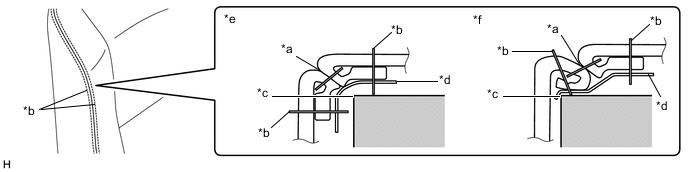
*a Cover Seam Line *b Cover Seam (Stitch) *c Pad Edge *d Felt *e Correct *f Incorrect
-
Single-stitch type:
Align the seam allowance in a single direction.
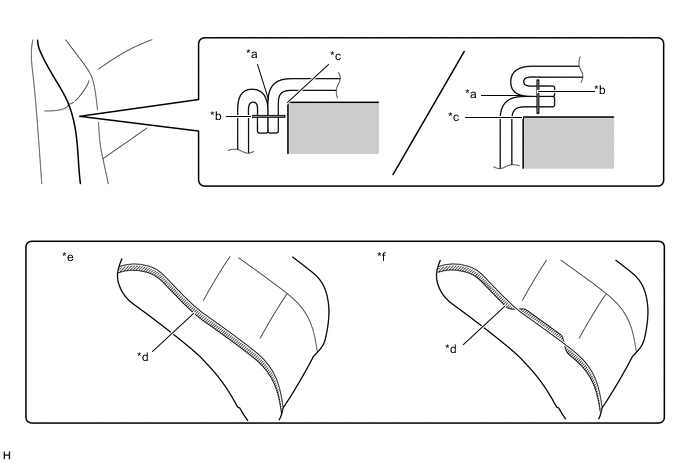
*a Cover Seam Line *b Cover Seam (Stitch) *c Pad Edge *d Seam Allowance of Cover *e Correct *f Incorrect
-
-
Push the cover seam allowance securely into the groove in the pad.
Tech Tips
Make sure to completely push the seam allowance into the groove. Wrinkles will form if any of the seam allowance is outside the groove.
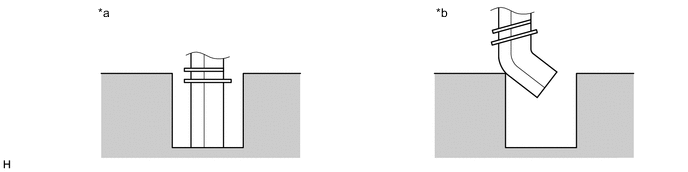
*a Correct *b Incorrect
-
-
REMOVE WRINKLES
-
After installing the cover with pad to the seat frame, use your fingers to trace the seam line of each part and remove wrinkles.
Note
If there are wrinkles in the webbing, wrinkles will appear on the surface of the cover.
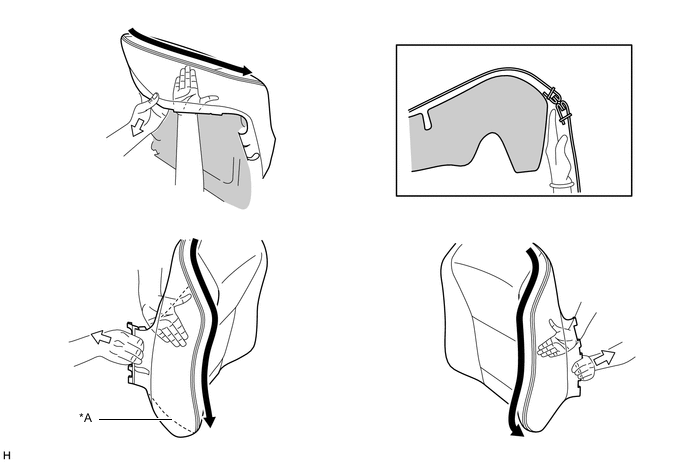
*A w/ Occupant Classification System - -
-
-
CHECKS TO PERFORM AFTER WORK IS FINISHED
-
Smooth the cover as shown in the illustration and make sure that there are no wrinkles.
Tech Tips
-
If wrinkles remain, it is very likely that the covering was not properly performed.
-
If waves form in the seam line, it is very likely that the seam allowance is not in the groove or the position of the felt is incorrect.
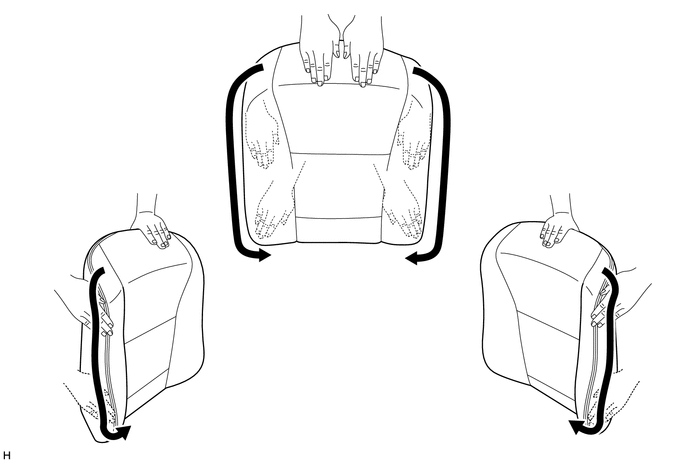
-
-