BATTERY COOLING FILTER REMOVAL
PROCEDURE
-
DISCONNECT REAR DOOR OPENING TRIM WEATHERSTRIP RH
-
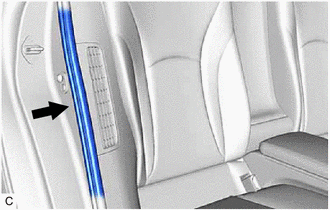
Disconnect the rear door opening trim weatherstrip RH.
-
-
REMOVE FRONT DECK SIDE TRIM COVER RH
-
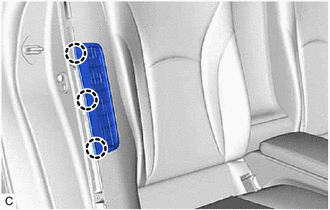
Disengage the 3 claws.
-
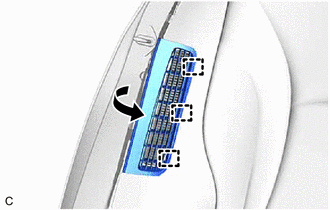
Disengage the 3 guides to remove the front deck side trim cover RH.
-
-
DISCONNECT REAR DOOR OPENING TRIM WEATHERSTRIP LH
Tech Tips
Use the same procedure as for the RH side.
-
REMOVE FRONT DECK SIDE TRIM COVER LH
Tech Tips
Use the same procedure as for the RH side.
-
REMOVE NO. 1 HV BATTERY INTAKE FILTER
Tech Tips
If the message "Maintenance required for Traction battery cooling parts" is displayed on the multi-information display in the combination meter assembly, inspect the No. 1 HV battery intake filter.
-
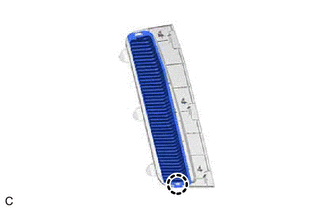
Disengage the claw.
-
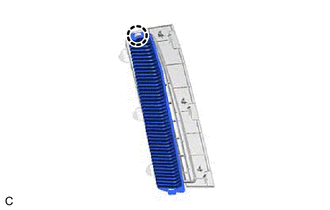
Disengage the claw to remove the No. 1 HV battery intake filter from the front deck side trim cover RH.
-
-
REMOVE NO. 2 HV BATTERY INTAKE FILTER
Tech Tips
Use the same procedure as for the No. 1 HV battery intake filter.