COOLING FAN MOTOR REMOVAL
CAUTION / NOTICE / HINT
The necessary procedures (adjustment, calibration, initialization, or registration) that must be performed after parts are removed, installed, or replaced during the cooling fan with controller motor removal/installation are shown below.
| Replacement Part or Procedure | Necessary Procedure | Effects/Inoperative when not Performed | Link |
|---|---|---|---|
| Removal/installation of millimeter wave radar sensor assembly | Adjust millimeter wave radar sensor assembly |
|
PROCEDURE
-
REMOVE FC RADIATOR ASSEMBLY
-
REMOVE COOLING FAN WITH CONTROLLER MOTOR
-
for Fan Side:
-
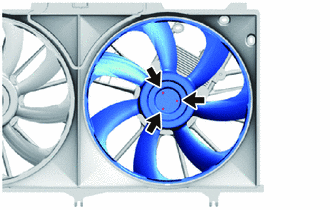
Remove the 3 screws and fan from the fan shroud.
-
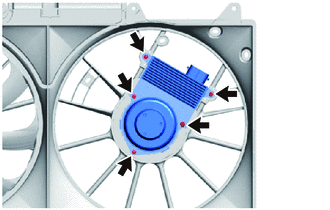
Remove the 5 screws and cooling fan with controller motor from the fan shroud.
Note
If the cooling fan with controller motor has been struck or dropped, replace it.
-
-
for No. 2 Fan Side:
-
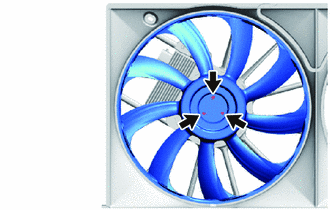
Remove the 3 screws and No. 2 fan from the fan shroud.
-
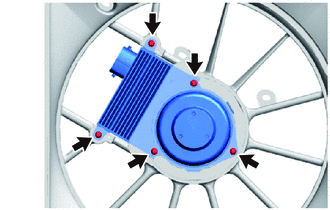
Remove the 5 screws and cooling fan with controller motor from the fan shroud.
Note
If the cooling fan with controller motor has been struck or dropped, replace it.
-
-