Click here
PROCEDURE
- Click here
INSTALL REAR TELEVISION CAMERA ASSEMBLY
-


Install in this Direction (1) 
Install in this Direction (2) Attach the guide as shown in the illustration.
Tip:Make sure that each guide is attached to its corresponding rail.
-
Attach the claw to install the rear television camera assembly.
Note:Visually check that the guides and claws are attached to the back door No. 2 outside garnish.
-
- Click here
INSTALL REAR BODY TAIL GATE GARNISH
-

Install in this Direction Attach the claw and guide as shown in the illustration.
-

Attach the claw to install the rear body tail gate garnish.
-
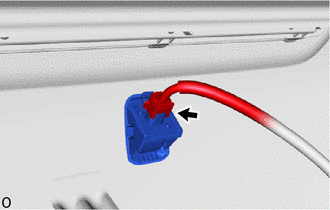
Connect the connector.
-
- Click here
INSTALL TAIL GATE SERVICE HOLE COVER