ION EXCHANGER ELEMENT INSTALLATION
PROCEDURE
-
INSTALL FC COOLING WATER ION EXCHANGER ELEMENT
-
Install a new FC cooling water ion exchanger gasket to the FC cooling water ion exchanger case sub-assembly.
-
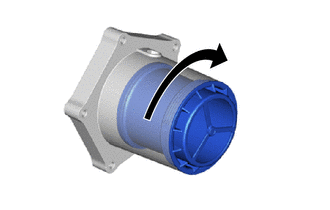
Rotate the new FC cooling water ion exchanger element as shown in the illustration, and install it to the FC cooling water ion exchanger cap sub-assembly.
Note
When installing, rotate the FC cooling water ion exchanger element until it stops.
Tech Tips
For the FC cooling water ion exchanger element, there is approximately 660° of rotation from the start of threads to the end of threads.
-
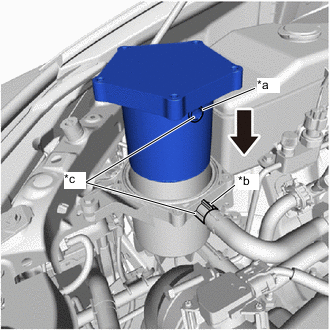
*a Hole of FC Cooling Water Ion Exchanger Cap Sub-assembly *b Outlet Port of FC Cooling Water Ion Exchanger Case Sub-assembly *c Align 
Insert Slowly Align the hole of the FC cooling water ion exchanger cap sub-assembly with the outlet port of the FC cooling water ion exchanger case sub-assembly as shown in the illustration, and slowly insert the FC cooling water ion exchanger cap sub-assembly into the FC cooling water ion exchanger case sub-assembly.
Note
When installing, if the FC cooling water ion exchanger cap sub-assembly is not inserted slowly, the FC coolant remaining inside the FC cooling water ion exchanger case sub-assembly will overflow.
-
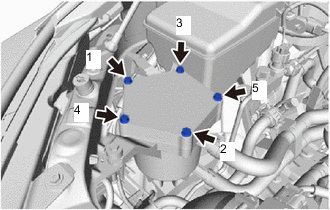
Temporarily install the 5 bolts.
-
Fully tighten the 5 bolts in the sequence shown in the illustration.
- Torque:
- 8.0 N*m { 82 kgf*cm, 71 in.*lbf }
-
Install the cool air intake duct seal with the 2 clips.
-
-
INITIALIZATION
Note
If initialization is not performed, then before the next replacement interval is reached, "Ion filter replacement interval reached. Please replace ion filter at dealership." will be displayed on the multi-information display and the warning buzzer will sound, so make sure to perform initialization.
Tech Tips
The FC cooling water ion exchanger element needs to be replaced every 60000 km (37284 miles).
-
Turn the power switch on (IG).
-
Operate the steering pad switch assembly and select the settings tab on the multi-information display.
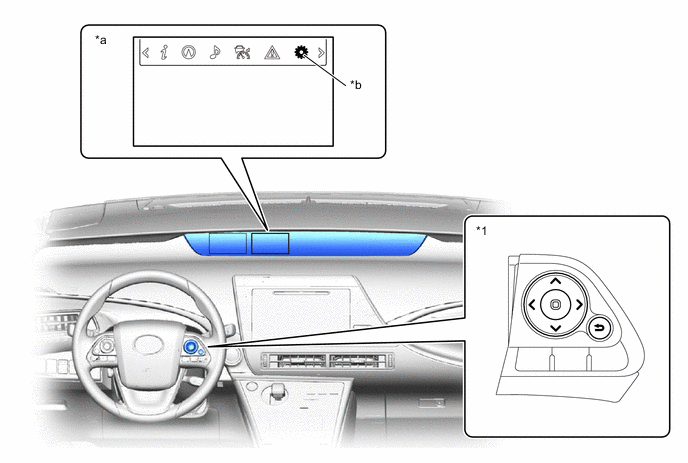
*1 Steering Pad Switch Assembly - - *a Multi-information Display *b Settings Tab -
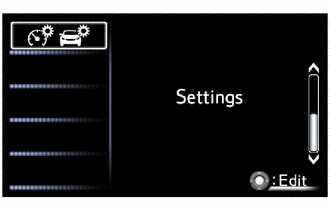
Select "Settings".
-
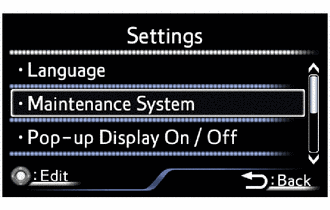
Select "Maintenance System".
-
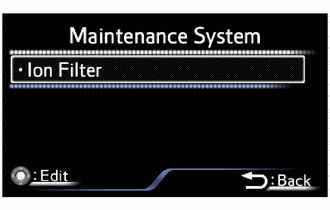
Select "Ion filter".
-
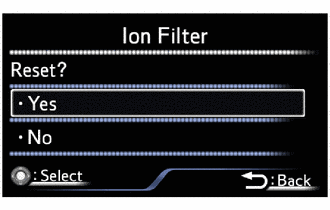
When the ion filter screen is displayed, select "Yes" and proceed.
-
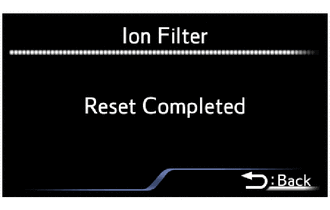
When the screen shown in the illustration is displayed, the initialization procedure is complete.
-