FRONT CONSOLE BOX(for Separate Type) DISASSEMBLY
PROCEDURE
-
REMOVE UPPER CONSOLE PANEL SUB-ASSEMBLY
-
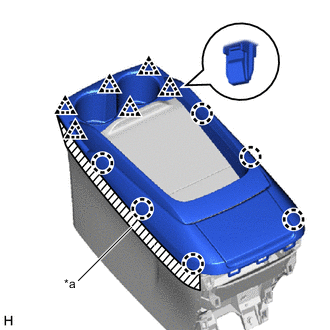
*a Protective Tape Put protective tape around the upper console panel sub-assembly.
-
Detach the claw and clip and remove the upper console panel sub-assembly.
-
-
REMOVE NO. 3 BOX PANEL
-
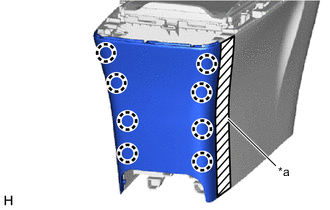
*a Protective Tape Put protective tape around the No. 3 box panel.
-
Detach the claw and remove the No. 3 box panel.
-
-
REMOVE NO. 2 BOX PANEL
-
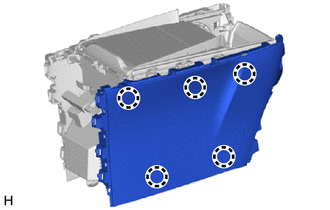
Detach the claw and remove the No. 2 box panel.
-
-
REMOVE NO. 1 BOX PANEL
-
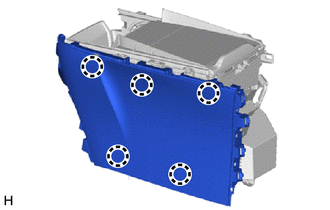
Detach the claw and remove the No. 1 box panel.
-
-
REMOVE ELECTRICAL KEY WIRE HARNESS
-
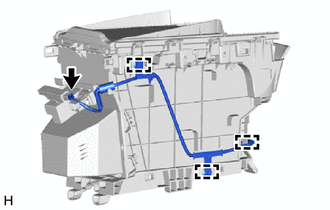
Disconnect the connector.
-
Detach the clamp and remove the electrical key wire harness.
-
-
REMOVE NO. 1 STEREO COMPONENT WIRE
-
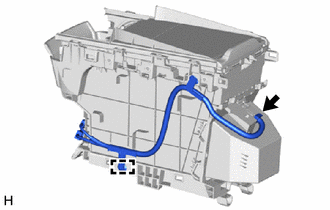
Disconnect the connector.
-
Detach the clamp and remove the No. 1 stereo component wire.
-
-
REMOVE CONSOLE COMPARTMENT DOOR SUB-ASSEMBLY
-
Push the parts labeled A in the illustration in the direction indicated by the arrow to fit the console compartment door sub-assembly to the upper rail.
-
Slide in the direction indicated by the arrow shown in the illustration to remove the console compartment door sub-assembly.
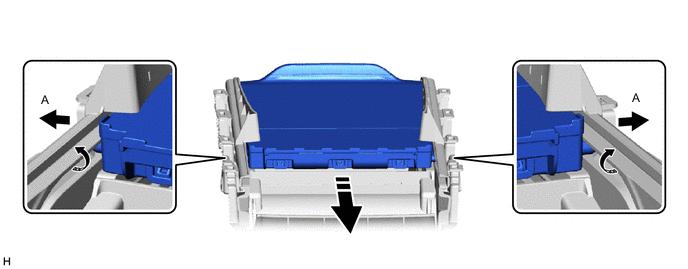

Remove in this Direction - -
-
-
REMOVE CONSOLE BOX POCKET (for Type A)
-
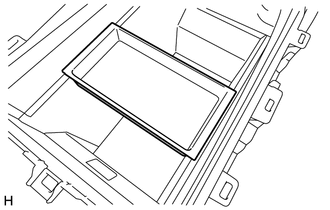
Remove the console box pocket.
-
-
REMOVE CENTER CONSOLE MAT (for Type A)
-
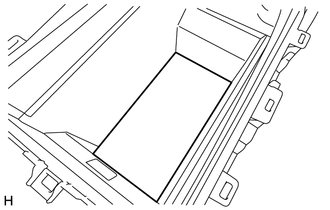
Remove the center console mat.
-
-
REMOVE CONSOLE BOX POCKET SUB-ASSEMBLY (for Type A)
-
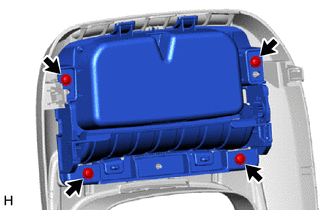
Remove the 4 screws and console box pocket sub-assembly.
-
-
REMOVE UPPER NO. 1 CONSOLE PANEL GARNISH
-
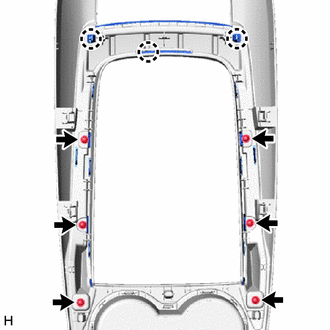
Remove the 6 screws.
-
Detach the claw and remove the upper No. 1 console panel garnish.
-
-
REMOVE CONSOLE BOX POCKET GARNISH (for Type A)
-
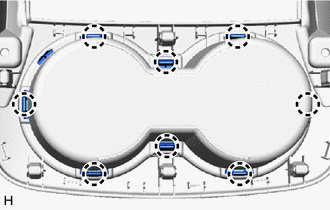
Detach the claw and remove the console box pocket garnish.
-