NAVIGATION ANTENNA CORD INSTALLATION
PROCEDURE
-
INSTALL NO. 4 ANTENNA CORD SUB-ASSEMBLY
-
Engage the clamps to install the No. 4 antenna cord assembly as shown in the illustration.
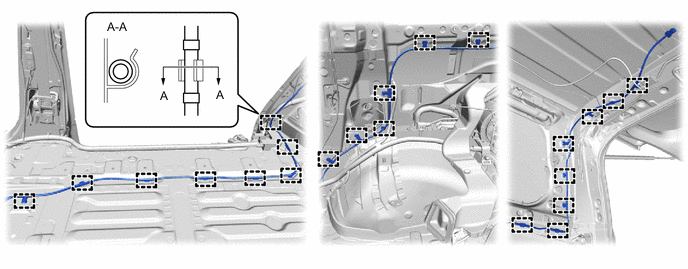
-
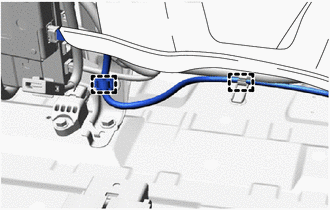
Engage the clamps.
Note
Do not use excessive force when peeling back the rear floor mat assembly RH.
-
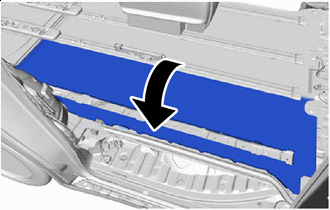

Return Return the rear floor mat assembly RH as shown in the illustration.
Note
Do not use excessive force when peeling back the rear floor mat assembly RH.
-
Connect the 2 connectors.
-
-
INSTALL REAR OUTER SEAT TRACK ASSEMBLY RH
-
INSTALL LOWER SEAT TRACK RAIL PROTECTOR
-
INSTALL LOWER NO. 2 SEAT TRACK RAIL PROTECTOR
-
INSTALL LOWER NO. 1 SEAT TRACK RAIL PROTECTOR
-
INSTALL NO. 4 FLOOR CARPET MOULDING (for Super Long Slide Seat)
-
INSTALL NO. 4 FLOOR CARPET MOULDING (for Power Captain Seat)
-
INSTALL NO. 3 FLOOR CARPET MOULDING
-
INSTALL REAR SEAT LOCK STRIKER COVER
-
INSTALL REAR SEAT TRACK SLIDE STOPPER
-
INSTALL REAR NO. 1 SEAT ASSEMBLY RH
-
for Manual Captain Seat:
-
for Power Captain Seat with Memory:
-
for Power Captain Seat without Memory:
-
-
INSTALL FRONT SEAT ASSEMBLY RH
-
INSTALL CONSOLE BOX ASSEMBLY
-
INSTALL NO. 1 DIGITAL TELEVISION ANTENNA SUB-ASSEMBLY (for Sliding Roof)
-
w/ Navigation System:
-
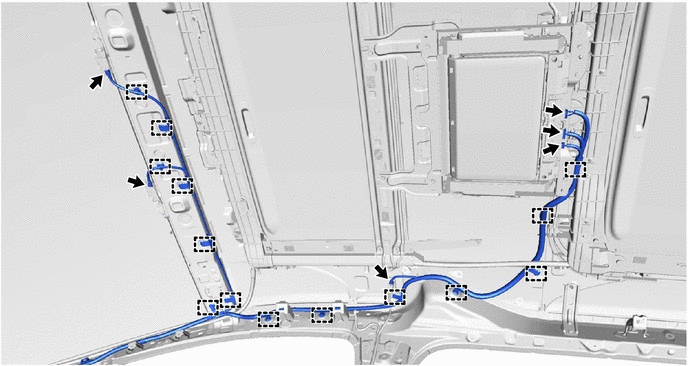
Engage the clamps to install the No. 1 digital television antenna sub-assembly.
-
Connect the 6 connectors.
-
-
w/o Navigation System:
-
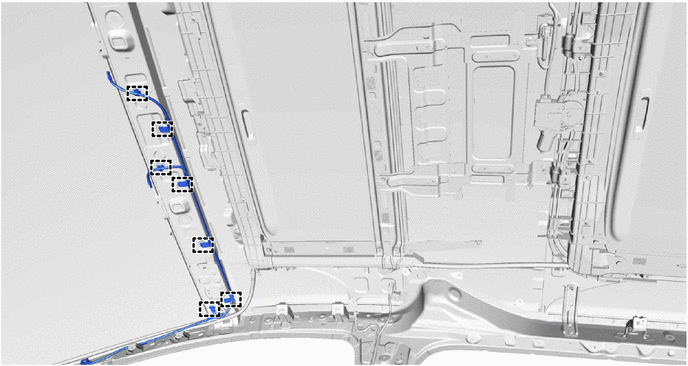
Engage the clamps to install the No. 1 digital television antenna sub-assembly.
-
-
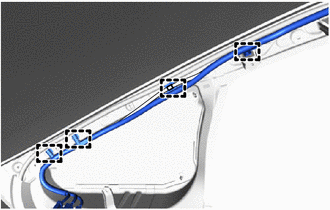
Engage the clamps.
-
Connect the front pillar side connectors.
-
-
INSTALL NO. 1 DIGITAL TELEVISION ANTENNA SUB-ASSEMBLY (for Normal Roof)
-
w/ Navigation System:
-
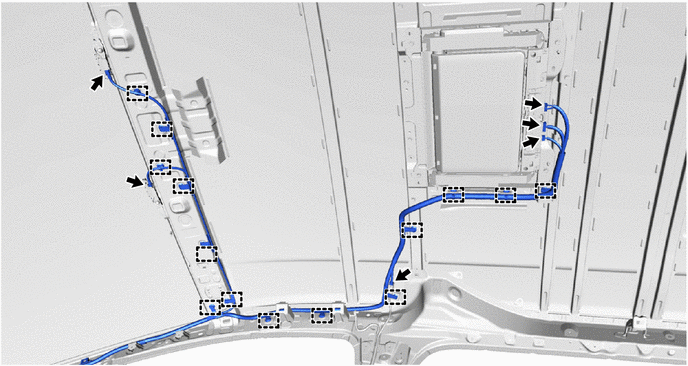
Engage the clamps to install the No. 1 digital television antenna sub-assembly.
-
Connect the 6 connectors.
-
-
w/o Navigation System:
-
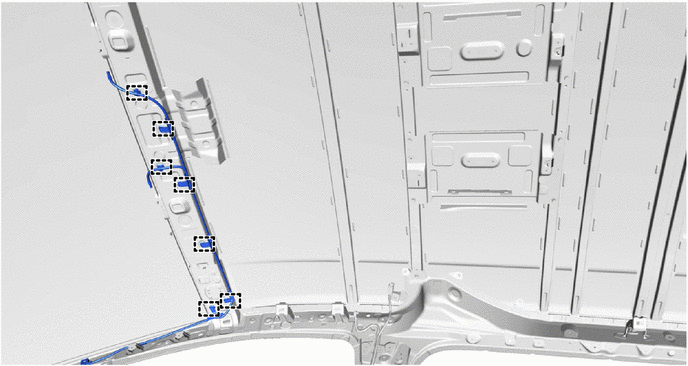
Engage the clamps to install the No. 1 digital television antenna sub-assembly.
-
-
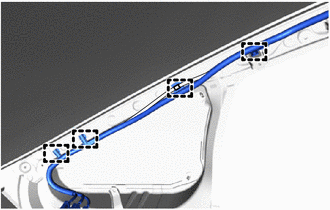
Engage the clamps.
-
Connect the front pillar side connectors.
-
-
INSTALL ROOF HEADLINING ASSEMBLY