MULTI-DISPLAY DISASSEMBLY
PROCEDURE
-
PRECAUTION
Note
-
When installing and removing the front panel, make sure not to touch the display panel.
-
Make sure there is no dirt (fingerprints, oil, etc.) on the front panel or display panel. If dirty, wipe it off with a soft cloth (such as a dry glasses cloth).
-
-
REMOVE FRONT PANEL ASSEMBLY
-
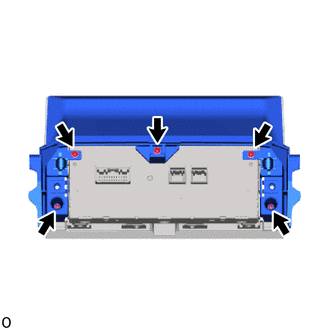
Remove the 5 screws.
-
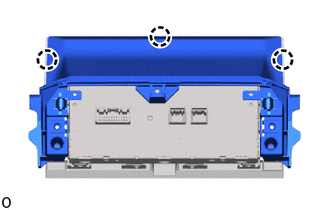
Detach the claw and remove the rear panel.
-
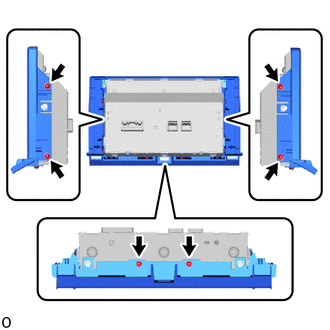
Remove the 6 screws.
-
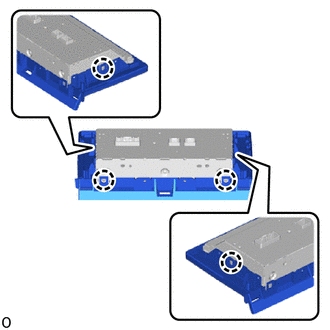
Detach the claw and remove the display.
-
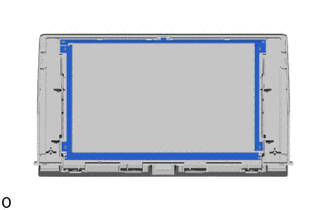
Remove the cushion seat located on the top and bottom of the front panel.
Tech Tips
Do not bend the cushion seat, as it will be reused.
-