MULTI-DISPLAY REMOVAL
PROCEDURE
-
REMOVE DECK BOARD ASSEMBLY
-
REMOVE NO. 3 DECK BOARD SUB-ASSEMBLY
-
REMOVE REAR DECK FLOOR BOX (w/ Spare Tire)
-
REMOVE DECK FLOOR BOX LH (w/ Spare Tire)
-
PRECAUTION
Note
After turning the power switch off, waiting time may be required before disconnecting the cable from the negative (-) auxiliary battery terminal. Therefore, make sure to read the disconnecting the cable from the negative (-) auxiliary battery terminal notice before proceeding with work.
-
DISCONNECT CABLE FROM NEGATIVE AUXILIARY BATTERY TERMINAL
CAUTION:
Wait at least 90 seconds after disconnecting the cable from the negative (-) auxiliary battery terminal to disable the SRS system.
Note
When disconnecting the cable, some systems need to be initialized after the cable is reconnected.
-
REMOVE INSTRUMENT PANEL FINISH PLATE
-
REMOVE MULTI-DISPLAY ASSEMBLY WITH BRACKET
-
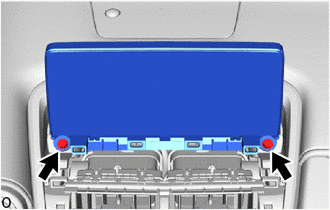
for 8 inch:
-
Remove the 2 bolts.
-
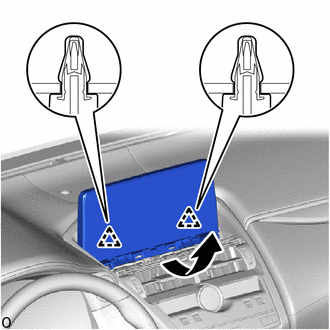
Move the multi-display assembly with bracket as indicated by the arrow shown in the illustration to detach the 2 clips.
-
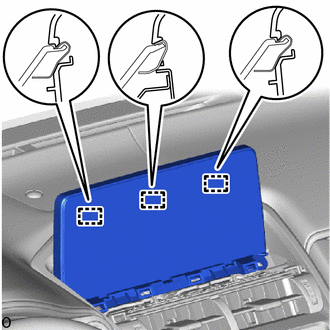
Detach the 3 guides.
-
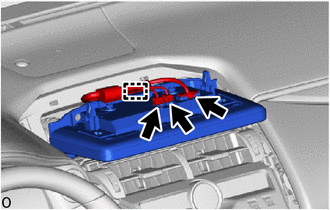
Disconnect the 3 connector.
-
Detach the clamp and remove the multi-display assembly with bracket.
-
-
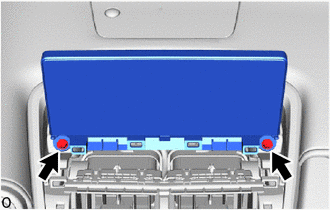
for 10.3 inch:
-
Remove the 2 bolts.
-
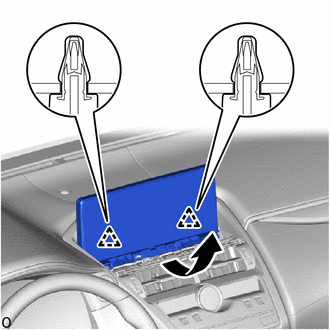
Move the multi-display assembly with bracket as indicated by the arrow shown in the illustration to detach the 2 clips.
-
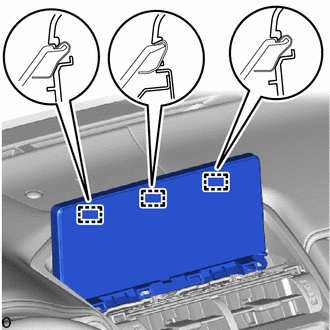
Detach the 3 guides.
-
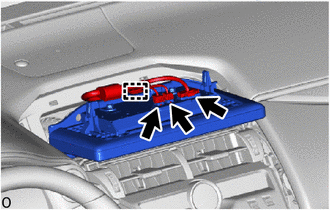
Disconnect the 3 connector.
-
Detach the clamp and remove the multi-display assembly with bracket.
-
-
-
REMOVE MULTI-DISPLAY CONTROLLER BRACKET A
-
for 8 inch:
-
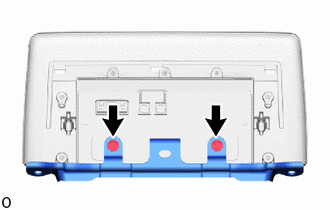
Remove the 2 screws.
-
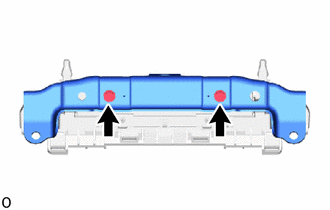
Remove the 2 screws and multi-display controller bracket A.
-
-
for 10.3 inch:
-
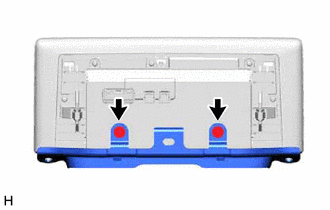
Remove the 2 screws.
-
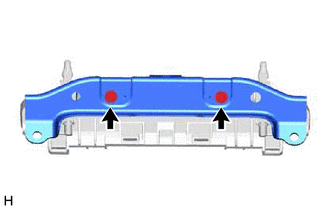
Remove the 2 screws and multi-display controller bracket A.
-
-
-
REMOVE MULTI-DISPLAY ASSEMBLY