REMOTE TOUCH(for Multi-Media Module Receiver Type) DISASSEMBLY
PROCEDURE
-
REMOVE INSTRUMENT PANEL CUP HOLDER
-
REMOVE SWITCH KNOB
-
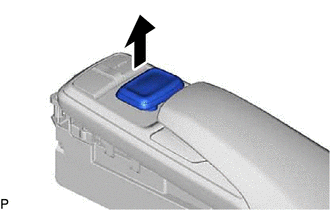
Remove the switch knob as shown in the illustration.
-
-
REMOVE REMOTE OPERATION BOARD
-
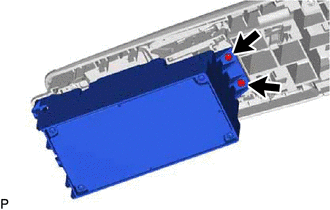
Remove the 2 screws.
-
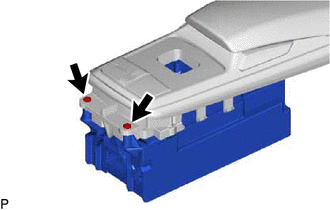
Remove the 2 screws.
-
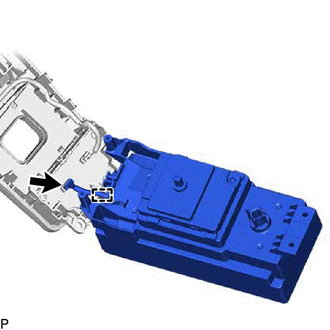
Disengage the clamp.
-
Disconnect the connector and remove the remote operation board from the remote operation switch.
-
-
REMOVE COVER ASSEMBLY
-
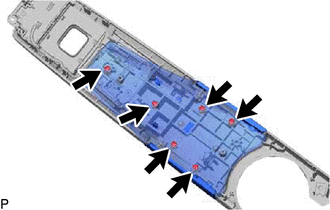
Remove the 6 screws.
-
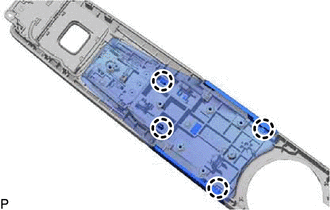
Disengage the 4 claws and remove the cover assembly from the remote operation switch.
-