AIR CONDITIONING SYSTEM(for Automatic Air Conditioning System) DIAGNOSIS SYSTEM
-
DESCRIPTION
-
Air conditioning system data and the Diagnostic Trouble Codes (DTCs) can be read through the Data Link Connector 3 (DLC3) of the vehicle. When the system seems to be malfunctioning, use the GTS to check for malfunctions and perform troubleshooting.
-
-
CHECK DLC3
-
Check the DLC3.
-
-
LIST OF OPERATION METHODS
-
By operating each of the air conditioning control switches as shown in the diagram below, it is possible to enter diagnostic check mode.
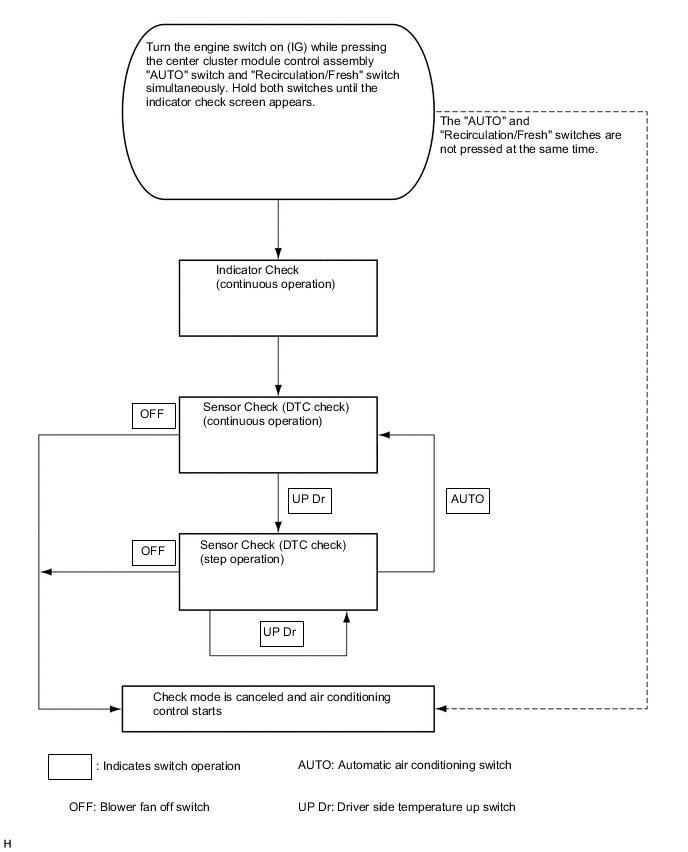
-
-
INDICATOR CHECK
-
Turn the ignition switch off.
-
Turn the ignition switch to ACC and wait at least 5 seconds.
-
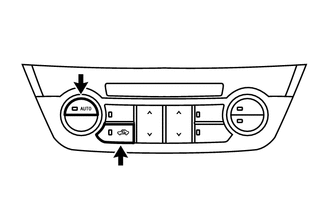
Turn the ignition switch to ON while pressing the air conditioning control assembly "AUTO" switch and "Recirculation/Fresh" switch simultaneously. Hold both switches until the indicator check screen appears.
-
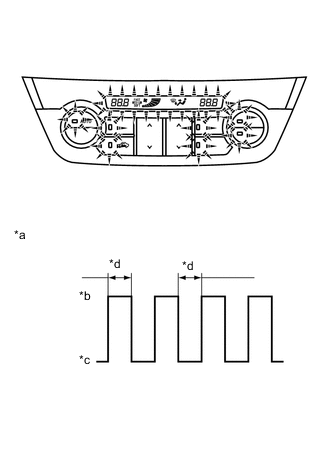
*a Indicator Blinking Pattern *b On *c Off *d 1 second The indicator check is automatically performed when panel diagnosis is activated. Check that the indicators light up and go off 4 times at 1 second intervals continuously.
Tech Tips
-
The sensor check automatically starts when the indicator check is completed.
-
Press the "OFF" switch to cancel check mode.
-
-
-
SENSOR CHECK (DTC CHECK)
-
Start the engine and warm it up.
-
Perform the indicator check.
Tech Tips
After the indicator check is completed, the system enters DTC check mode automatically.
-
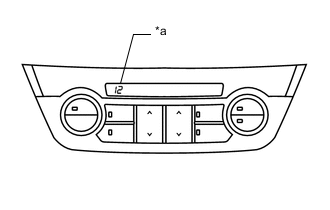
*a Diagnostic Trouble Code (DTC) Read the DTC displayed on the indicator panel.
Note
In sensor check mode, which is automatically entered after indicator check mode, troubleshooting may be partially performed. Be sure to perform the sensor check again.
Tech Tips
Refer to Diagnostic Trouble Code Chart for details of the codes.
-
When there are no problems, DTC 00 is output.
-
As an example, the illustration shows that DTC 12 is output.
-
-
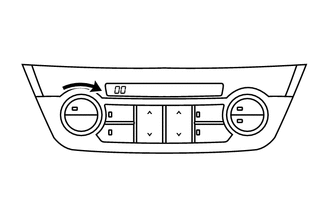
If the DTCs are difficult to read because they change automatically, turn the "Driver TEMP" switch clockwise to display the DTCs one at a time so that they can be read easily. The DTCs change step by step each time the "Driver TEMP" switch is turned clockwise.
Tech Tips
Press the "OFF" switch to finish panel diagnosis.
-
Clear DTCs
-
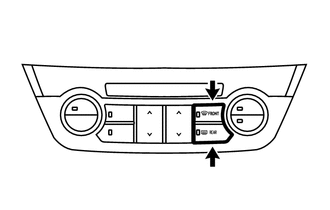
During the sensor check, press the front defroster switch and rear defogger switch simultaneously.
-
-