ECD SYSTEM REGISTRATION
CAUTION / NOTICE / HINT
Tech Tips
-
When the ECM must be replaced, before replacing the ECM, perform the "Learning Values Save" function using the GTS. Then after installing the new ECM, perform all of the initialization/registrations for the "Learning Values Write" function by following the instructions shown on the GTS display.
-
After replacing any of the injector assemblies, perform the "Injector Compensation" function using the GTS. If any of the injector assemblies and the ECM are replaced at the same time, perform the same initialization/registrations as when replacing the ECM.
-
After replacing the air fuel ratio sensor, perform the "O2 Sensor Learning Value Reset" function using the GTS. If the air fuel ratio sensor and the ECM are replaced at the same time, perform the same initialization/registrations as when replacing the ECM.
-
After replacing the exhaust manifold converter subassembly(DPF catalytic converter), perform the "DPF History Information Reset" function using the GTS. If the exhaust manifold converter sub-assembly (DPF catalytic converter) and the ECM are replaced at the same time, perform the same initialization/registrations as when replacing the ECM.
-
After replacing the engine assembly, perform the "Injector Compensation" function using the GTS. If the engine assembly and the ECM are replaced at the same time, perform the same initialization/registrations as when replacing the ECM.
-
If the "Learning Values Save" or "Learning Values Write" function has failed, input manually the injector compensation codes using the "Injector Compensation" function by following the instructions shown on the GTS display.
-
The VIN is a 17-digit alphanumeric vehicle identification number. The GTS is required to register the VIN.
-
This registration section consists of 2 parts: Read VIN and Write VIN.
-
Read VIN: This process allows the VIN stored in the ECM to be read in order to confirm that the 2 VINs, provided with the vehicle and stored in the vehicle ECM, are the same.
-
Write VIN: This process allows the VIN to be input into the ECM. If the ECM is replaced, or the ECM VIN and vehicle VIN do not match, the VIN can be registered, or overwritten in the ECM by following this procedure.
PROCEDURE
-
LEARNING VALUES SAVE
Tech Tips
Save the compensation codes and learning values stored in the ECM to the GTS all at once in order to transfer the information from the old ECM to the new ECM.
-
Connect the GTS to the DLC3.
-
Turn the ignition switch to ON and turn the GTS on.
-
Enter the following menus: Powertrain / Engine and ECT / Utility / Learning Values Save.
Powertrain > Engine and ECT > UtilityTester Display Learning Values Save -

When the first screen is displayed, check the vehicle condition and push "Next".
Tech Tips
If "Learning Values Save" has failed, check the conditions and then perform it once again.

-

If the overwrite confirmation screen is displayed, press "Overwrite".
-
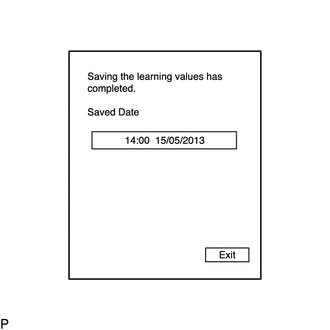
When the operation is finished, confirm the date and time of the save operation, and press "Exit".
-
-
LEARNING VALUES WRITE
Tech Tips
-
Write the compensation codes and learning values, which were stored in the GTS with "Learning Values Save", to the ECM all at once in order to transfer the information from the old ECM to the new ECM.
-
This function is used to write the compensation codes and learning values saved in the GTS.
-
Connect the GTS to the DLC3.
-
Turn the ignition switch to ON and turn the GTS on.
-
Enter the following menus: Powertrain / Engine and ECT / Utility / Learning Values Write.
Powertrain > Engine and ECT > UtilityTester Display Learning Values Write -
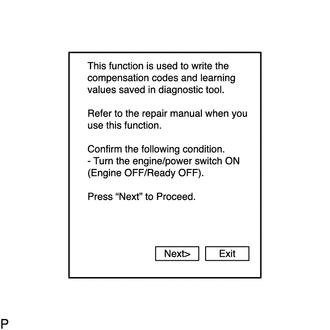
When the first screen is displayed, check the vehicle condition and push "Next".
Tech Tips
If "The saved data does not exist." or "The saved data is not for this vehicle." is displayed, perform "Learning Values Save" once again.
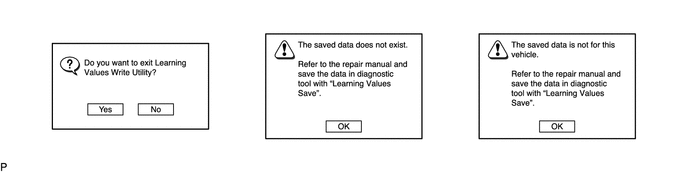
-

Confirm the date and time of the save operation, and then press "Yes".
Tech Tips
If "Learning Values Write" has failed, check the conditions and then perform it once again.

-
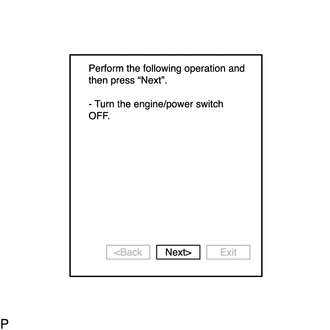
Press "Next" again to proceed.
-
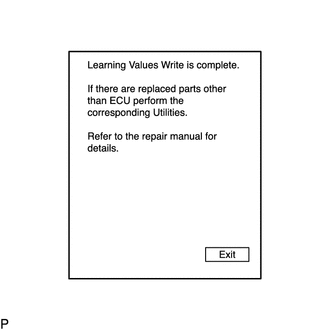
When the operation is finished, confirm the date and time of the save operation, and press "Exit".
-
-
LEARNING VALUES CONFIRMATION
-
Connect the GTS to the DLC3.
-
Turn the ignition switch to ON and turn the GTS on.
-
Enter the following menus: Powertrain / Engine and ECT / Utility / Learning Values Confirmation.
Powertrain > Engine and ECT > UtilityTester Display Learning Values Confirmation
-
-
INJECTOR COMPENSATION
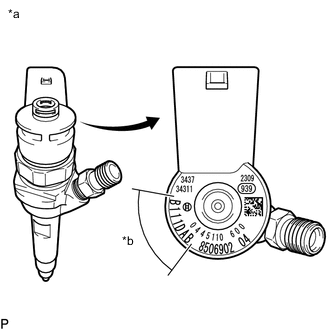
*a Example *b Injector Compensation Code Note
Injector compensation codes are 7-digit, alphanumeric values printed on the head of each injector assembly. If an incorrect injector compensation code is input into the ECM, the engine may rattle or engine idling may become rough. In addition, engine failure may occur and the life of the engine may be shortened.
-
Connect the GTS to the DLC3.
-
Turn the ignition switch to ON and turn the GTS on.
Tech Tips
Confirm that the ignition switch is ON and the engine is stopped.
-
Enter the following menus: Powertrain / Engine and ECT / Utility / Injector Compensation.
Powertrain > Engine and ECT > UtilityTester Display Injector Compensation -
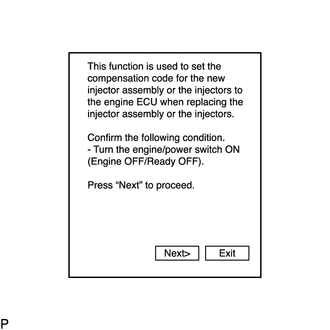
When the first screen is displayed, check the vehicle condition and push "Next".
-
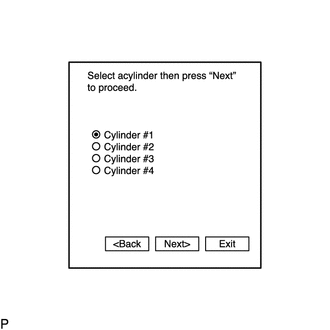
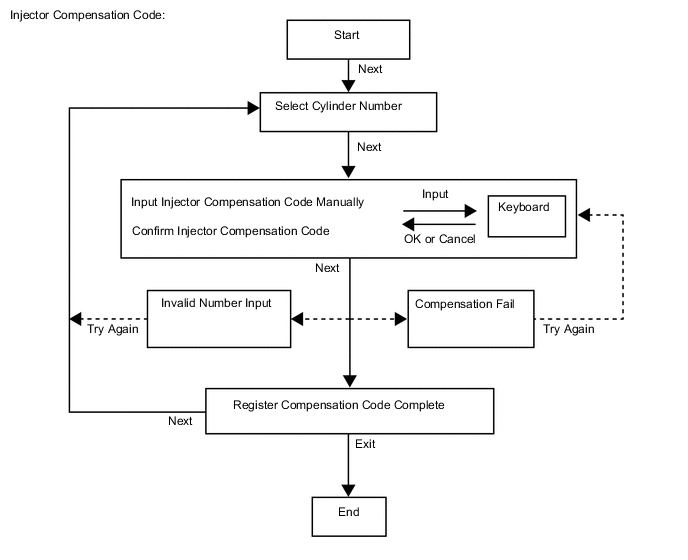
Select the number of the cylinder corresponding to the injector compensation code that you want to input, and press "Next".
-

Register the compensation code.
-
Manually input the cylinder compensation code using the keyboard. The code is a 7-digit, alphanumeric value printed on the injector head.
Tech Tips
The compensation code for each selected cylinder must be input into the GTS correctly.
-
Confirm that the compensation code for the selected cylinder is correct, and then Press "Next".
Tech Tips
-
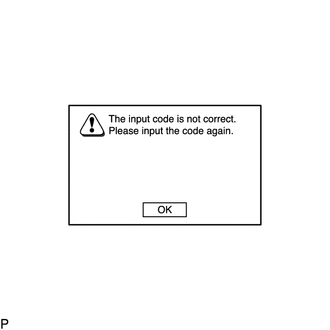
If an input error occurs, input the compensation code once again.
-
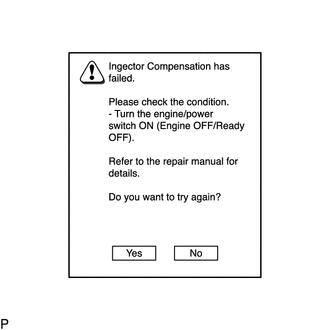
If registering the compensation code has failed, check the conditions and perform the registration once again.
-
-
-

Press "Back" to return to the screen for selecting the cylinder when registering the compensation code of another cylinder. Then press "Next".
-
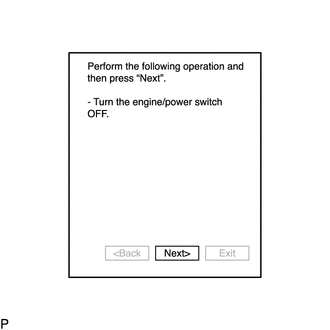
Press "Next".
-

When the operation is finished, confirm the date and time of the save operation, and press "Exit".
-
-
READ VIN
-
Connect the GTS to the DLC3.
-
Turn the ignition switch to ON and turn the GTS on.
-
Enter the following menus: Powertrain / Engine and ECT / Utility / VIN / VIN Read.
Powertrain > Engine and ECT > UtilityTester Display VIN
-
-
WRITE VIN
-
Connect the GTS to the DLC3.
-
Turn the ignition switch to ON and turn the GTS on.
-
Enter the following menus: Powertrain / Engine and ECT / Utility / VIN / VIN Write.
Powertrain > Engine and ECT > UtilityTester Display VIN
-