SPEED LIMITER SYSTEM OPERATION CHECK
-
CHECK SPEED LIMITER INDICATOR AND MULTI-INFORMATION DISPLAY
-
Turn the ignition switch to ON.
-
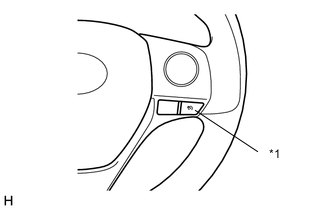
*1 Speed Limiter Switch Check that the speed limiter indicator turns on when the speed limiter is turned on using the speed limiter switch and that the speed limiter indicator turns off when the speed limiter is turned off using the speed limiter switch.
-
Check that the status of the speed limiter operation appears on the combination meter assembly.
Condition Speed Limiter Indicator Light*1 Multi-information Display*1 Multi-information Display*2*3 Speed Limiter Switch On Illuminates - 
Mode Set Effecting Control Illuminates 
(Example)
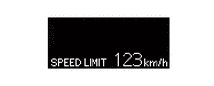
(Example)
Set Speed Exceeded Illuminates (Blinks)
(Example)
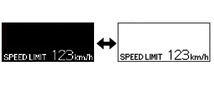
(Example)
System Malfunction Illuminates in yellow - 
*1: for Segment LCD type multi-information display
*2: for monochrome Dot LCD type multi-information display
*3: for color TFT type multi-information display
-