BACK DOOR OUTSIDE GARNISH DISASSEMBLY
PROCEDURE
-
REMOVE REAR TELEVISION CAMERA ASSEMBLY (w/ Rear View Monitor System)
-
REMOVE SYMBOL EMBLEM
-
REMOVE BACK DOOR OUTSIDE GARNISH PAD
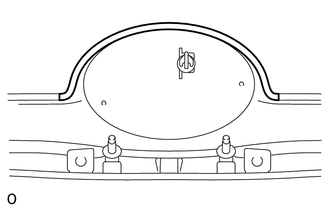
-
Remove the back door outside garnish pad.
-
-
REMOVE BACK DOOR GARNISH SIDE PROTECTOR LH
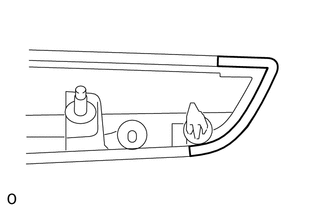
-
Remove the back door garnish side protector.
-
-
REMOVE BACK DOOR GARNISH SIDE PROTECTOR RH
Tech Tips
Use the same procedure described for the LH side.
-
REMOVE BACK DOOR OUTSIDE GARNISH PROTECTOR
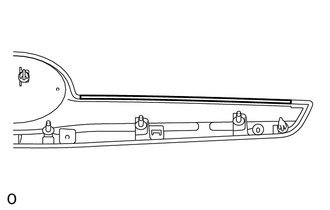
Tech Tips
Use the same procedure for the other back door outside garnish protector.
-
Remove the back door outside garnish protector.
-
-
REMOVE NO. 2 BACK DOOR OUTSIDE GARNISH
-
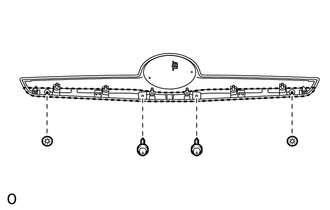
Remove the 2 screws.
-
Remove the 2 spring nuts and No. 2 back door outside garnish.
-