MULTI-DISPLAY REASSEMBLY
PROCEDURE
-
CAUTION
Note
-
When installing and removing the front panel, make sure not to touch the display panel.
-
Make sure there is no dirt (fingerprints, oil, etc.) on the front panel or display panel. If dirty, wipe it off with a soft cloth (such as a dry glasses cloth).
-
-
INSTALL ACCESSORY METER COVER
-
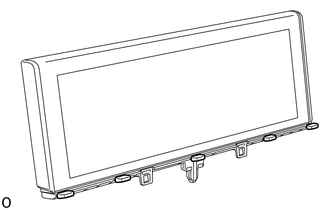
Install the 5 accessory meter covers.
-
-
INSTALL ACCESSORY METER GLASS
-
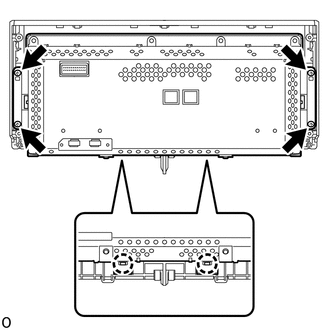
Attach the claw.
Note
Blow the part with air so that foreign matter does not enter from between the accessory meter case assembly and the front panel.
-
Install the accessory meter case assembly with the 4 screws.
-
-
INSTALL ACCESSORY METER PLATE
-
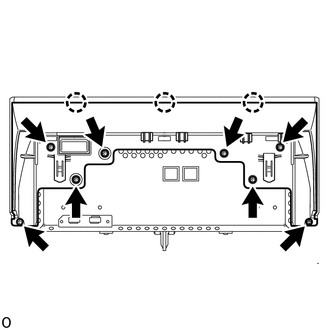
Attach the claw.
-
Tighten the 8 screws to install the accessory meter plate.
-
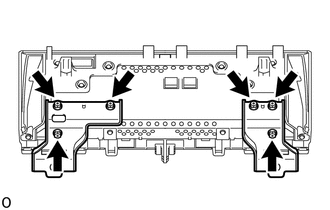
Install the bracket using the 6 bolts and 2 brackets.
-