PRE-CRASH SAFETY SYSTEM OPERATION CHECK
-
CHECK PRE-CRASH SAFETY SYSTEM SETTING
-
Turn the power switch on (IG).
-
Operate the steering pad switch assembly to change the setting of PCS on the multi-information display to "On" and check that the pre-crash safety system turns on.
Tech Tips
When the power switch is turned on (IG), the PCS will turn on. This can be changed through a customize setting using the GTS.
-
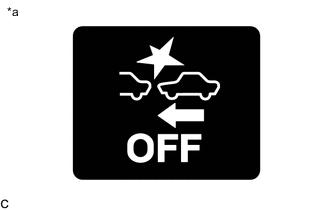
Text in Illustration *a PCS Warning Light Operate the steering pad switch assembly to change the PCS setting to "Off" and check that the PCS warning light illuminates.
-
-
CHECK PRE-CRASH SAFETY SYSTEM SENSITIVITY SETTING
-
Turn the power switch on (IG).
-
Operate the steering pad switch assembly to select Change PCS Sensitivity and check that the precrash safety system sensitivity sensitivity setting displayed on the multi-information display changes between "Far", "Mid" and "Near" accordingly.
Tech Tips
-
Check that the sensitivity setting displayed on the multi-information display changes between "Far", "Mid", and "Near" accordingly.
-
The default setting is "Mid".
-
-