HEADUP DISPLAY SYSTEM CUSTOMIZE PARAMETERS
PROCEDURE
-
CUSTOMIZE HEADUP DISPLAY SYSTEM
-
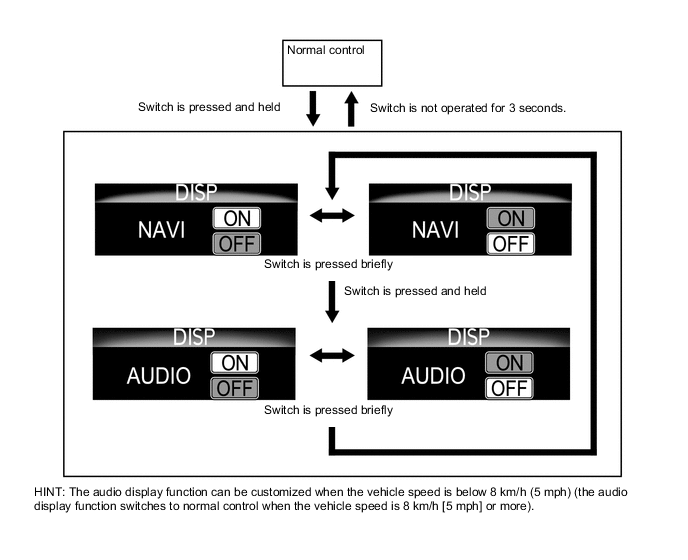
Customizing with the combination meter mirror ECU.
-
Operate the headup display switch assembly to set the audio display function to ON or OFF.
-
-
Customizing with the GTS
-
Connect the GTS to the DLC3.
-
Enter the following menus: Customize Setting /Display.
Display (Item) Default Contents Setting Projection Adjustment (Tilt) Default Setting to change the tilt of the screen $40: Clockwise (Hi), $20:Clockwise (Mid), $10: Clockwise(Lo), $08: Default, $04: Anti-Clockwise (Lo), $02: Anti-Clockwise (Mid), $01: Anti-Clockwise (Hi)
-
-