MULTI-DISPLAY CONTROLLER REMOVAL
PROCEDURE
-
REMOVE STEREO COMPONENT AMPLIFIER ASSEMBLY
-
REMOVE MULTI-DISPLAY CONTROLLER SUB-ASSEMBLY WITH BRACKET
-
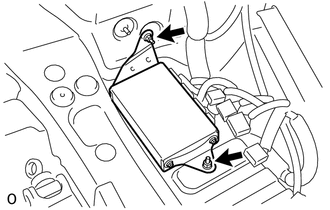
Disconnect the connectors.
-
Remove the 2 nuts and multi-display controller subassembly with bracket.
-
-
REMOVE TELEVISION BRACKET
-
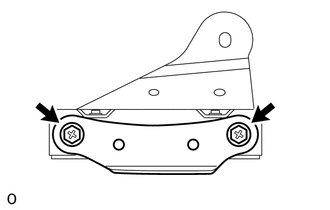
Remove the 2 bolts and television bracket.
-
-
REMOVE TELEVISION BRACKET
-
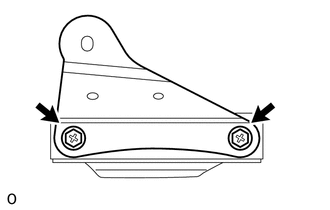
Remove the 2 bolts and television bracket.
-