WIPER SWITCH INSTALLATION
PROCEDURE
-
INSTALL WINDSHIELD WIPER SWITCH ASSEMBLY
-
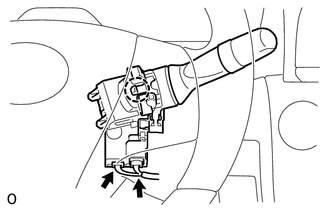
Attach the claw to install the wiper switch.
-
Connect the 2 connectors.
-
-
INSTALL STEERING COLUMN COVER (w/o Driver Monitor Camera)
-
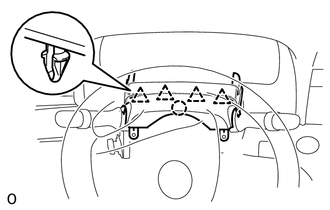
Attach the claw.
-
Attach the 4 clips to install the upper steering column cover onto the instrument panel cluster finish panel.
-
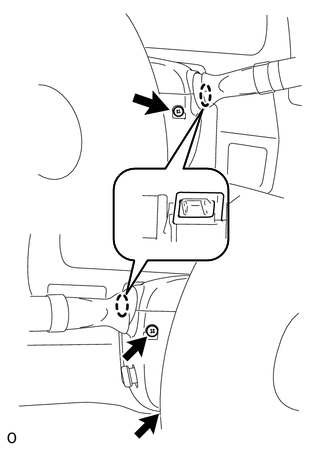
Attach the 2 claws to install the lower steering column cover.
Note
Do not damage the tilt and telescopic switch.
-
Using a screwdriver, while turning the steering wheel to the right and left, install the 3 screws.
-
-
INSTALL STEERING COLUMN COVER (w/ Driver Monitor Camera)
-
Connect the connector.
-
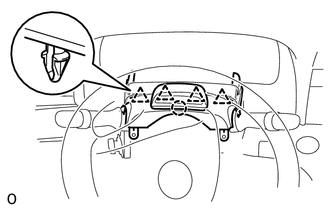
Attach the claw.
-
Attach the 4 clips to install the upper steering column cover onto the instrument panel cluster finish panel.
-
Attach the 2 claws to install the lower steering column cover.
Note
Do not damage the tilt and telescopic switch.
-
Using a screwdriver, while turning the steering wheel to the right and left, install the 3 screws.
-