TELEVISION CAMERA(for Side) REMOVAL
PROCEDURE
-
REMOVE OUTER REAR VIEW MIRROR ASSEMBLY LH
-
Remove the outer rear view mirror Click here.
-
-
REMOVE OUTER REAR VIEW MIRROR GLASS
-
REMOVE OUTER MIRROR COVER
-
REMOVE SIDE TURN SIGNAL LIGHT ASSEMBLY LH
-
REMOVE SIDE TELEVISION CAMERA ASSEMBLY
-
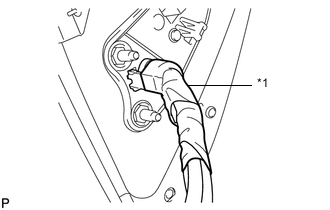
Text in Illustration *1 Tape Remove the tape.
-
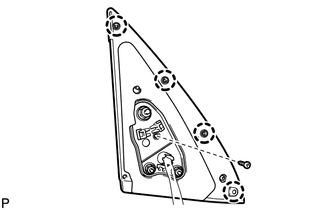
Remove the screw, detach the 4 claws and remove the rubber base.
Tech Tips
It is not necessary to completely remove the rubber base. Slightly move the rubber base so that the lower mirror cover can be removed in a later step.
-
Remove the lower mirror cover.
-
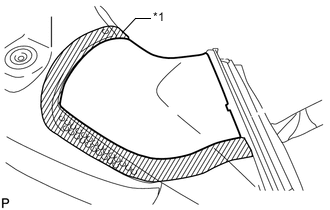
Text in Illustration *1 Protective Tape Put protective tape around the lower mirror cover.
-
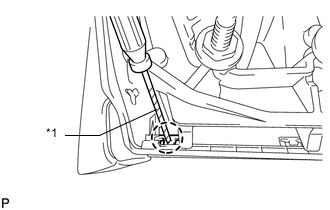
Text in Illustration *1 Protective Tape Using a screwdriver, detach the claw.
-
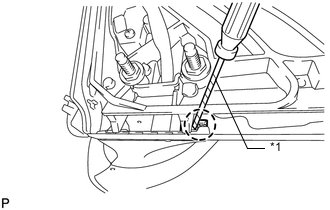
Text in Illustration *1 Protective Tape Using a screwdriver, detach the claw.
-
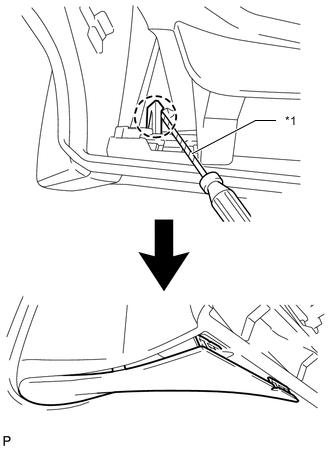
Text in Illustration *1 Protective Tape Using a screwdriver, detach the claw to create a space between the lower mirror cover and mirror body as shown in the illustration.
-
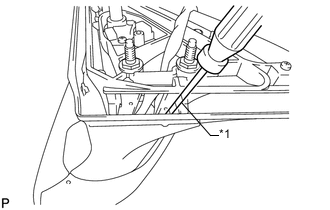
Text in Illustration *1 Protective Tape Insert a screwdriver as shown in the illustration.
-
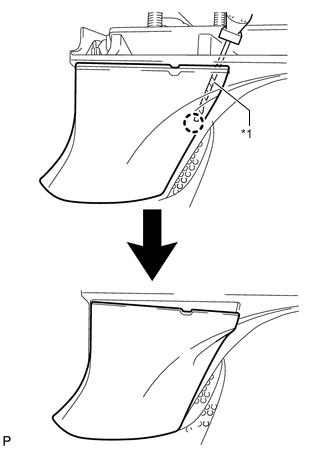
Text in Illustration *1 Protective Tape Detach the claw to create a space between the lower mirror cover and mirror body as shown in the illustration.
-
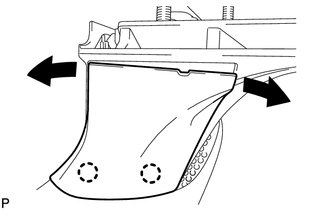
While moving the lower mirror cover back and forth in the directions of the arrows in the illustration, detach the 3 claws and remove the lower mirror cover.
-
-
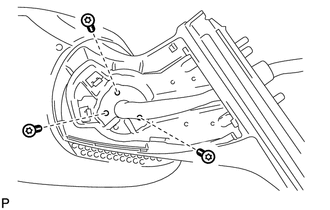
Using a T25 "TORX" socket wrench, remove the 3 screws.
-
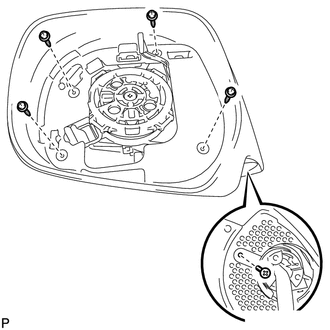
Remove the 5 screws.
-
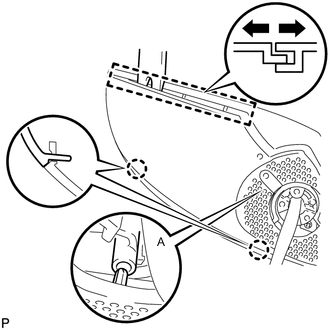
Using a moulding remover, open the mirror body as shown in the illustration.
-
Using a moulding remover, detach the 2 claws.
Note
Be careful not to break the claw shown in the part of the illustration labeled A.
-
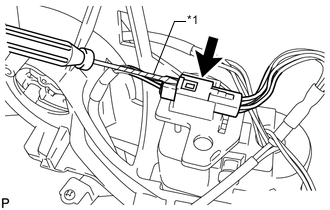
Using a screwdriver, disconnect the connector.
Note
When disconnecting the connector, be careful not to damage it.
Tech Tips
Tape the screwdriver tip before use.
Text in Illustration *1 Protective Tape -
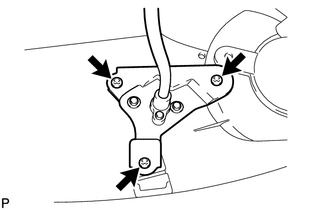
Remove the 3 screws and side television camera.
-